DGS-3100 Series Gigabit Stackable Managed Switch User Manual
14
2
Configuring Authentication Server Hosts
The Authentication Server is a remote device connected to the same network as the Client and Authenticator. Users are
authenticated using either RADIUS or TACACS+, and must be authenticated by the server before attaining network access.
To define the Authentication Server information:
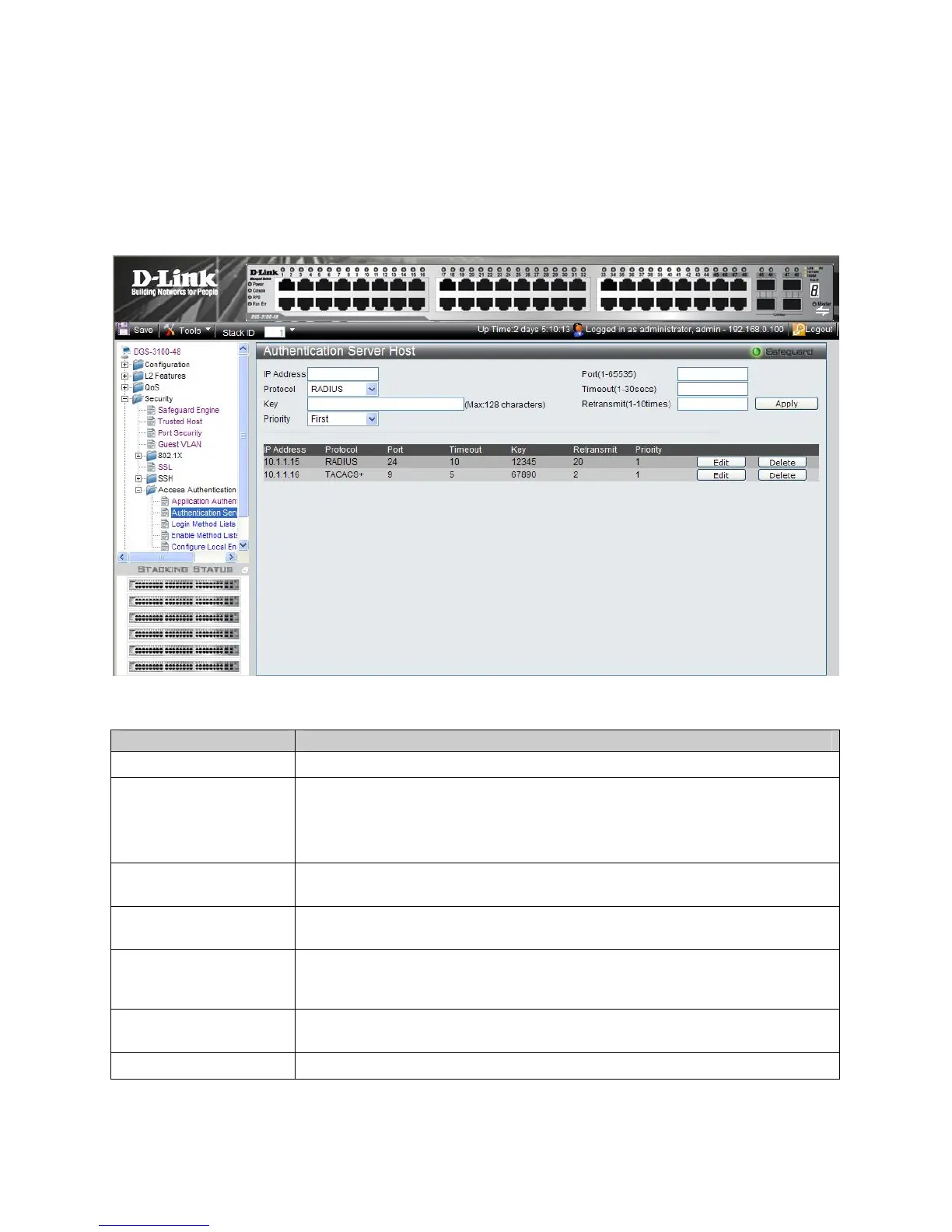
1. Click Security > Access Authentication Control> Authentication Server Host. The Authentication Server Host
Page opens:
Figure 5-12. Authentication Server Host Page
The Authentication Server Host Page contains the following fields:
Field Description
IP Address
Defines the IP address of the RADIUS or TACACS+ server authenticating network users.
Protocol
Indicates the authentication protocol used to authenticate network users. The possible
field values are:
RADIUS — Indicates that network users are authenticated via a RADIUS server.
TACACS+ — Indicates that network users are authenticated via a TACACS+ server.
Key
Defines the key used to authenticate network users. The key may contain up to 128
characters
Priority
Defines the priority assigned to the server. The field range is First -Third, where Third is
the lowest priority and First is the highest priority.
Port (1-65535)
The port number for authentication requests. The host is not used for authentication if set
to 0. If unspecified, the Radius port number defaults to 1812, TACACS+ port number
defaults to 49.
Timeout (1-30secs)
Indicates the amount of time that passes, in which no authentication activity occurs, after
which the authentication session times out.
Retransmit (1-10 times)
Indicates the number of times the port attempts to re- authenticate a timed out session.
2. Define the IP Address, Protocol, Key, Port, Timeout, and Retransmit fields.











 To Next Page