DGS-3100 Series Gigabit Stackable Managed Switch User Manual
Enabling SNMP Traps
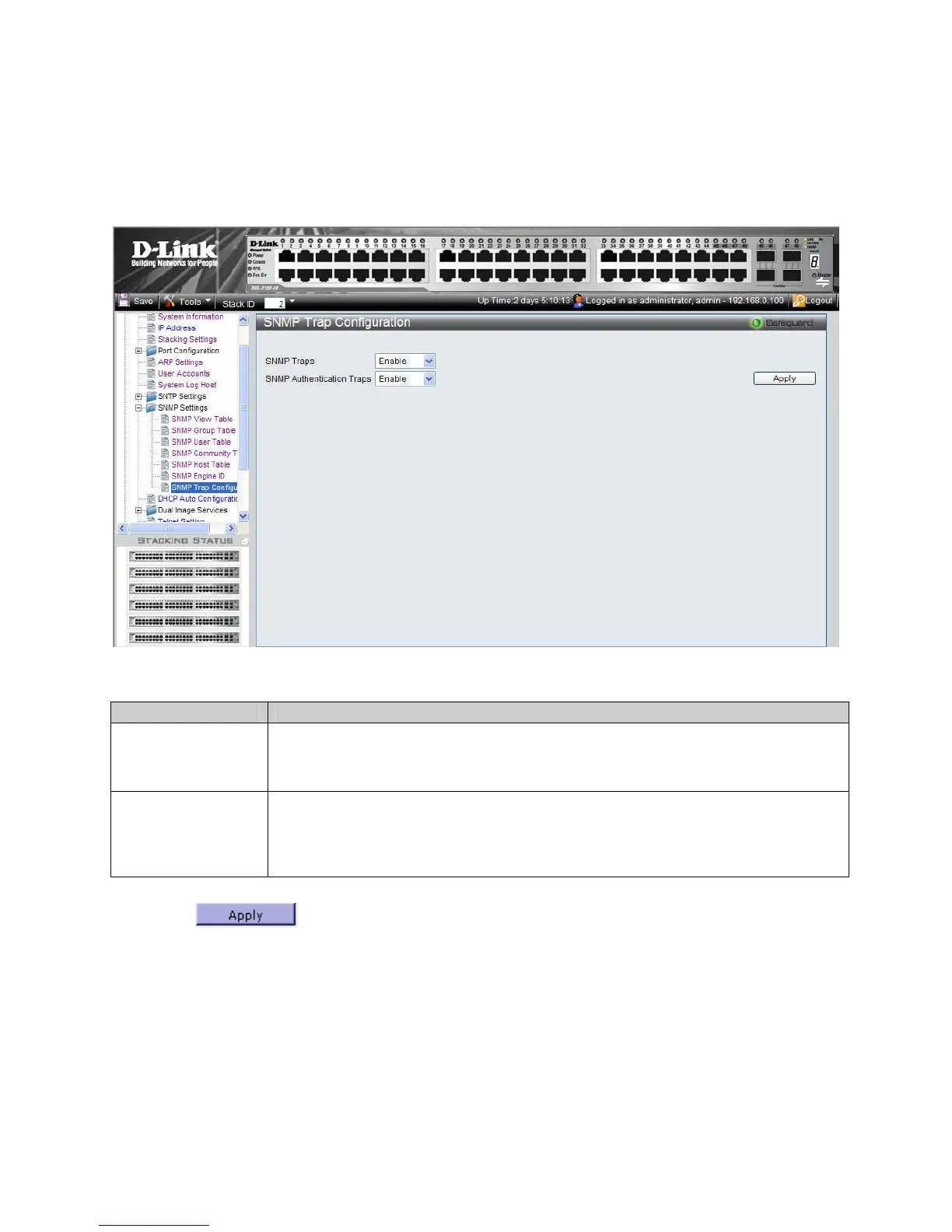
The SNMP Configuration Trap Page contains parameters for defining SNMP notification parameters. To enable SNMP
notifications: To enable SNMP Traps:
1. Click Configuration > SNMP Settings > SNMP Trap Configuration. The SNMP Configuration Trap Page
ope
ns:
Figure 2-18 SNMP Configuration Trap Page
The SNMP Configuration Trap Page contains the following fields:
Field Description
SNMP Traps
Specifies whether the device can send SNMP notifications. The possible field values are:
Enable — Enables SNMP notifications. This is the default value.
Disable — Disables SNMP notifications.
SNMP Authentication
Traps
Specifies whether the device can send traps upon authentication failure notification.
Enable — Enables the device to send authentication failure notifications. This is the default
value.
Disable — Disables the device from sending authentication failure notifications.
2. Define the SNMP Traps and SNMP Authentication Traps fields.
3.
Click
. The SNMP trap status is modified, and the device is updated.
55











 To Next Page