DGS-3100 Series Gigabit Stackable Managed Switch User Manual
13
8
Configuring Secure Shell Security
Secure Shell permits network users to securely login to the network from a remote location over an insecure network. SSH a
secure login to remote host computers, a safe method of executing commands on a remote end node, and will provide secure
encrypted and authenticated communication between two non-trusted hosts. SSH, with its array of unmatched security
features is an essential tool in today’s networking environment. It is a powerful guardian against numerous existing security
hazards that now threaten network communications.
Ensure the following steps are completed before configuring SSH:
Create a user account with admin-level access using the User Accounts window in the Administration folder. This is
identical to creating any other admin-level User Account on the Switch, including specifying a password. This
password is used to logon to the Switch, once a secure communication path has been established using the SSH
protocol.
Configure the User Account to use a specified authorization method to identify users that are allowed to establish SSH
connections with the Switch using the Current Accounts window (Security > Secure Shell (SSH) > SSH User
Authentication). There is a special SSH method that mey be used to authorize the user: Public Key. The default value
is None.
To define SSH on the device:
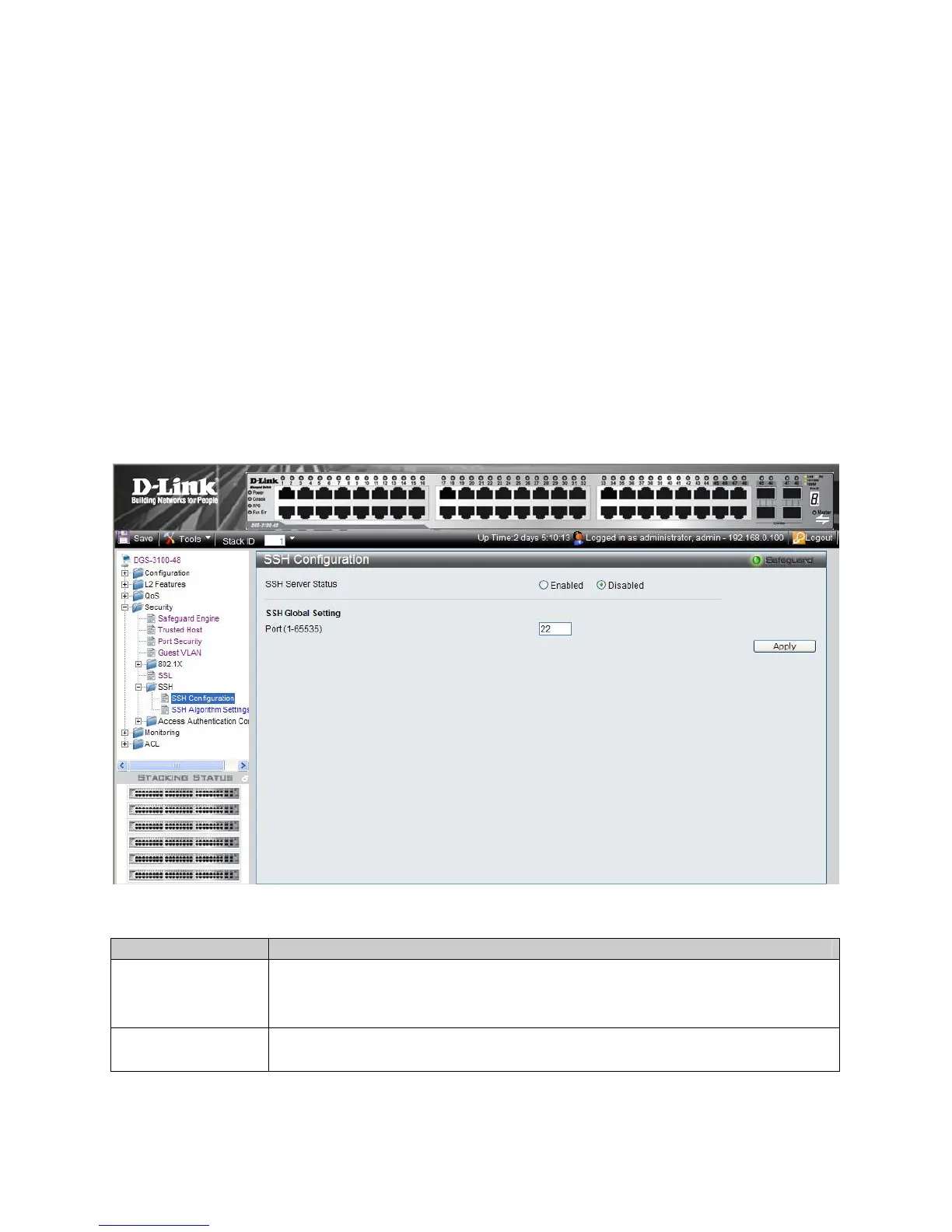
1. Click Security > SSH > SSH Configuration. The SSH Configuration Page opens:
Figure 5 -8. SSH Configuration Page
The SSH Configuration Page contains the following fields:
Field Description
SSH Server Status
Indicates if SSH is enabled on the device. The possible field values are:
Enable — Enables SSH on the device.
Disable — Disables SSH on the device. This is the default value.
Port (1-65535)
Displays the port number used to authenticate the SSH session. The possible field range is 1-
65535. The field default is 22.
2. Enable or disable the SSH server status in the SSH Server Status field.











 To Next Page