DGS-3100 Series Gigabit Stackable Managed Switch User Manual
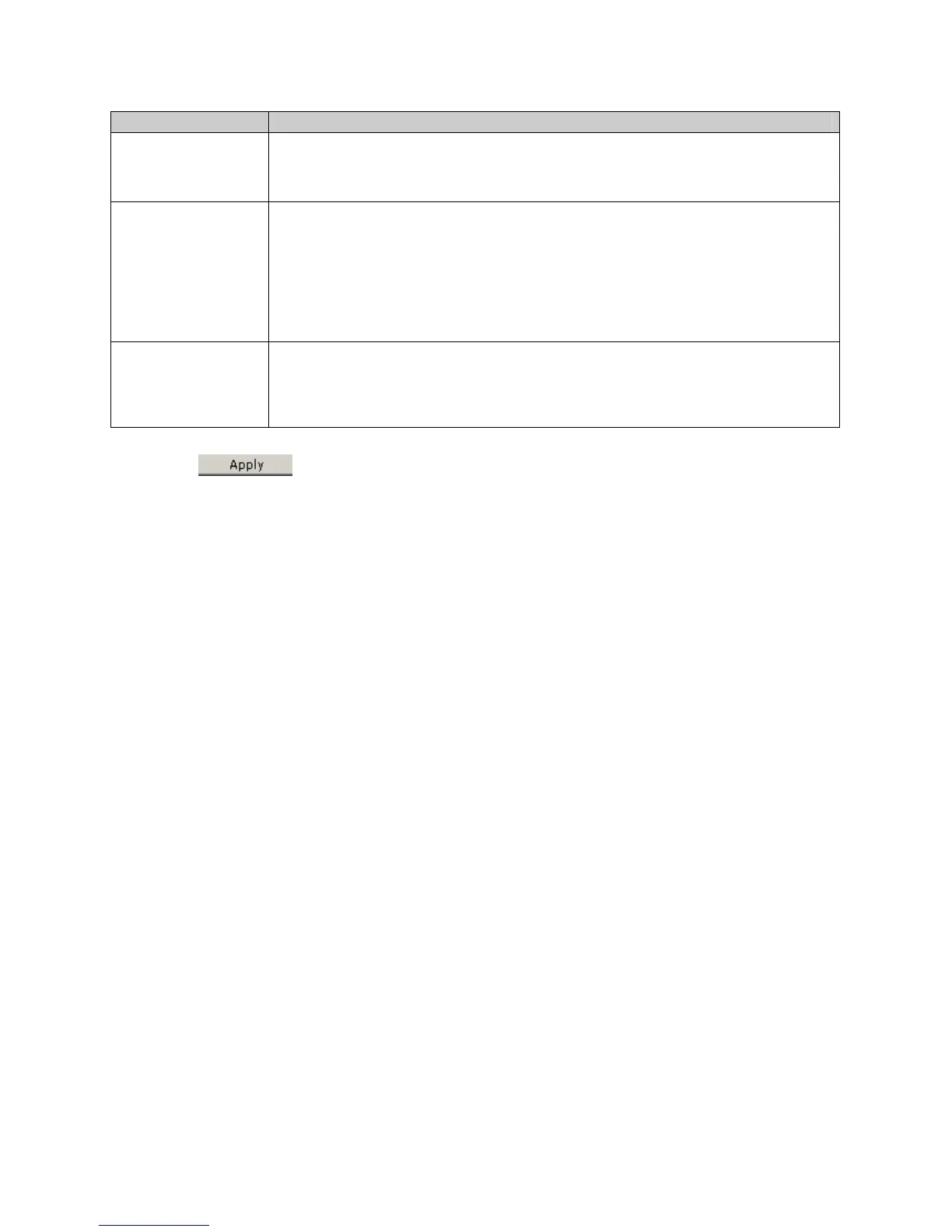
The SSL Configuration Settings Page contains the following fields:
Field Description
SSL Status
Indicates if SSL is enable on the device. The possible field values are:
Enabled — Indicates SSL is enabled on the device.
Disabled — Indicates SSL is disabled on the device. (This is the default value.)
Ciphersuite
Indicates the Ciphersuite. The possible field values are:
RSA with RC4 128 MD5 —Combines the RSA key exchange, stream cipher RC4
encryption with 128-bit keys and the MD5 Hash Algorithm.
RSA with 3DES EDE CBC SHA — This ciphersuite combines the RSA key exchange, CBC
Block Cipher 3DES_EDE encryption and the SHA Hash Algorithm.
RSA EXPORT with RC4 40 MD5 — This ciphersuite combines the RSA Export key
exchange and stream cipher RC4 encryption with 40-bit keys.
Status
Indicates if the selected Ciphersuite is enable or disabled for SSL. The possible field values
are:
Enable — Enables the Ciphersuite for SSL.
Disable — Disables the Ciphersuite for SSL.
2. Enable or disable the SSL status in the SSL Status field.
3. Click
. The SSL status is defined, and the device is updated.
13
7











 To Next Page