DGS-3100 Series Gigabit Stackable Managed Switch User Manual
58
Field Description
An “*” indicates that this image file is used for reboot.
Version
Displays the image file’s version number.
Update Time
Displays the time and date which the software was saved to the server.
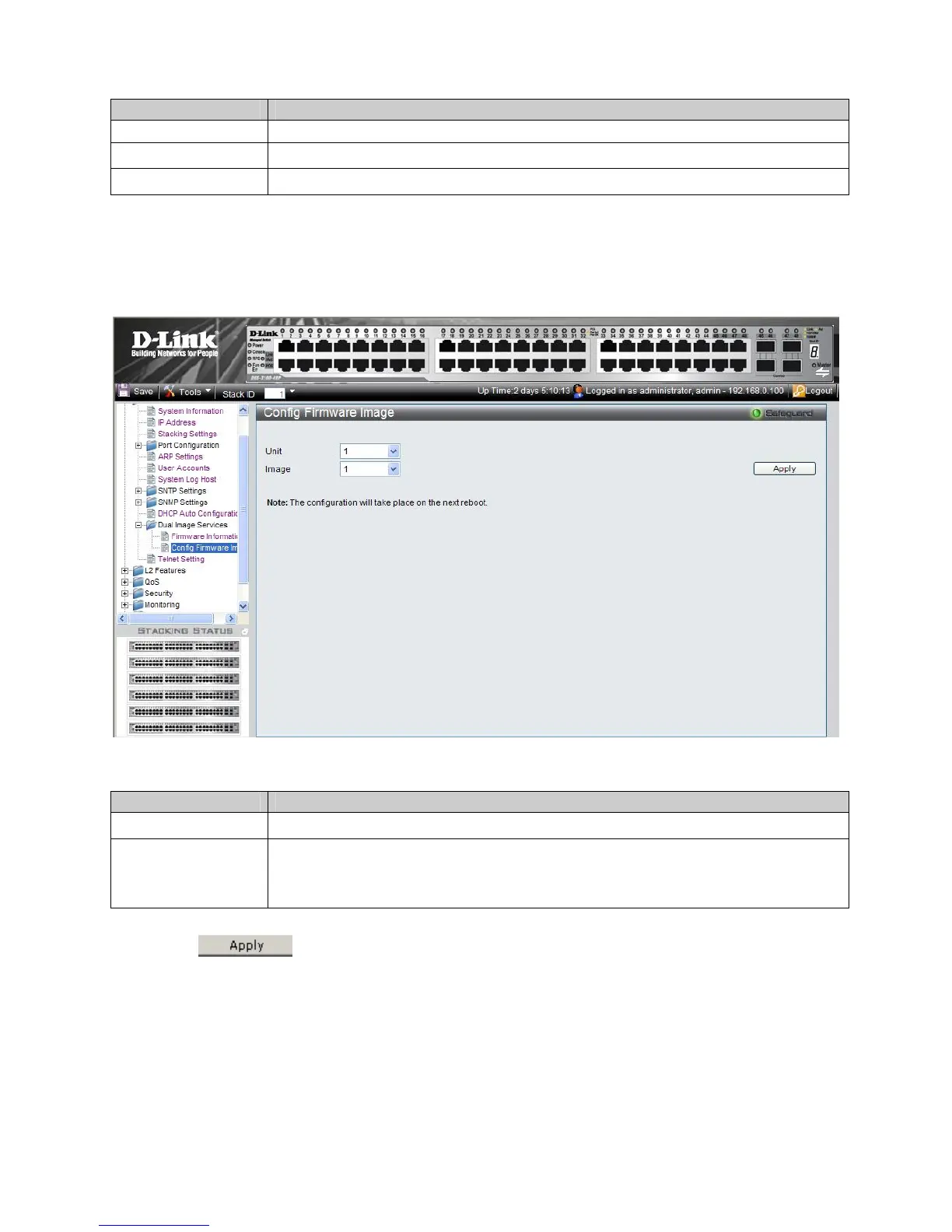
Config Firmware Image
The
1. onfiguration > Dual Image Services > Config Firmware Image. The Config Firmware Image Page
ope
ns:
Config Firmware Image Page allows users to change each device’s i
mage file. To change the reboot file:
Click C
Figure 2-21 Config Firmware Image Page
T fig Firmware Imag s the following fields: he Con e Page contain
Field Description
Unit
Defines the stacking member for which the reboot image file is defined.
Image
Defi are:
viously downloaded image file.
nes the image file used for reboot. The possible values
1 – Image-1 is the latest downloaded image file.
2 – Image-2 is the pre
2. Select and choose its reboot Image file. the Unit
3. Click
. The device will use the defined image file to reboot next time.











 To Next Page