DGS-3100 Series Gigabit Stackable Managed Switch User Manual
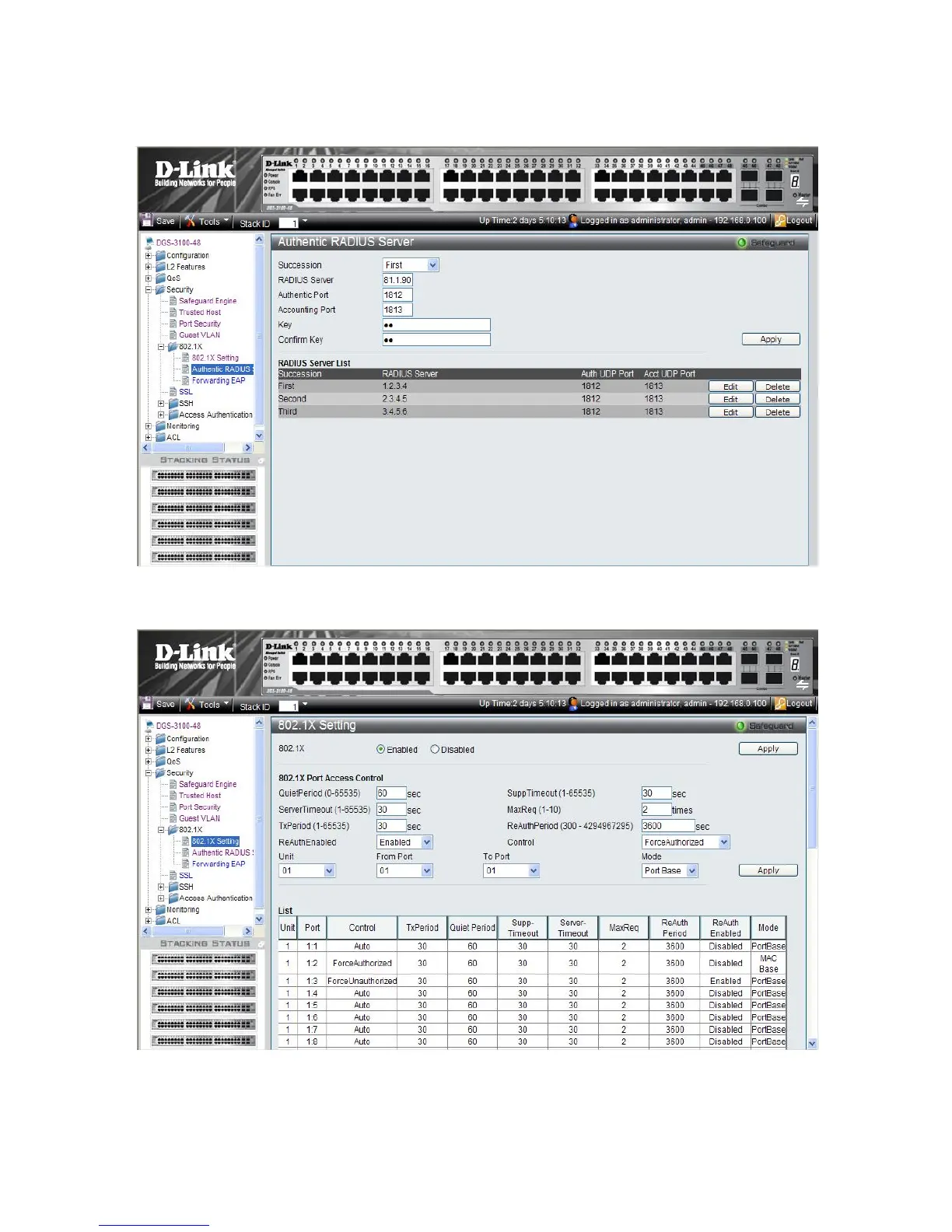
3. After
the ports were assigned to the Guest VLAN, the user needs to configure a Radius Server that will hold the
MAC Authentication database. This should be done via click Security > 802.1X > Authentic RADIUS Server
page according to the example below.
4. Click Security > 802.1X > 802.1X Setting page: first, 802.1x should be enabled globally and in the port level,
802.1x Control should be configured as ‘ForceAuthorized’.
13
1











 To Next Page