13D-Link DAP-1665 User Manual
Section 2 - Installation
Wireless Client Mode
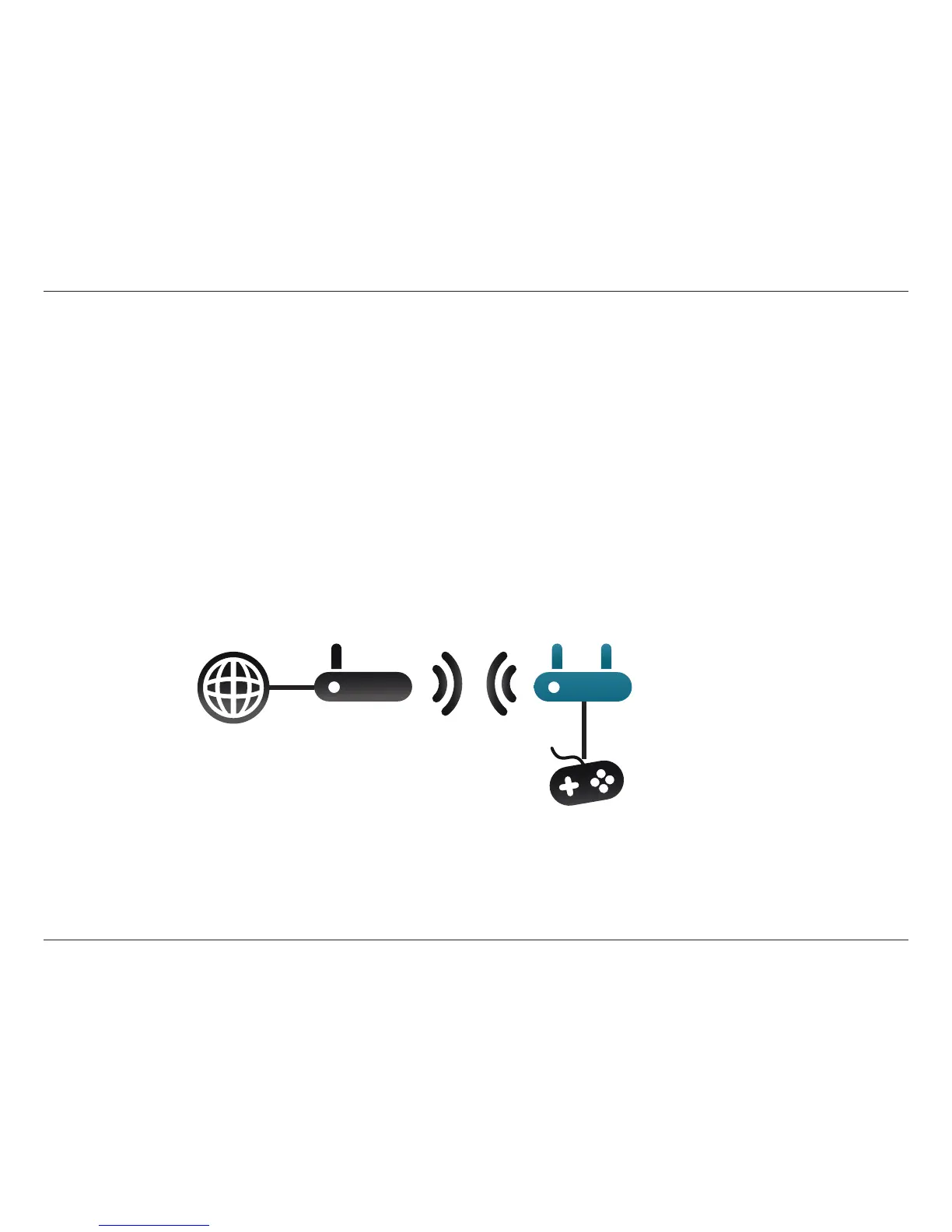
In Wireless Client Mode, the DAP-1665 acts as a wireless network adapter for an Ethernet-enabled device (such as a video game
console, Network Attached Storage (NAS) device, or media player). Connect one Ethernet-enabled device to the AP using an
Ethernet cable, and enjoy wired speeds of up to 1000 Mbps.
Example: Connect a video game console to the DAP-1665 using an Ethernet cable. Set the DAP-1665 to Wireless Client Mode,
which will wirelessly connect to a wireless router on your network, providing Internet access to the video game console.
Client Mode
Internet
Video Game Console
Wireless
Router
DAP-1665
Note: If you would like to connect multiple Ethernet-enabled devices to your DAP-1665, connect the LAN port of the DAP-1665 to an
Ethernet switch, then connect your devices to this switch.



 To Next Page