66D-Link DNS-313 User Manual
Section 3 - Configuration
Admin Password
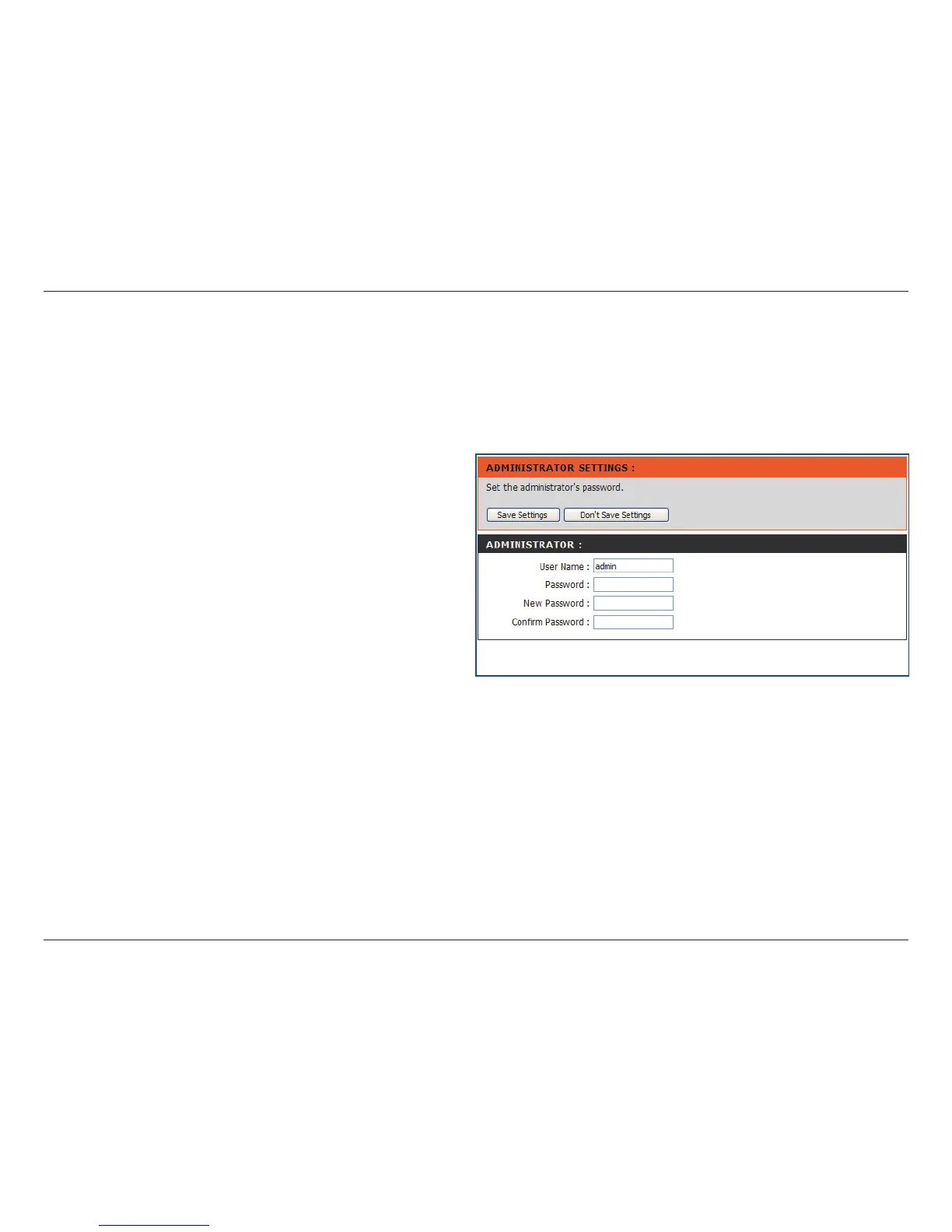
User Name
Password
New Password
Confirm
Password
Maintenance
The Admin menu allows you to set a password for your admin account. It is recommended to set a password when
you rst congure the DNS-313.
The administrator user name is admin, and this
cannot be changed.
Enter the current password. (Leave this blank if
you have not set a password yet.)
Enter a new password.
Enter the new password again for conrmation.
Click Save Settings to save the new password.














 To Next Page