62DWL-2100AP User Manual
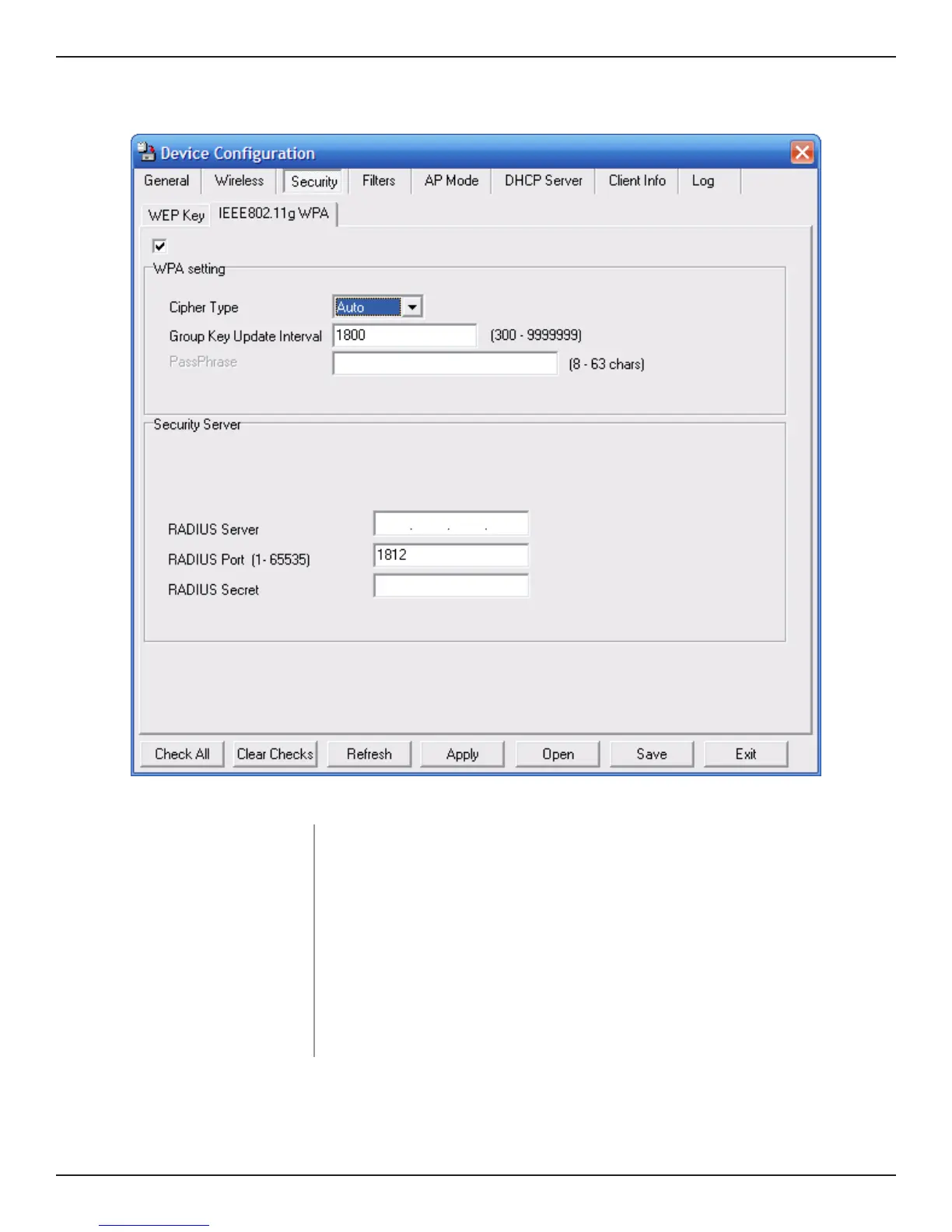
WPA-EAP/WPA2-EAP/ WPA-Auto-EAP
Select the interval during which the group key will be valid. 1800 is the
recommended setting. A lower interval may reduce transfer rates.
Cipher Type:
Select Auto, TKIP, or AES from the pulldown menu.
Group Key Update
Interval:
Enter the port used on the RADIUS server (1812 is default).
RADIUS Server:
Enter the IP address of the RADIUS server.
RADIUS Port:
Enter the RADIUS secret.
RADIUS Secret:



 To Next Page
 Loading...











