DWR-956 Wireless AC1200 4G LTE Router
with Gigabit Ethernet Ports and 1 FXS Port
User Manual
Configuring via Web-based Interface
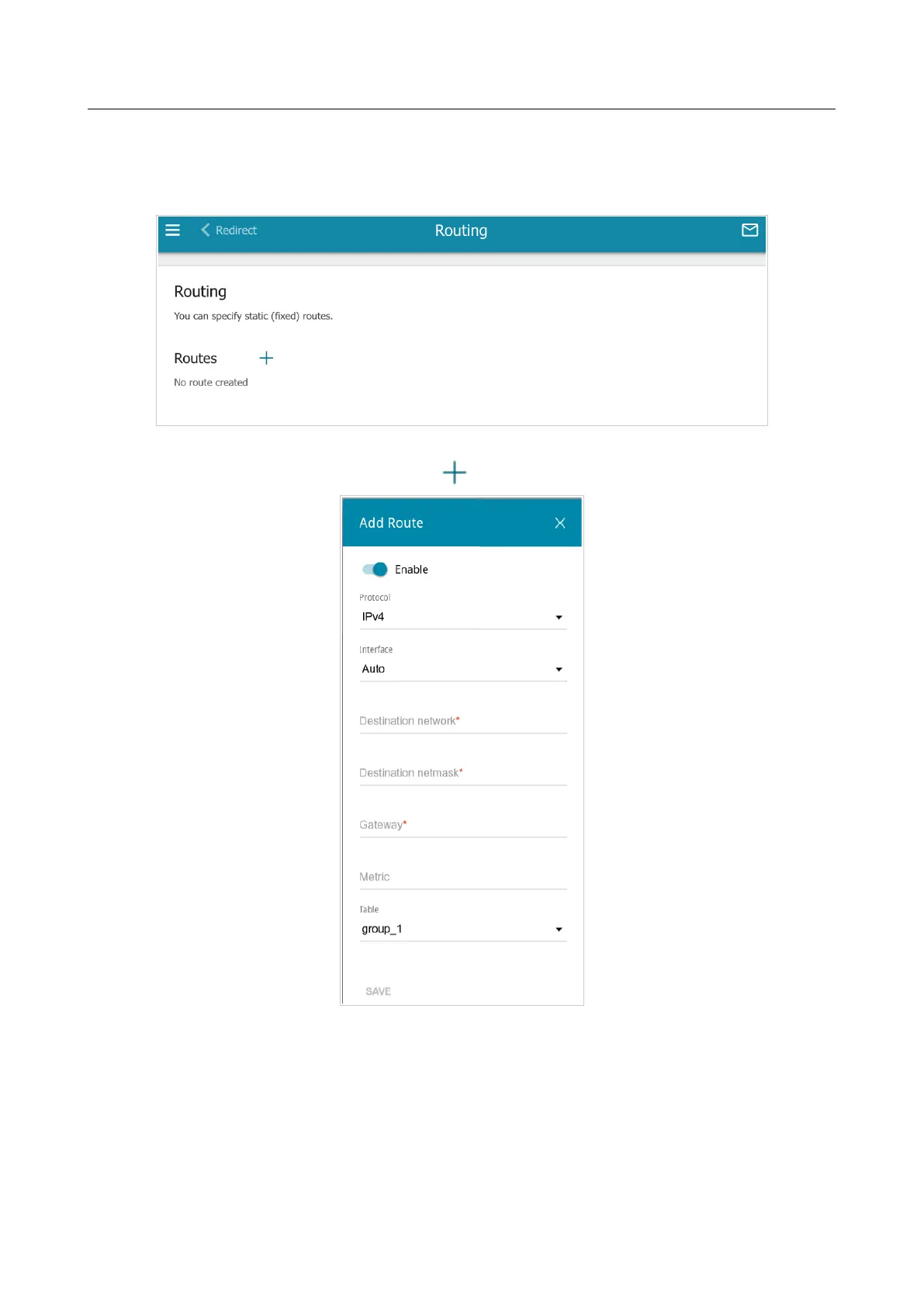
On the Advanced / Routing page, you can specify static (fixed) routes.
Figure 154. The Advanced / Routing page.
To specify a new route, click the ADD button ( ).
Figure 155. The window for adding a new route.
Page 199 of 302



 To Next Page