64
Using IP surveillance Software (continued)
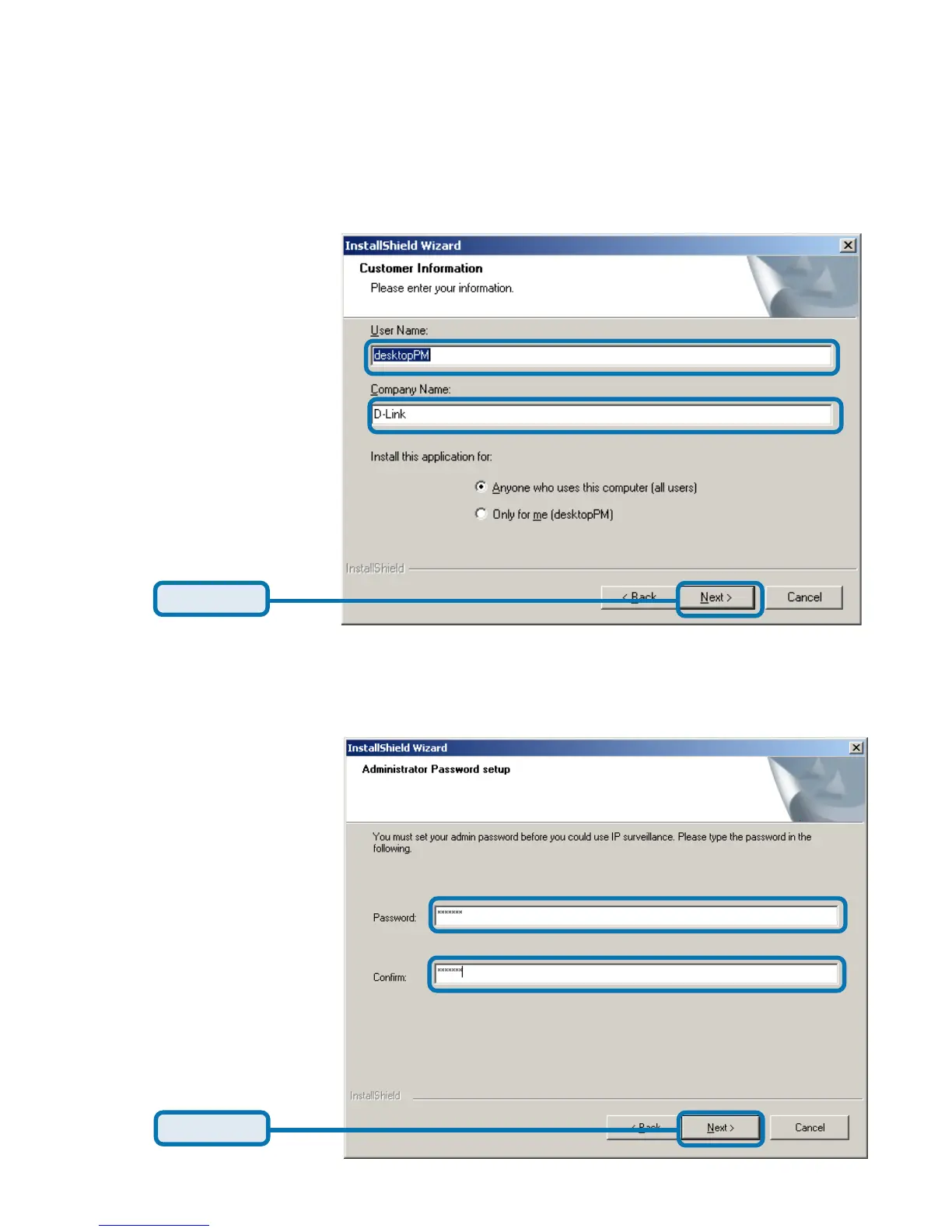
Next, the “User information” window below will appear. This window will prompt
you to enter the user name and company name. Enter your user name and
company name and then click “Next” to continue.
Click Next
You must setup the administrator’s password in order to proceed. Input and
confirm your password in the window shown in below. Click “Next” to continue.
Click Next
Installing the IP surveillance software (continued)















 To Next Page