65
Using IP surveillance Software (continued)
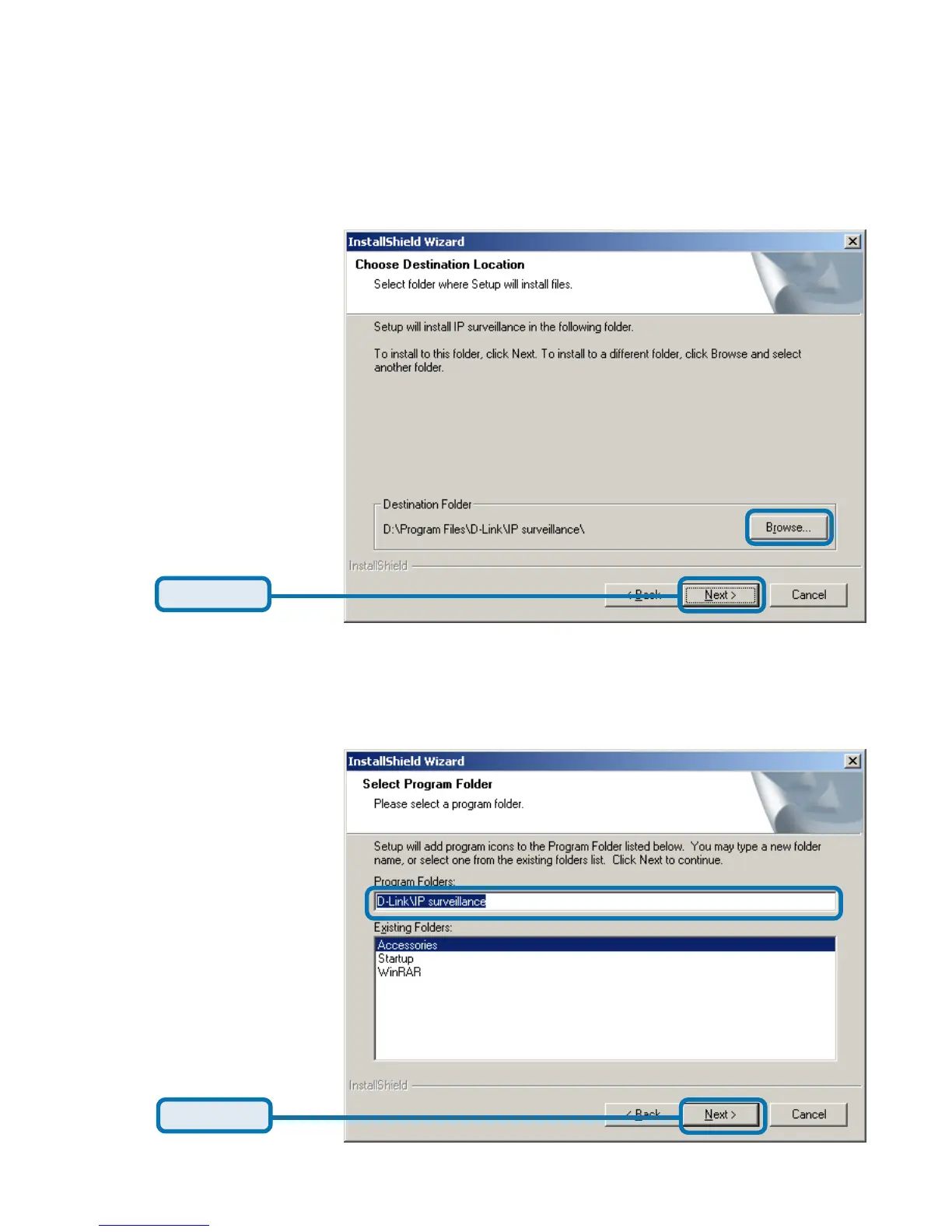
Select the installation directory for this application software and click “Next”,
which is shown in the figure below. You can change the installation directory by
clicking “Browse…”
Click Next
Select a program folder to install the application software and then click “Next”,
which is shown in the figure below.
Click Next
Installing the IP surveillance software (continued)















 To Next Page