76
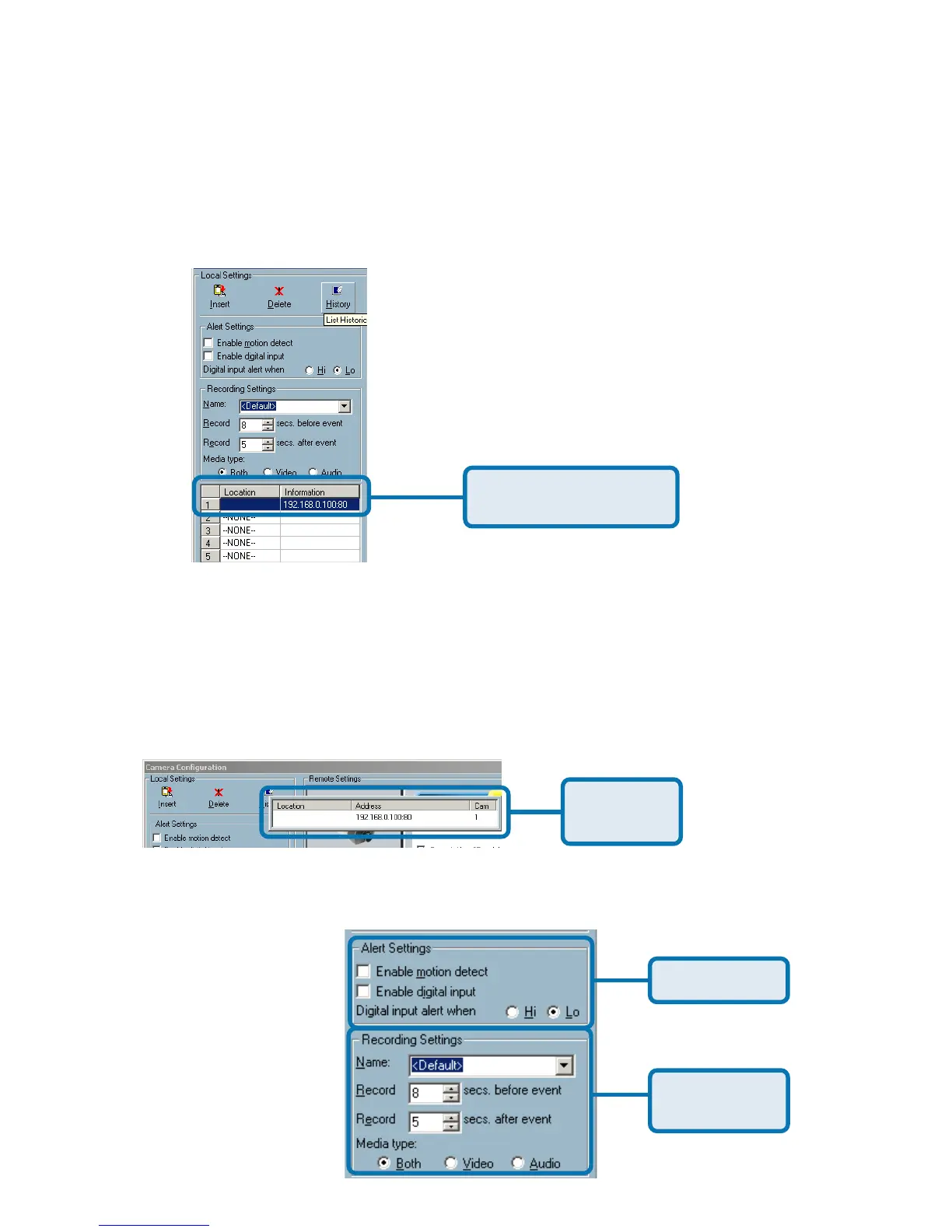
Delete – The deletion of a device is a much easier operation than “insertion”. It
removes the selected network camera from the camera list. Highlight the
camera that you want to delete from the list and click on the “Delete” button.
Using IP surveillance Software (continued)
The selected camera
will be deleted.
History – Clicking the “History” button will popup a historical camera list, which
lists the latest 16 cameras you inserted into the camera list. 16 is the default
number; you can change the number of the latest installed cameras you want
to keep in the registry. Clicking on one camera in the history list will insert the
camera into the camera list. The historical camera list is shown below.
Historical
camera list
Alert and Recording Settings
Alert Settings
Recording
Settings
Monitor Program (continued)















 To Next Page