75
Using IP surveillance Software (continued)
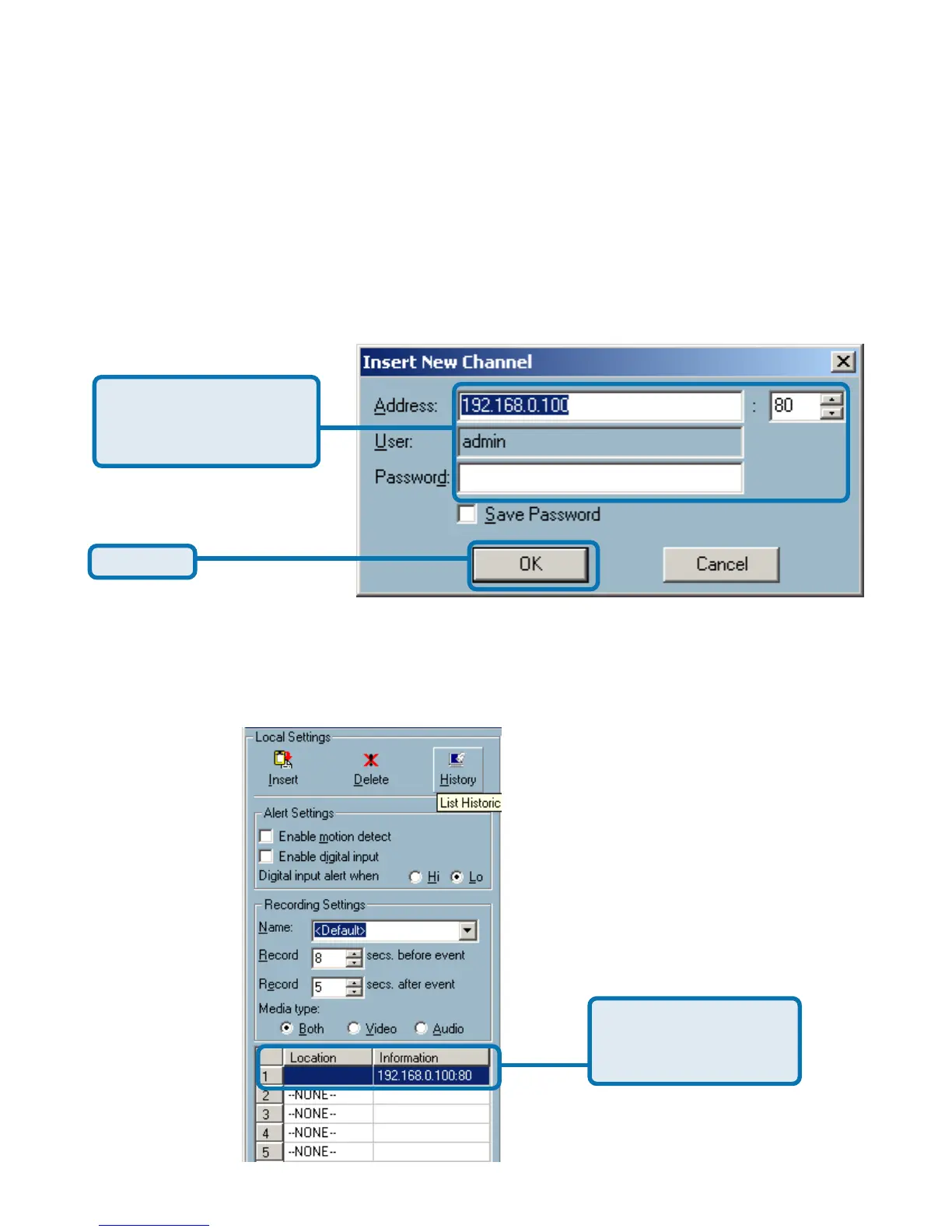
Insert – To insert a remote network camera to the camera list. Click the “Insert”
button, an “Insert New Channel” dialog will popup, as shown below. Specify the
IP address, port, and admin password of the network camera, click the “Ok”
button to close the dialog. Then the system will try to connect to the selected
camera. If the connection succeeds, the camera will be inserted to the camera
selection list.
Click Ok
Specify the IP address,
port, and admin pass-
word of the camera.
Once added, you will see the IP address of the camera and also the port that is
opened on the camera (port 80 in this example).
The selected camera
has been added to the
selection list.
Monitor Program (continued)















 To Next Page