4.5.3.2 Conguring Alarm Audio
You can record or upload alarm audio le. The audio le will be played when the alarm is triggered.
●
Click to play the selected audio.
●
Click to download the audio to local storage.
Procedure
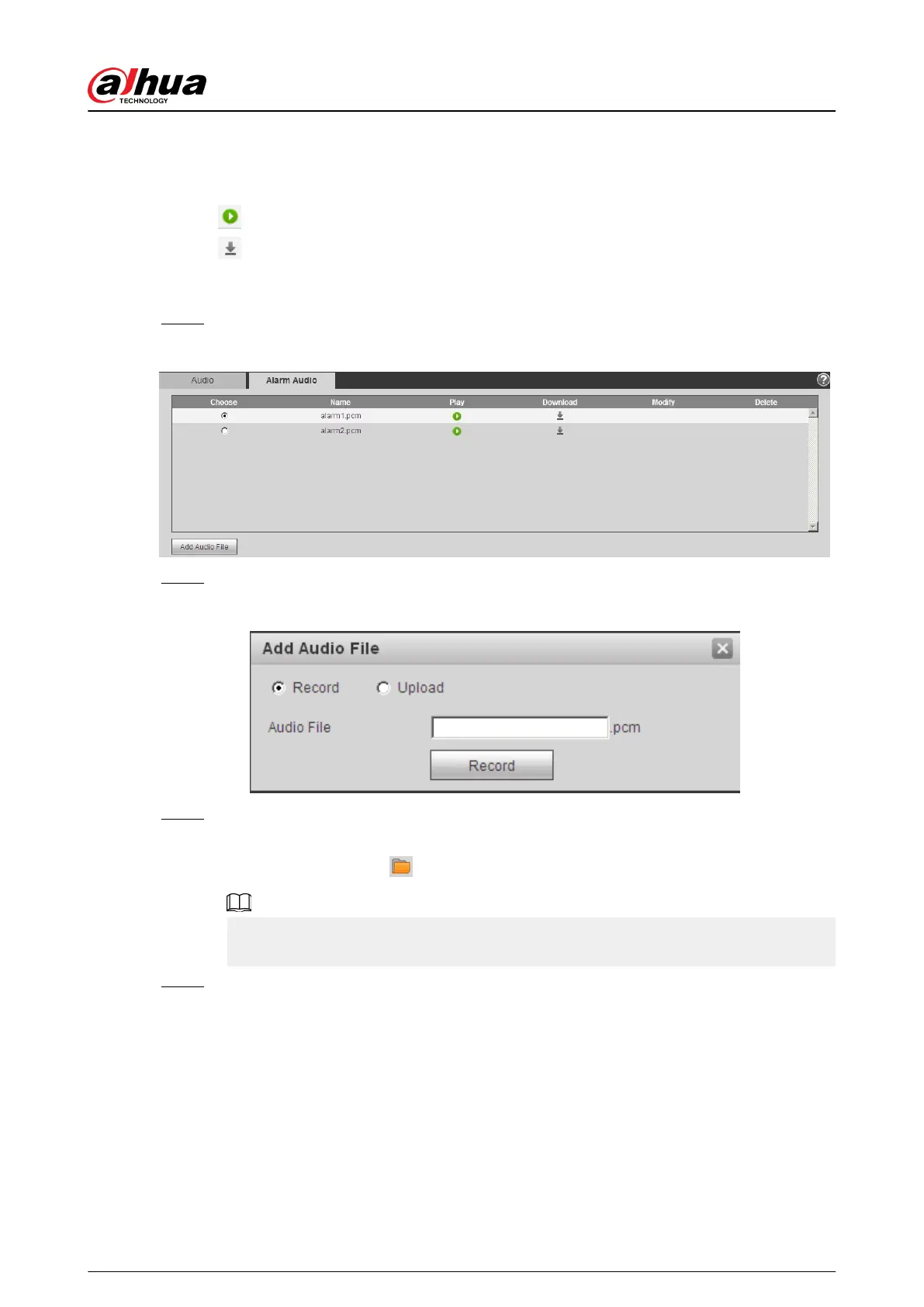
Step 1 Select Setting > Camera > Audio > Alarm Audio.
Figure 4-74 Alarm audio
Step 2 Click Add Audio File.
Figure 4-75 Add audio le
Step 3 Congure the audio le.
●
Select Record , enter the audio name in the input box, and then click Record.
●
Select Upload , click to select the audio le to be uploaded, and then click Upload.
The camera supports audio le with .pcm format only, and you can upload audio les
with .pcm, .wav in standard .pcm format, .mp3 or .aac formats.
Step 4 Select the le that you need.
4.6 Network
This section introduces network conguration.
Operation Manual
82


 To Next Page
 Loading...