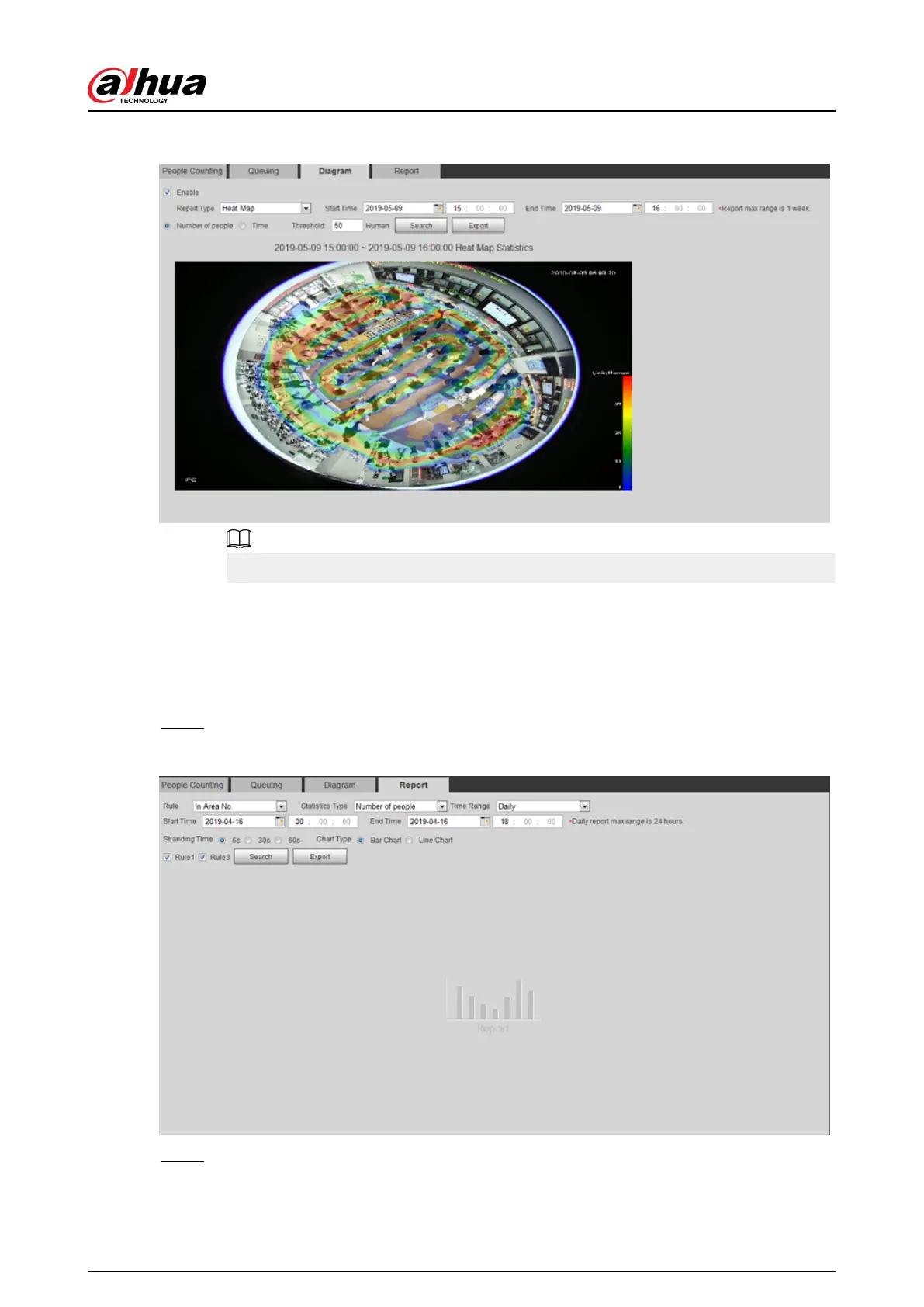
Figure 5-71 Diagram
With the ruler on the right, you can read the diagram clearly.
5.12.5 Viewing People Counting Report
Generate people counting data in report form.
Procedure
Step 1 Select Setting > Event > People Counting > People Counting Report.
Figure 5-72 People counting report
Step 2 Set search conditions.
Operation Manual
197


 To Next Page
 Loading...