4.6.1 TCP/IP
You can congure IP address and DNS (Domain Name System) server and so on according to
network planning.
Prerequisites
The camera has connected to the network.
Procedure
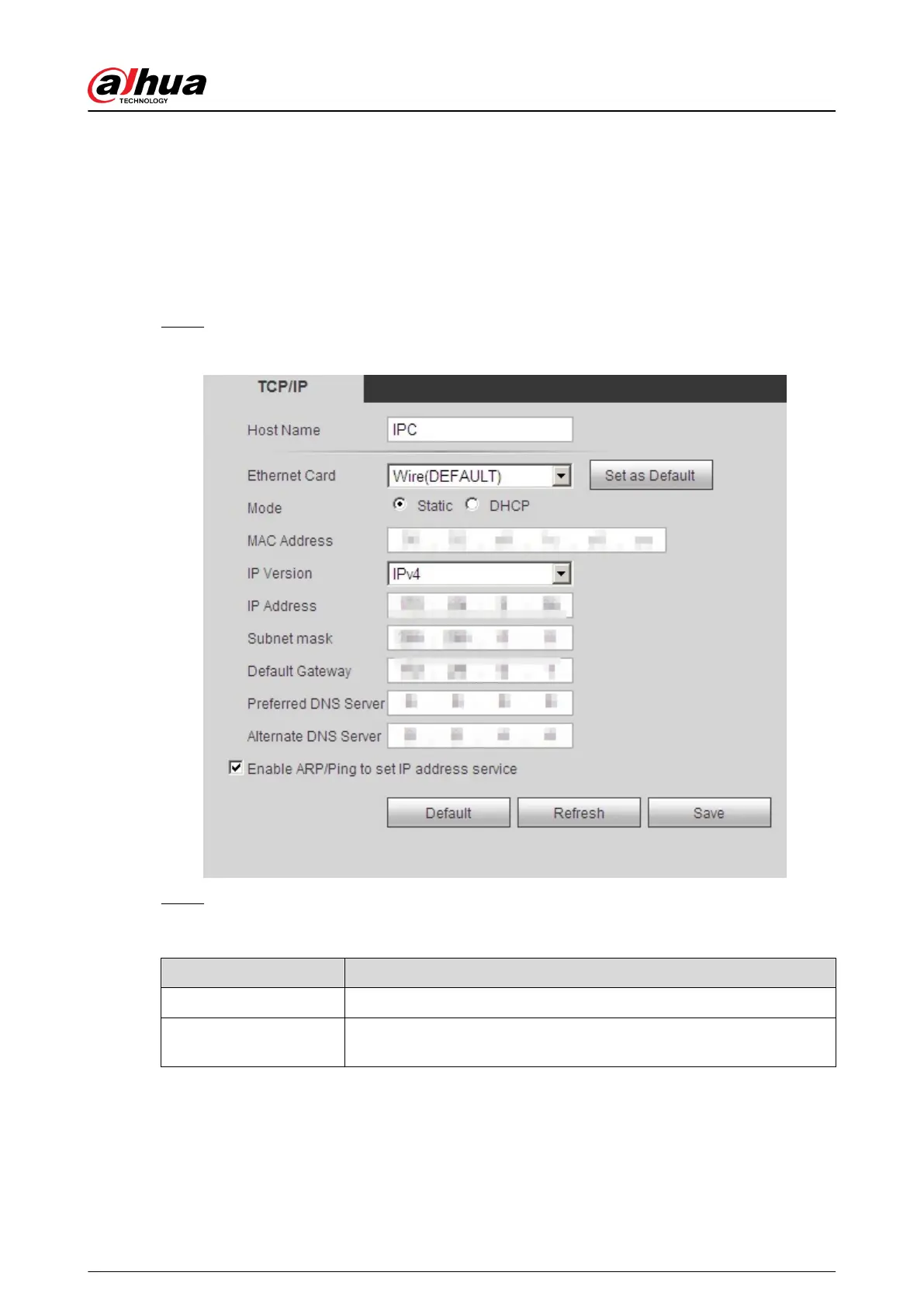
Step 1 Select Setting > Network > TCP/IP.
Figure 4-76 TCP/IP
Step 2 Congure TCP/IP parameters.
Table 4-22 Description of TCP/IP parameters
Parameter
Description
Host Name Enter the host name, and the maximum length is 15 characters.
Ethernet Card
Select the Ethernet card that need to be congured, and the default
one is Wire.
Operation Manual
83


 To Next Page
 Loading...