Figure 5-89 Video metadata result
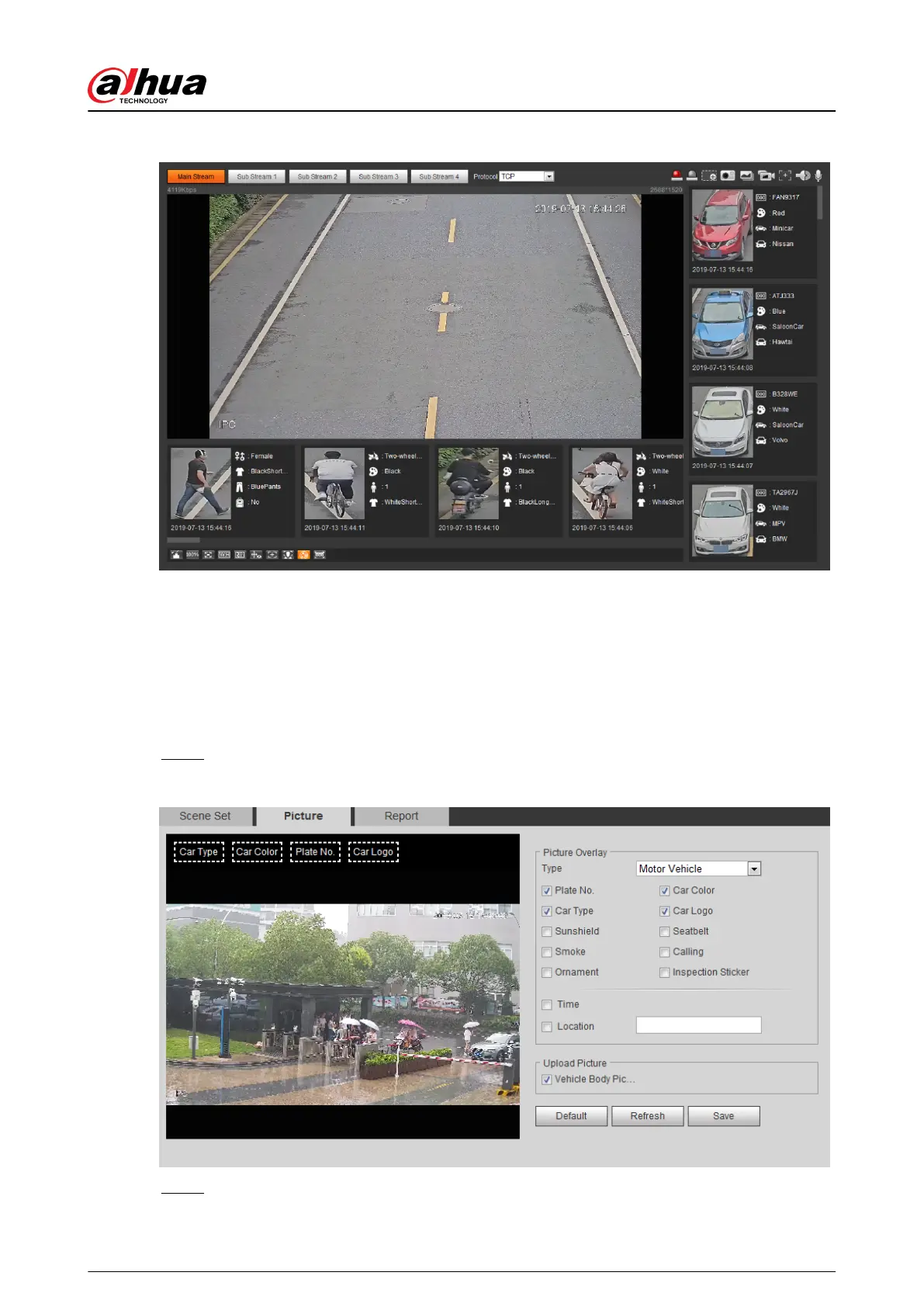
5.17.2 Setting Picture Information
Set overlay of motor vehicle, non-motor vehicle and people and the box position.
This section takes the conguration of motor vehicle overlay as an example.
Procedure
Step 1 Select Setting > Event > Video Metadata > Picture.
Figure 5-90 Picture (video metadata)
Step 2 Select Motor Vehicle from the Type drop-down list.
Operation Manual
217


 To Next Page
 Loading...