Dakewe (Shenzhen) Medical Equipment Co., Ltd
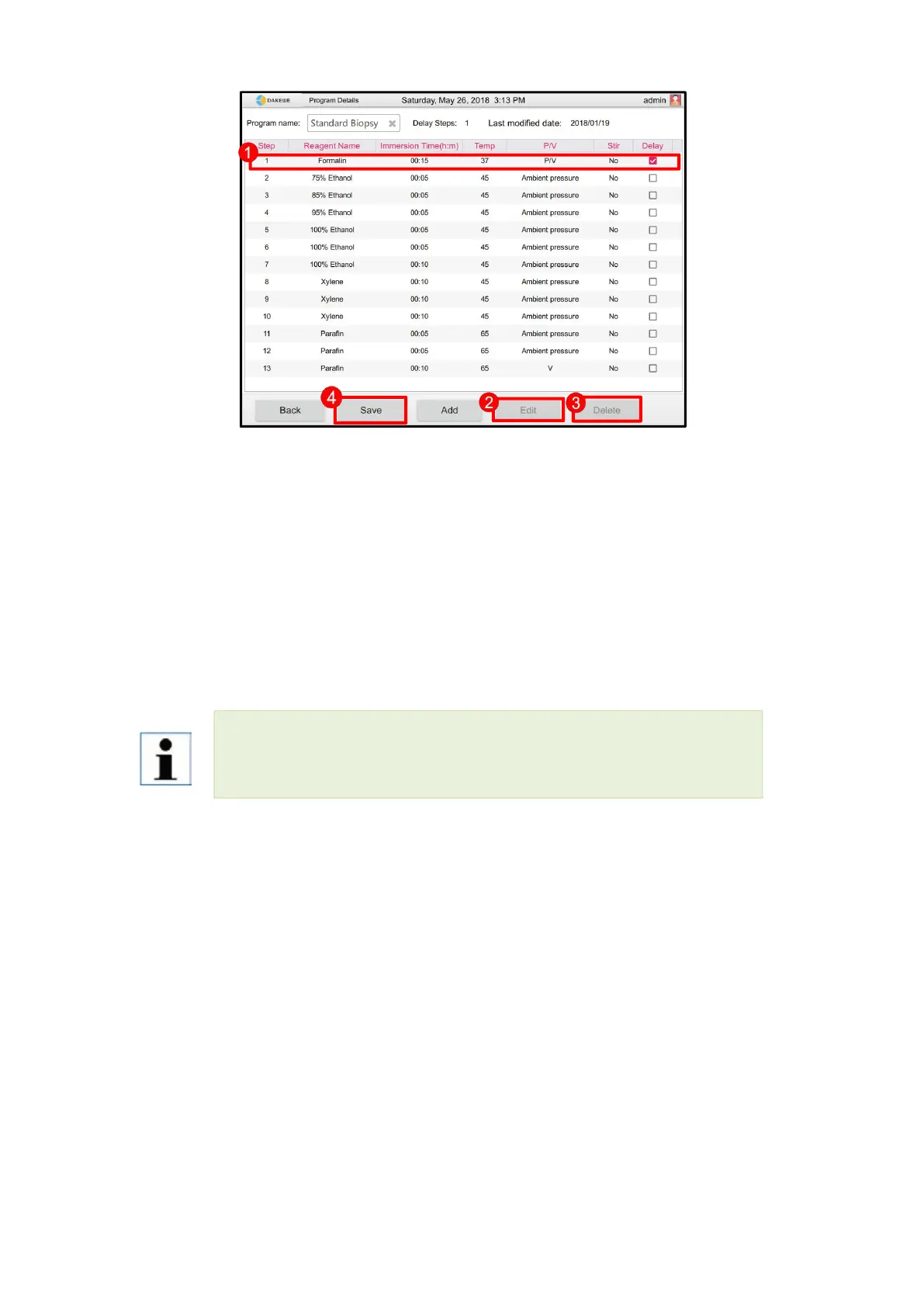
Figure 37-1 delay start: After all step lines are created, it is necessary to specify one step for
the program to delay start. Click the box on the right side of the step line to check.
Figure 37-2 re-editing step: Touch to select the step line to be modified. Click the “Edit Step”
button to enter the editing interface of this step line.
Figure 37-3 delete step: Touch to select the step line to be deleted. Click the “Delete Step”
button. The system will directly delete the selected step line.
Check that all program steps are set correctly. Click the “Save” button (Figure 37-4) to save the
newly created program and exit automatically. Return to the dehydration program list interface.
Each program must and only allows to set one procedure as delay start. Under this
condition, the program will prolong this procedure processing time.



 To Next Page