Dakewe (Shenzhen) Medical Equipment Co., Ltd
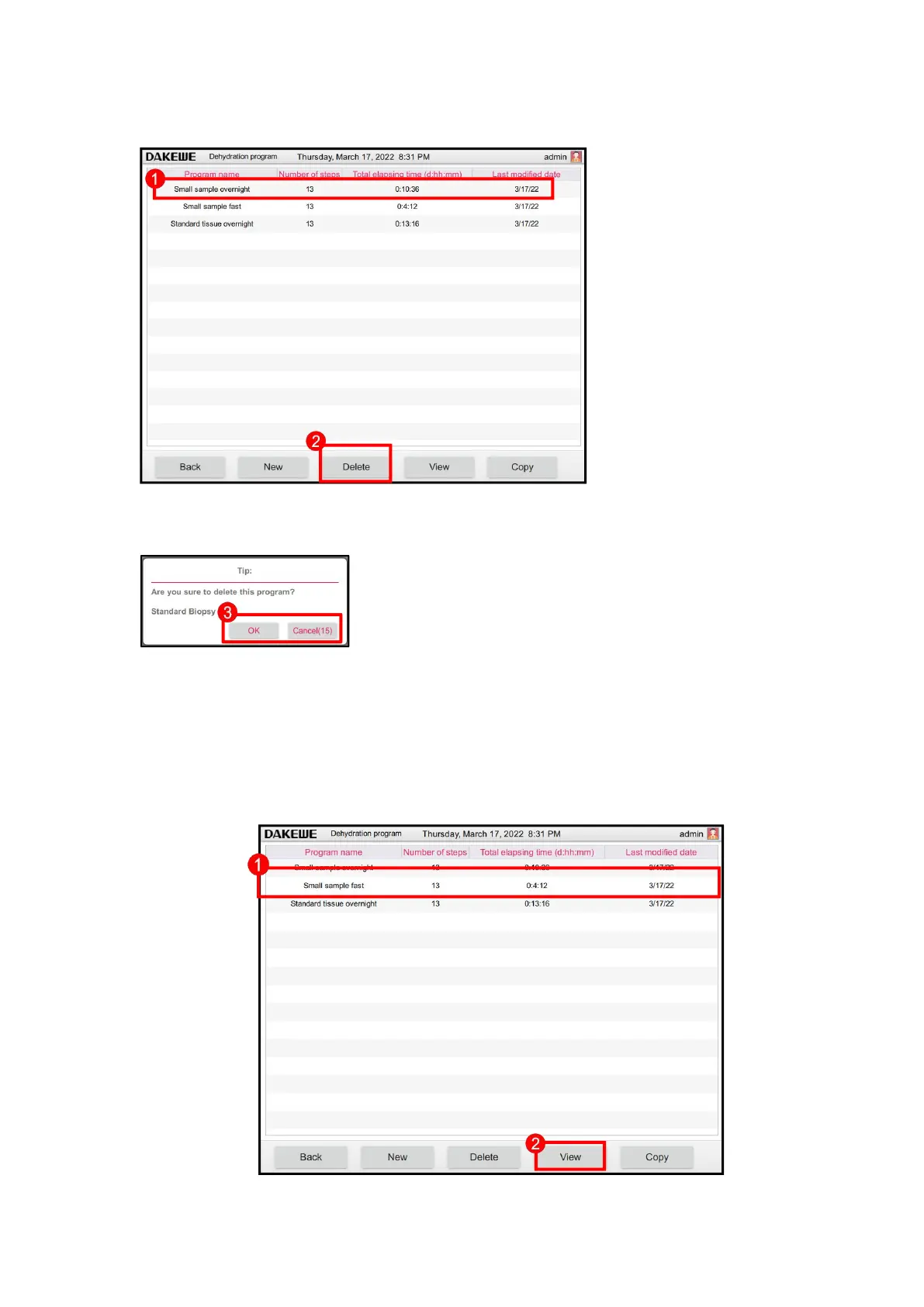
6.1.1.2 Delete the program
Touch to select the program
to be deleted (Figure 38-1);
Click the “Delete” (Figure
38-2) button to pop up the
deletion dialog box;
Click “OK” (Figure 38-3) to
confirm deletion. Click
“Cancel” to cancel the
delete operation.
.
6.1.1.3 View / modify the program
In the program management interface, touch to select any program in the program list
(Figure 39-1). Click the “View” button (Figure 39-2) to enter the program details
interface.



 To Next Page