Dakewe (Shenzhen) Medical Equipment Co., Ltd
6.1.1.4 Copy the program
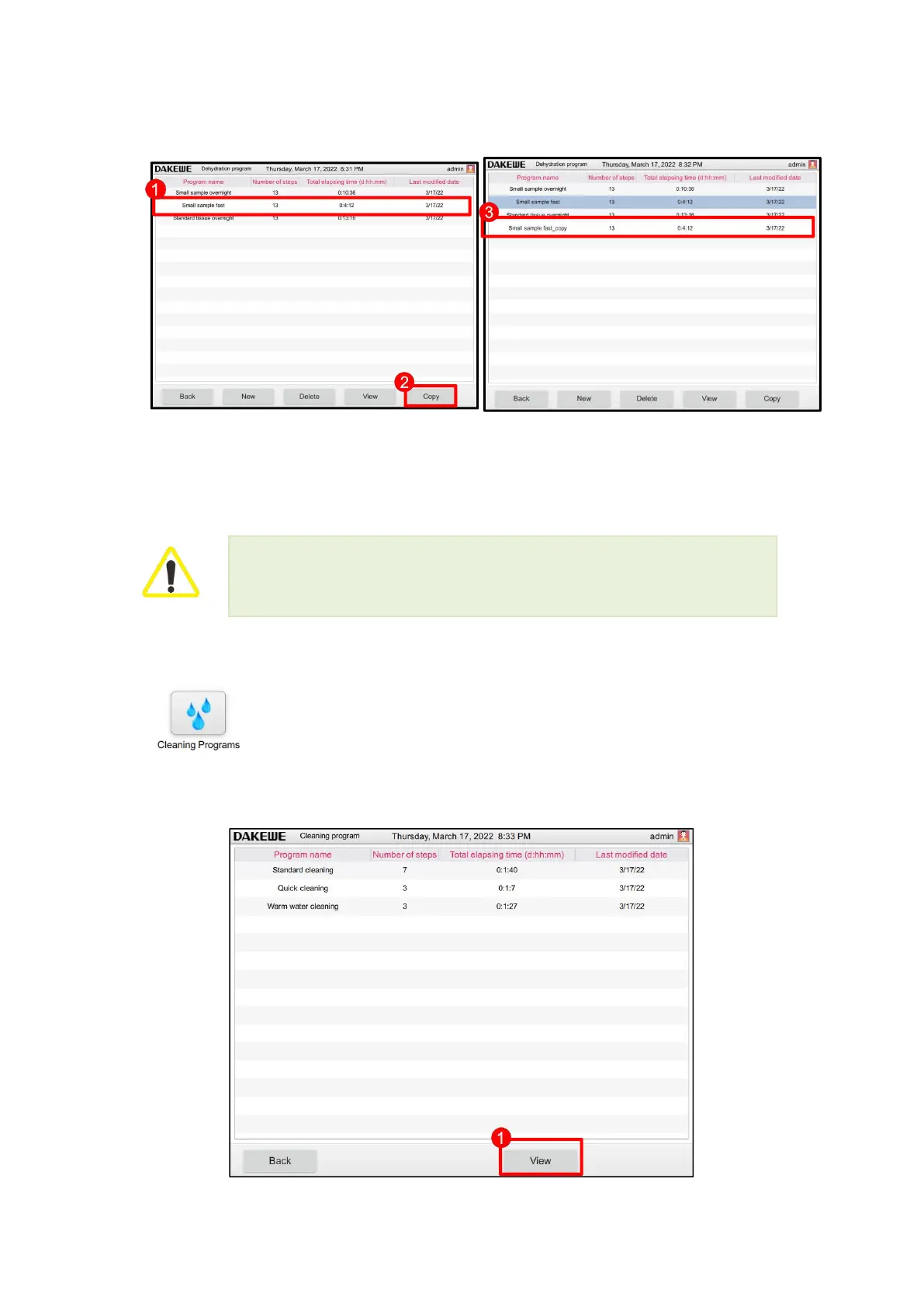
Touch to select the original program (Figure 40-1) to be copied;
Click the “Copy” button (Figure 40-2). The system automatically creates a copy program named
“original program name_copy” (Figure 40-3).
6.1.2 Rinse Program
Click “Rinse Program” in the basic function interface to enter the rinse
program interface. This interface allows you to view the default rinse program
in the processor. This interface only prompts the viewing of the pre-installed
program (Figure 41-1). It is not allowed to perform editing changes on the
pre-installed program.
When the program is running, the current program is not allowed to be modified, other
programs can be modified.



 To Next Page