Dakewe (Shenzhen) Medical Equipment Co., Ltd
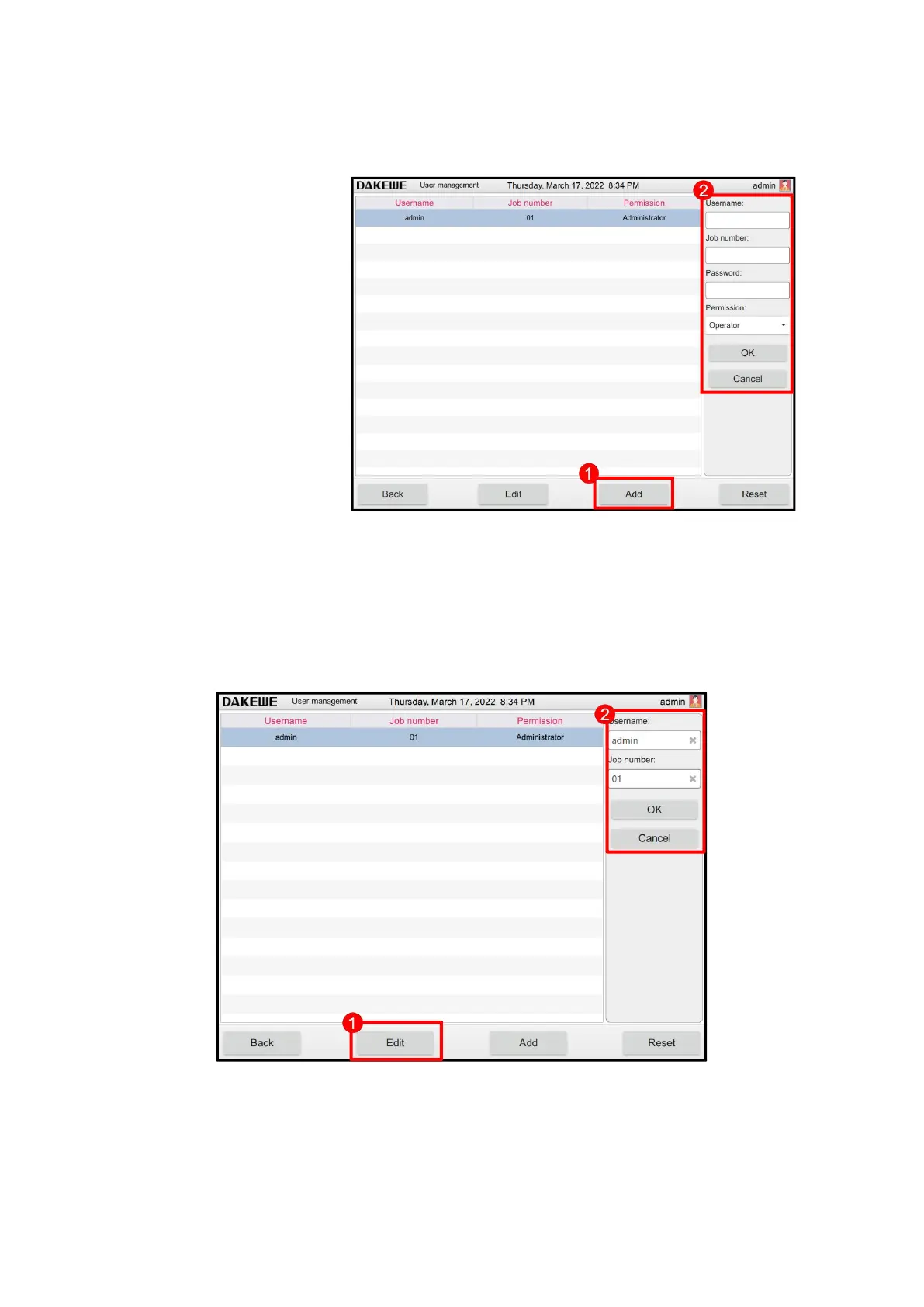
6.1.3.2 Add user
Click “Add User” (Figure
43-1). The “Add User” edit
entry displays on the right.
Touch the user name, work
code and password columns
successively. Enter
characters (Composed of
Chinese, letters or numbers)
after the soft keyboard pops
up (Figure 43-2). Set
permissions afterwards.
Click the “OK” button to
complete the addition of
new users. The added users
will be displayed on the left.
6.1.3.3 Edit user
Touch to select any non-administrator account. Click “Edit User” (Figure 44-1). Users
can re-edit user names and work codes (Figure 44-2). Click OK button for saving after
the change is complete. Click Cancel to stop modifying the user operations.



 To Next Page