System 9700 User Manual
Page 33 of 56
3.3.1.8. DA AUTO ADJUSTMENT (Gain & Offset) (Esc<DASET)
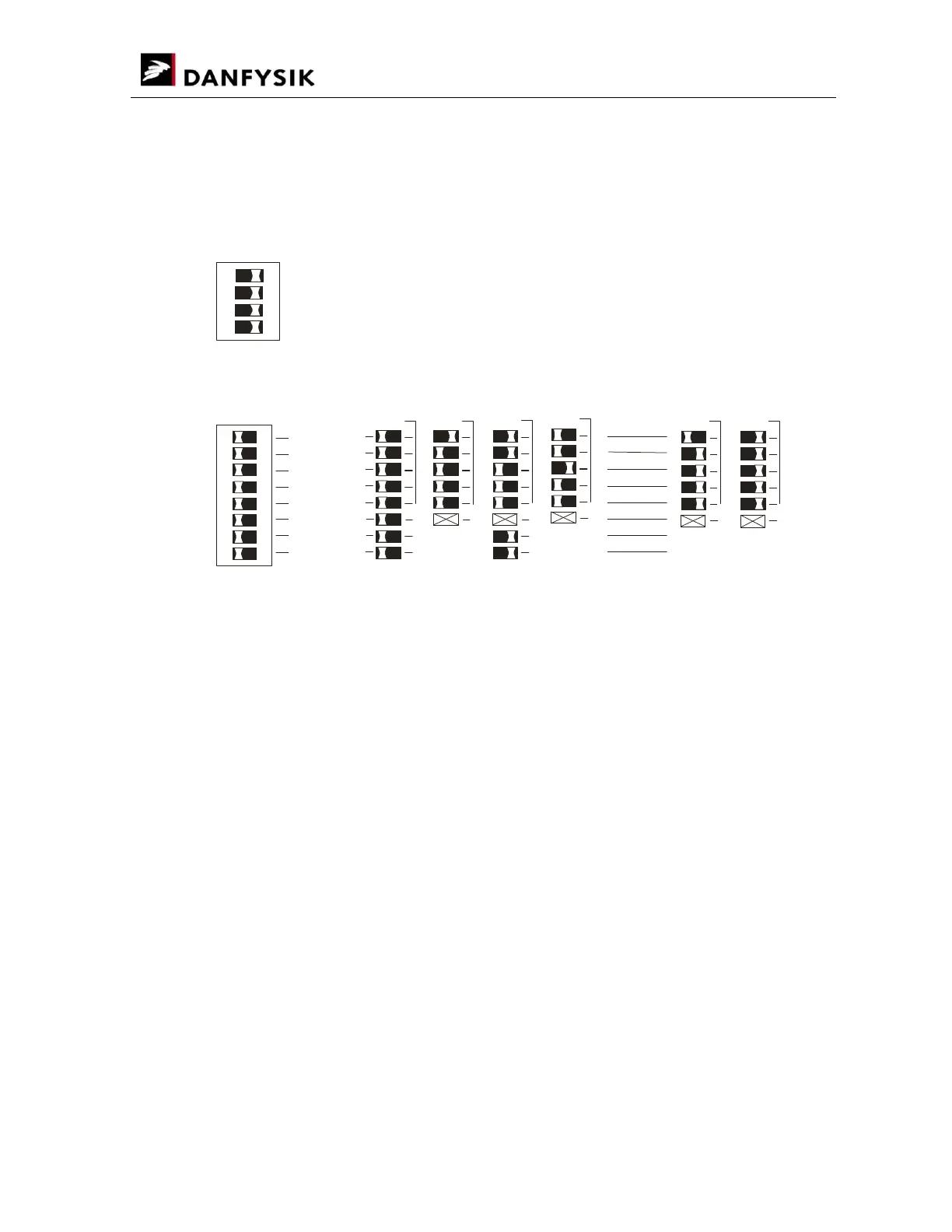
The scaling factors for the DA channels can automatically be adjusted with this setting. This
feature is specially designed for “non-calibrated” DACs such as the 855 DAC.
ON
1
2 3
4
15
Parameters:
0 1
30
2
3
31
#1
#1: Not all channels are implemented.
CH_No. 2
3
CH_No. 2
2
CH_No. 2
1
CH_No. 2
0
NOT USED
FUNC
MODE
CH_No. 2
4
ON
1
2 3
4 5 6
7
8
OFFSET GAIN
USE RESTORE
OFFSET adjustment
The OFFSET adjustment can automatically be executed if the value lies between 0 and 255.
To activate automatic OFFSET adjustment the following steps must be performed:
Select SW3 as above. “setting number15".
Select the desired channel number “lever 1 to 5" on SW4.
Set lever 8 on SW4 to OFF and lever 7 to OFF (the SW1 LEDs will display the present Offset
value).
Set the AD channel value (WA for “DA 0") to a value that gives a zero output.
Press the Setup button. A given “DA 0 0" or “WA 0” will now produce a zero output at the
DA channel. Due to the unipolar operation of the DACs, only positive offset values can be
added.
To restore the Offset value to the default factory setting (Zero), set lever 7 to 1 before
pressing the Setup button.


 To Next Page