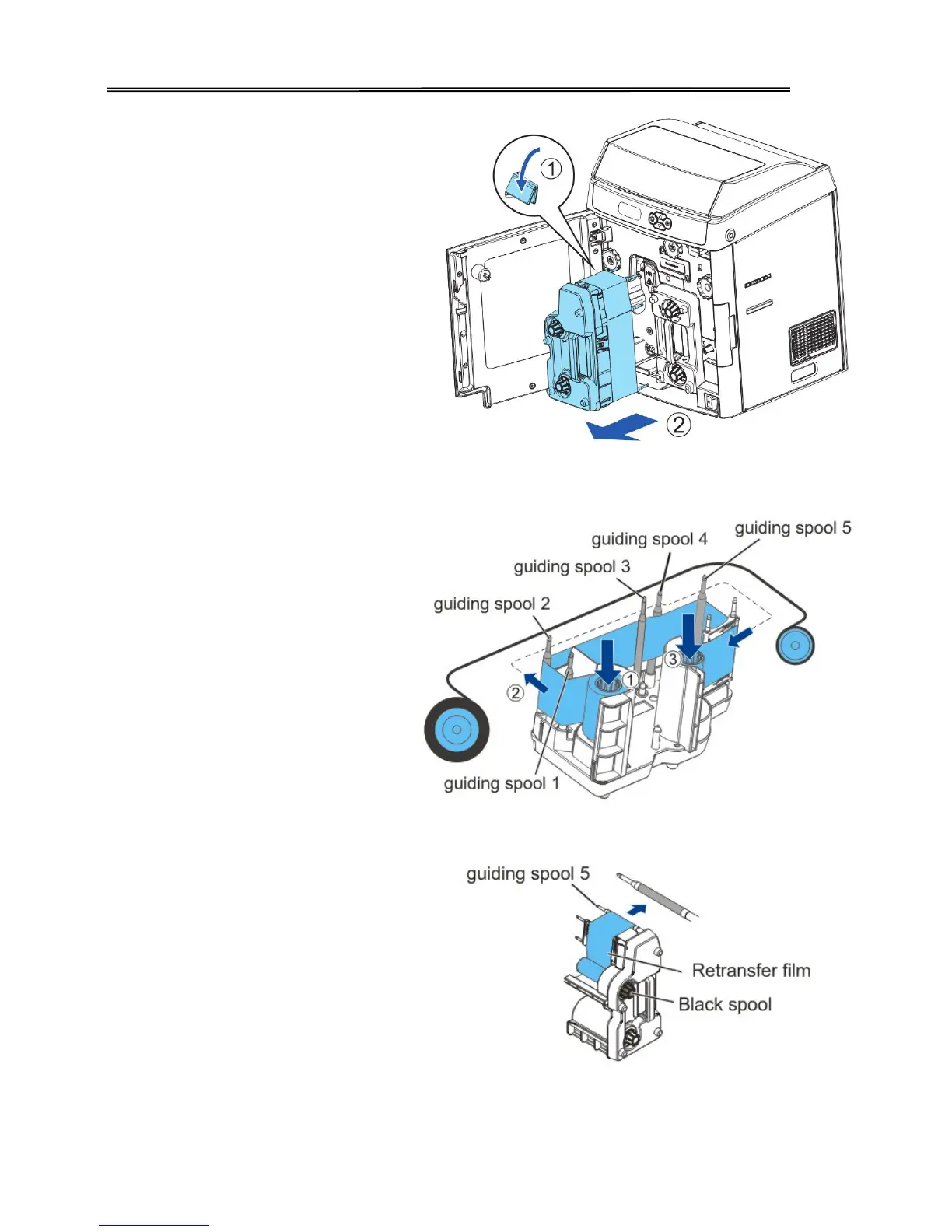
Turn the retransfer film lock
counter-clockwise to unlock
the retransfer film cartridge
and pull out the whole
cartridge.
To load new retransfer film
onto the cartridge, engage the
green spool of the retransfer
film to the feeding hub of the
cartridge.
While unwinding the ribbon
film, route the film around
the five indicated guiding
poles. Note the change of
direction on the 4
th
pole.
Finally engage the black
spool to the winding hub of
the cartridge. (need to show
“winding hub” in picture to
right)



 To Next Page