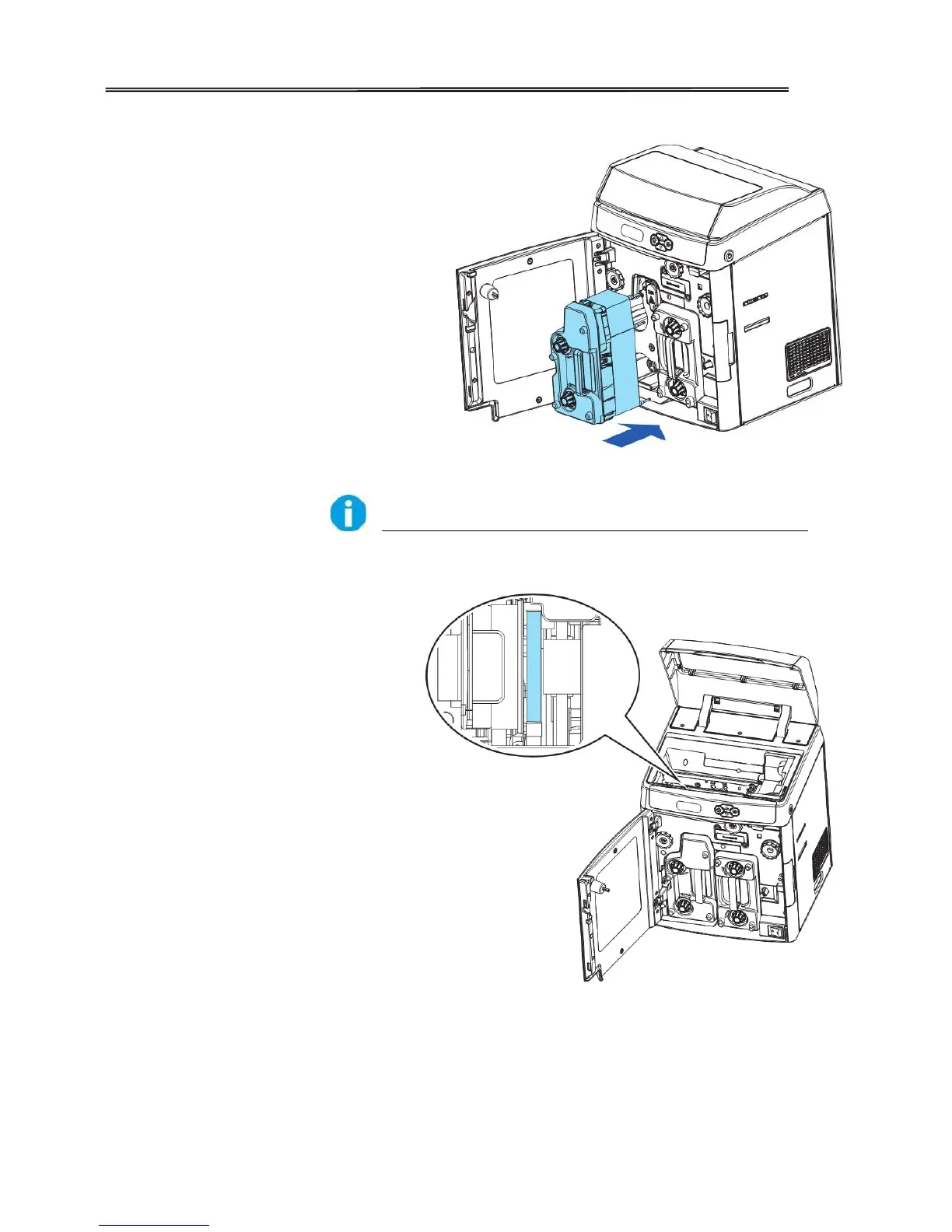
As shown in the right diagram,
push in the retransfer film
cartridge to the far end until a
“click” is heard to indicate
correct insertion.
Improper retransfer film
installation affects the overall
print quality. After inserting
the retransfer film cartridge,
double-check so that there is
no slanted film:
Open the printer top cover.
Take out the card cassette.
Confirm the retransfer film
stays within the area shown in
the right diagram. (Between
the two stages of guiding
spool 5)If not, re-install
retransfer film cartridge by
following above directions.



 To Next Page