EASYSENSE Q3+ and Q5+ DO185 (2)
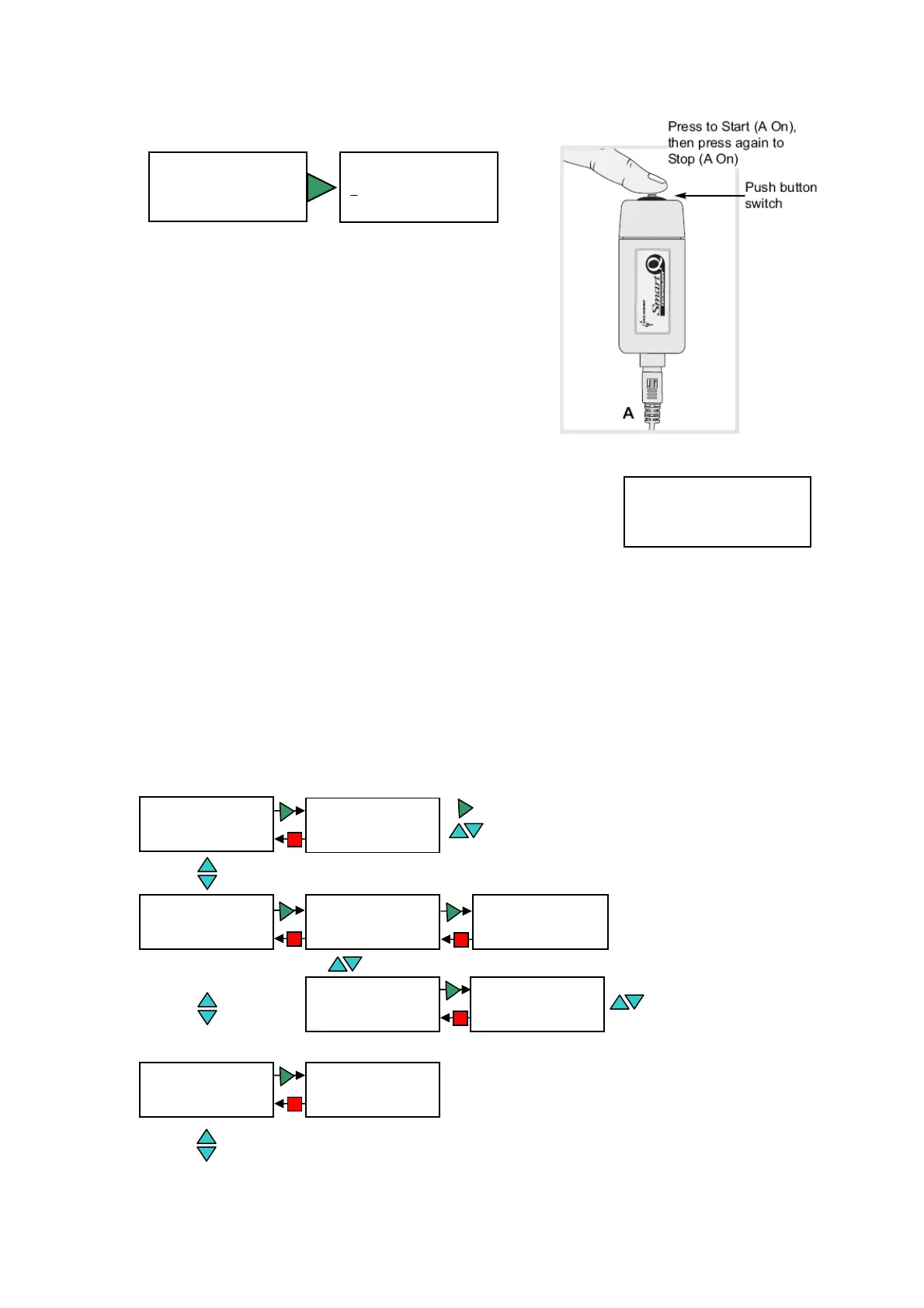
Stopwatch A to A
► Stopwatch A to A
t=00:00:00.00 n=0
Stopwatch A to A
00:00:00.00 #0
The time will start to be measured when the
signal at input A changes (ON) and will
continue until the signal at A changes again
(ON) i.e. like a stopwatch.
Switch off
Timing
► Switch off
System
Meter
Use this option to send EASYSENSE Q directly into low
power (sleep mode), even when a supply of power is
attached.
Use the blue (▲▼) buttons to scroll the menu until the pointer is pointing at Switch off
in the main menu. Press the green ► button to select.
Press any button to ‘wake up’ the logger.
Note: If EASYSENSE Q is operating on battery power you do not have to use this option to switch
the logger off, after a period of inactivity the logger will auto power down.
System menu
Use the blue buttons to
scroll between ON and OFF
► Bluetooth is ON
Paired:000B0D6904AE
Pair Bluetooth
► Bluetooth On/Off
Battery li
e
► Bluetooth
Sensor ON/OFF
Bluetooth On/Off
► Pair Bluetooth
Pair Bluetooth
080618-131134
Passkey: 1234
Pairin
enabled
Use the blue buttons to scroll between Pair Bluetooth and Bluetooth On/Off
Bluetooth
Use the blue buttons to scroll the sensors
Use the green button to change from On to Off or visa versa ► Sound On
Light On
Temperature On
Pressure On
► Sensor ON/OFF
Battery life
Battery li
e:
Awake: 13.7 hours
Easy Log: 42 days
Level: 100%
Sensor ON/OFF
► Battery life
Bluetooth
© Data Harvest Group Ltd.
16


 To Next Page