EASYSENSE Q3+ and Q5+ DO185 (2)
The EASYSENSE Q 3+ or 5+ data logger
EASYSENSE Q 3+ or 5+ is a fully self-contained portable data logger with built-in
sensors.
It can be used:
1. As an interface connected to a computer.
2. As a stand alone instrument. In its stand alone mode it can:
• Display meter readings of the sensors on its LCD display
• Record the data from sensors in its memory for transferring later to a computer for
analysis. Up to eight data sets can be stored at a time.
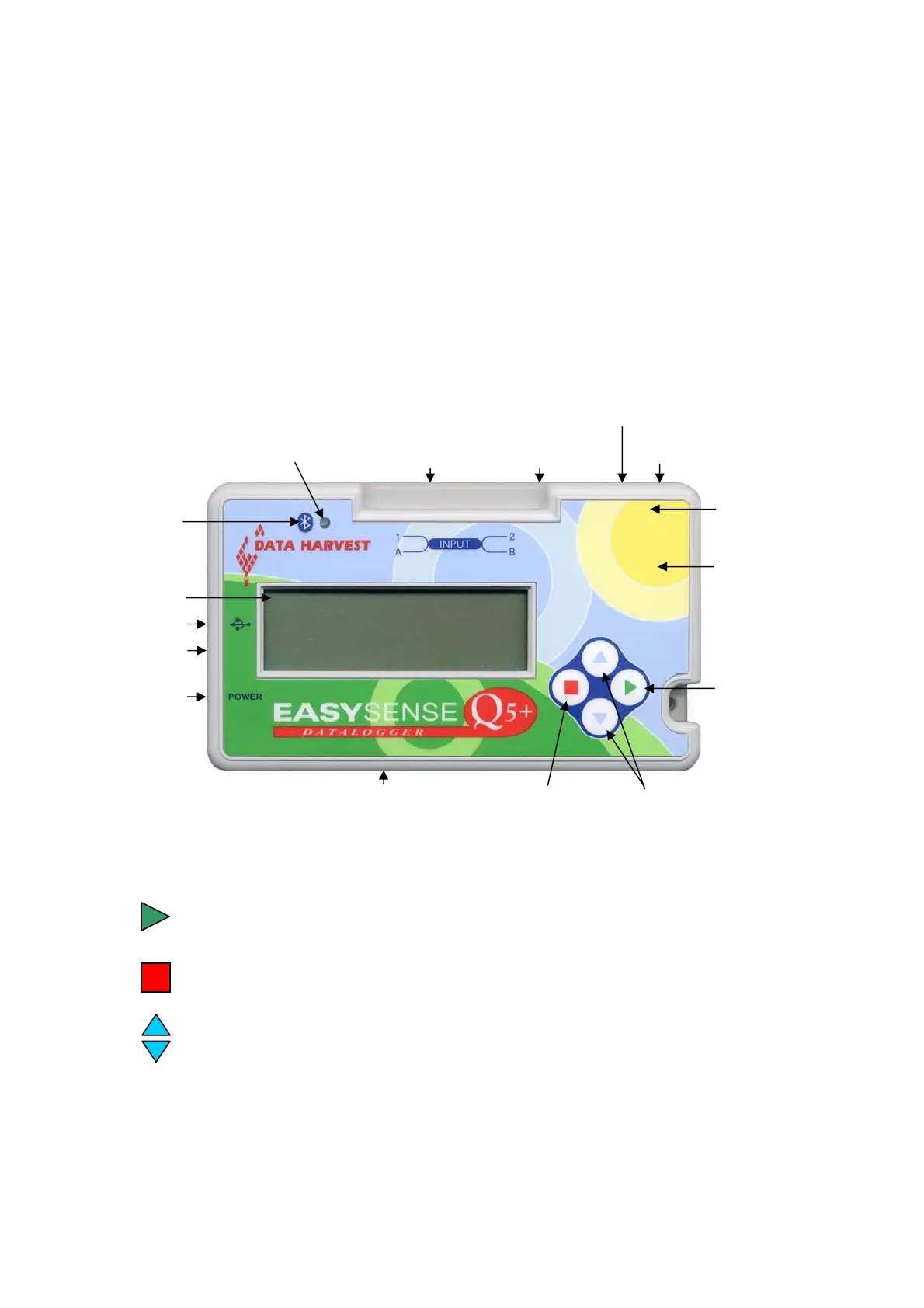
Sound sensor (grid visible)
Inputs 1 and 2 for plug-in sensors
(dual labelled as A and B for timing operations)
Blue (SCROLL) buttons
Red (STOP or
BACK) button
Light sensor (
Green (ENTER
or SELECT) button
LCD Display
Temperature sensor
not visible
USB input
Power socket
Power light
Humidity sensor - Q5+ only
Barometric Pressure
sensor - Q5+ only
(not visible)
Bluetooth LED indicator
Bluetooth Logo
(Bluetooth
loggers only)
(grid visible)
visible)
EASYSENSE Q 3+ or 5+ buttons
The green button (ENTER) is used to start data collection, to confirm a choice or
take a sample
The red button (STOP) is used to stop data being recorded or return to the previous
screen
The blue buttons (SCROLL) are used to scroll through menus on the LCD screen
or to browse measurements during data logging.
To operate EASYSENSE Q, press any of these buttons.
© Data Harvest Group Ltd.
4


 To Next Page