EasyManua.ls Logo

DataCard 150i - User Manual

DataCard 150i
36 pages
Print Icon
To Next Page IconTo Next Page
Loading...
Datacard
®
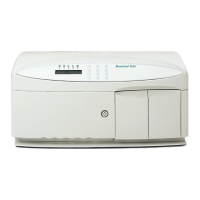
150i Desktop
Card Personalization System
Owner’s Manual
February 2008
Part No. 539782-001, Rev A

Other manuals for DataCard 150i

Questions and Answers

  • A
    Angela RussellSep 8, 2025
    What to do if my DataCard Printer shows a 'Command out of sequence' error?
    • E
      eallenSep 9, 2025
      If your DataCard Printer shows a 'Command out of sequence' error, it means the interlock circuit opened while picking a card. Ensure that the cover is closed properly and that the interlock switch bracket is not bent.
  • M
    michelle41Aug 23, 2025
    What to do if my DataCard 150i Printer displays a 'Reject Tray Full' error?
    • S
      Stephanie PetersAug 23, 2025
      If your DataCard Printer shows a 'Reject Tray Full' error, this means the reject tray contains too many cards. To fix this, empty the reject tray.
  • N
    Nathan RangelAug 25, 2025
    Why does my DataCard 150i Printer show a 'Transport Error'?
    • W
      William ChavezAug 25, 2025
      A 'Transport Error' on your DataCard Printer can occur for several reasons. It may be due to a loose card obstructing the card carriage transport. Open the top cover to check for and remove any obstructions, including loose cards. Then try sending the card again. Alternatively, the input hopper gears might be out of sync. In this case, remove the weight and all cards from the input hopper, open the output door, lift the bracket holding the throat gap motor, pull down on the O-ring belt to move the hopper to the home position, release the motor bracket, reinitialize the system, and try sending the card data again.
  • C
    Cory NewmanAug 27, 2025
    What to do if my DataCard Printer displays 'Card Feed Error'?
    • C
      Caitlin PattersonAug 27, 2025
      A 'Card Feed Error' on your DataCard Printer can occur due to several reasons. Possible causes include: No cards in the input hopper or the card weight being installed backward. Remove and reload the cards, ensuring the card weight is correctly installed. Cards stuck together. Fan the cards before loading them to remove static, then reload the cards. The card weight is not installed. Remove and reload the cards, then install the weight. Electrical or mechanical failure. Reinitialize the system, send the card data again, and call for service.
  • J
    Jeff MarshallAug 27, 2025
    How to fix 'Indent Ribbon Error' on DataCard 150i Printer?
    • E
      elizabethgonzalezAug 28, 2025
      An 'Indent Ribbon Error' on your DataCard Printer can occur due to several reasons: The indent ribbon has reached its end. Install a new indent ribbon. The ribbon is not installed correctly. Install the indent ribbon correctly, ensuring it is under the emboss card guide. The ribbon is broken. Thread the broken indent ribbon onto the take-up spool.
  • E
    Eileen PalmerSep 22, 2025
    What does 'Data Format Error' mean on my DataCard 150i?
    • K
      Kevin FordSep 22, 2025
      A 'Data Format Error' on your DataCard Printer indicates that the host data is not in the correct format. To resolve this, send the data again or try sending a different customer record. You can also try reinitializing the system and sending the data again.
  • O
    owattsSep 16, 2025
    What to do if my DataCard Printer displays 'Smart Card Comm Error'?
    • D
      Deborah GutierrezSep 16, 2025
      If your DataCard Printer displays a 'Smart Card Comm Error', it means there is a wrong cable between the system Host port and SC port. Ensure that a straight through serial cable is connected between the host port and the SC port.
  • M
    Madeline EsparzaSep 18, 2025
    What does 'Topping Limits Error' mean on my DataCard 150i Printer?
    • Z
      zfaulknerSep 18, 2025
      A 'Topping Limits Error' on your DataCard Printer means that the host data is attempting to position embossing above 0.0950 inch from the bottom of the card with the Topper option enabled. To resolve this, try sending a different customer record.
  • G
    Gary JacksonSep 7, 2025
    What to do if my DataCard 150i Printer displays 'Card Registration Error'?
    • K
      Kathryn WarrenSep 7, 2025
      If your DataCard Printer displays a 'Card Registration Error', it indicates that the card moved while in the carriage. To resolve this, remove cards from the carriage or any loose cards in the system. Reinitialize the system and send the card data again.
  • J
    john61Sep 4, 2025
    What to do if my DataCard Printer shows 'Check Output Tray'?
    • N
      Nicole YoungSep 4, 2025
      If your DataCard Printer displays 'Check Output Tray', it means the output door is open. To fix this, close the output door.

Summary

Regulatory Compliance

Safety Guidelines

Chapter 2: Procedures

Powering On the 150 i System

Step-by-step instructions for connecting power and turning the 150i system on.

Loading Blank Cards in Input Hopper

Detailed steps for loading blank cards into the input hopper.

Loading a Single Card

Procedure for manually loading a single card into the single card track.

Loading a Pre-Embossed Card

Steps to load a pre-embossed card into the single card track.

Chapter 3: Troubleshooting

Identifying Errors Using Indicators

Explains how to use front panel indicators to identify system status and errors.

Identifying Errors Using Error Codes

Details the structure and meaning of error codes for diagnosing system malfunctions.

General System Errors

Lists general system errors, their possible causes, and operator corrective actions.

Magnetic Stripe Errors

Details errors related to magnetic stripe encoding, including causes and solutions.

Communication Errors

Lists communication-related errors, their causes, and corrective actions.

DataCard 150i Specifications

General IconGeneral
BrandDataCard
Model150i
CategoryPrinter
LanguageEnglish

Related product manuals