System Installation and Configuration
96-30051-001 Rev. D3 DDN SFA12K (SFA OS 2.3.1) Hardware Installation & Configuration Guide | 26
❖ In the Voltage Transfer Range field, select “Wide”
❖ In the Sensitivity field, select “Low”
❖ In the Line VRMS field, enter the nominal AC line voltage value determined in
step 3 above
❖ In the Wide VRMS Limit field, enter “30”
❖ Click Apply to save the changes
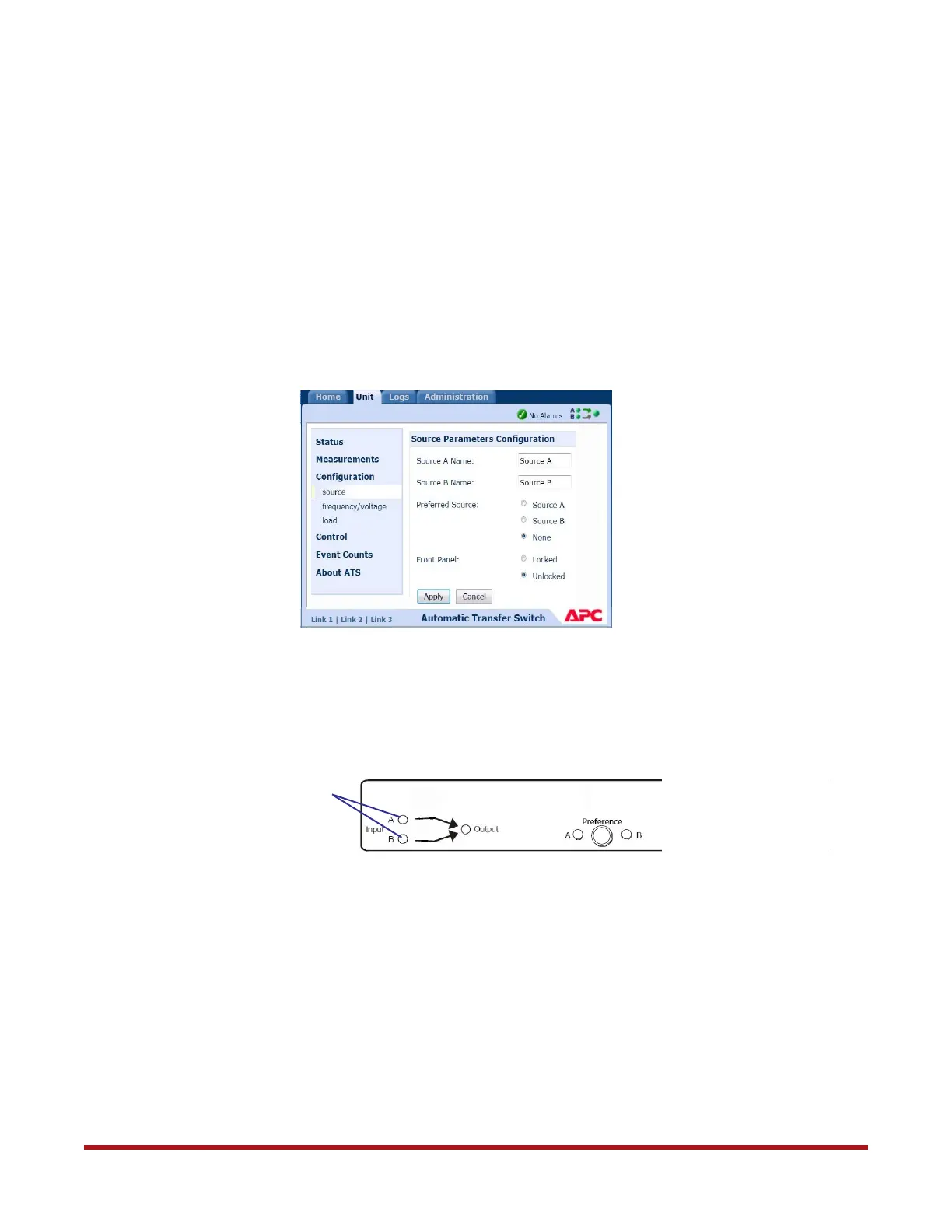
5. Select preferred source:
❖ Go to Unit tab
❖ Select Configuration - source (Figure 18)
❖ In the Preferred Source field, select “None”
❖ Click Apply to save the changes
6. Verify that the Input A and B LEDs are both illuminated on the front panel (Figure 19).
7. Repeat steps 1 to 6 above on the other ATS.
8.3 Other Recommended Configurations
You may configure the date and time, administrator user name and password, and event
notifications for the ATS. Refer to the SFA OS User Guide (SFA12K ATS Recommended
Configurations) for more information.
Figure 18. Select Preferred Source
Figure 19. ATS Front Panel
Input LEDs



 To Next Page