Rack Installation
96-30051-001 Rev. D3 DDN SFA12K (SFA OS 2.3.1) Hardware Installation & Configuration Guide | 48
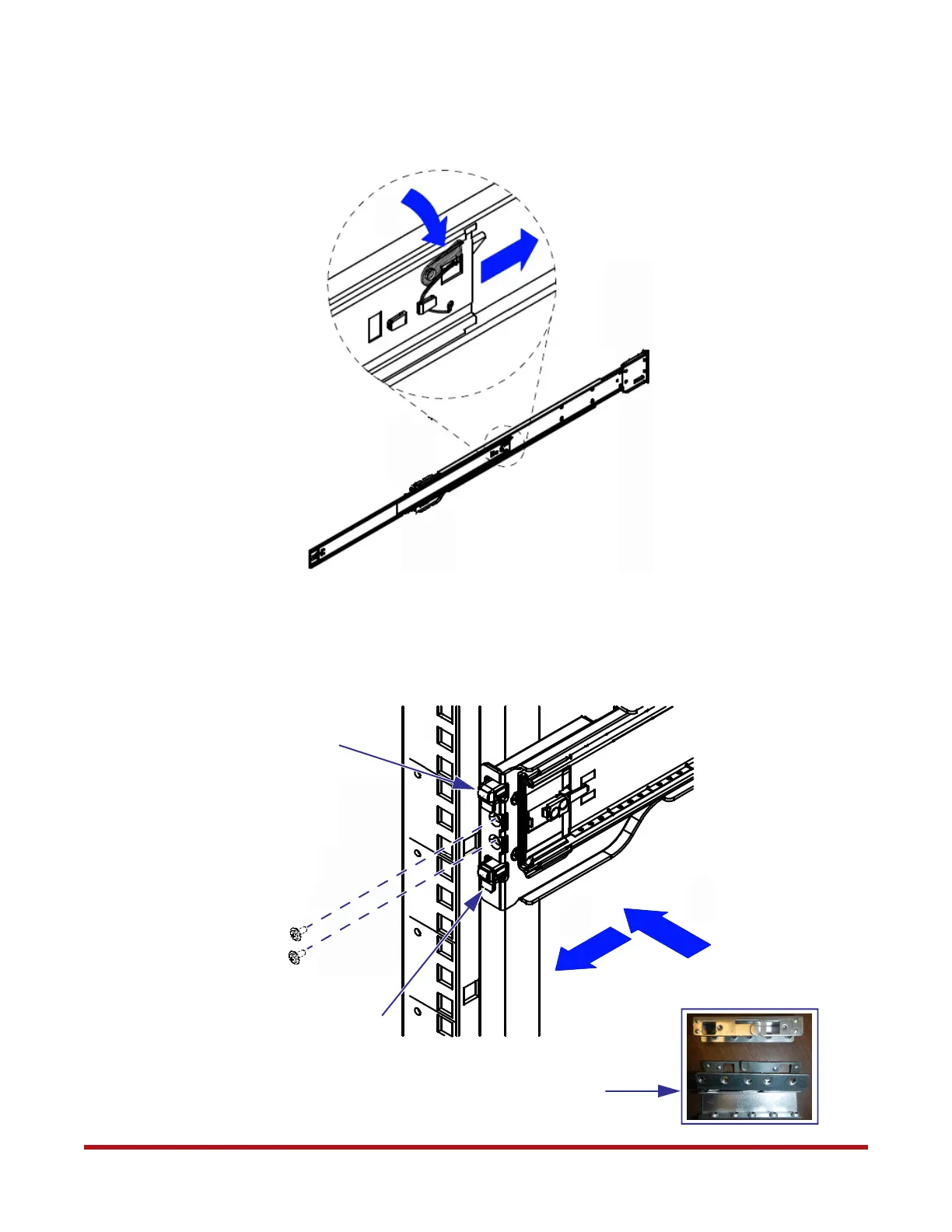
5. Press the locking tab and push the middle rail back into the outer rail (Figure 54).
6. Hang the hooks of the rail on the rack holes (Figure 55). Round hole adapters are
available for use on racks with round screw holes. Optional: Secure rail with two
screws.
Figure 54. Retract Middle Rail into Outer Rail
1
2
Figure 55. Attach Rails to Rack
1
2
Hook on Rail
Hook on Rail
Round Hole Adapters



 To Next Page