Rack Installation
96-30051-001 Rev. D3 DDN SFA12K (SFA OS 2.3.1) Hardware Installation & Configuration Guide | 49
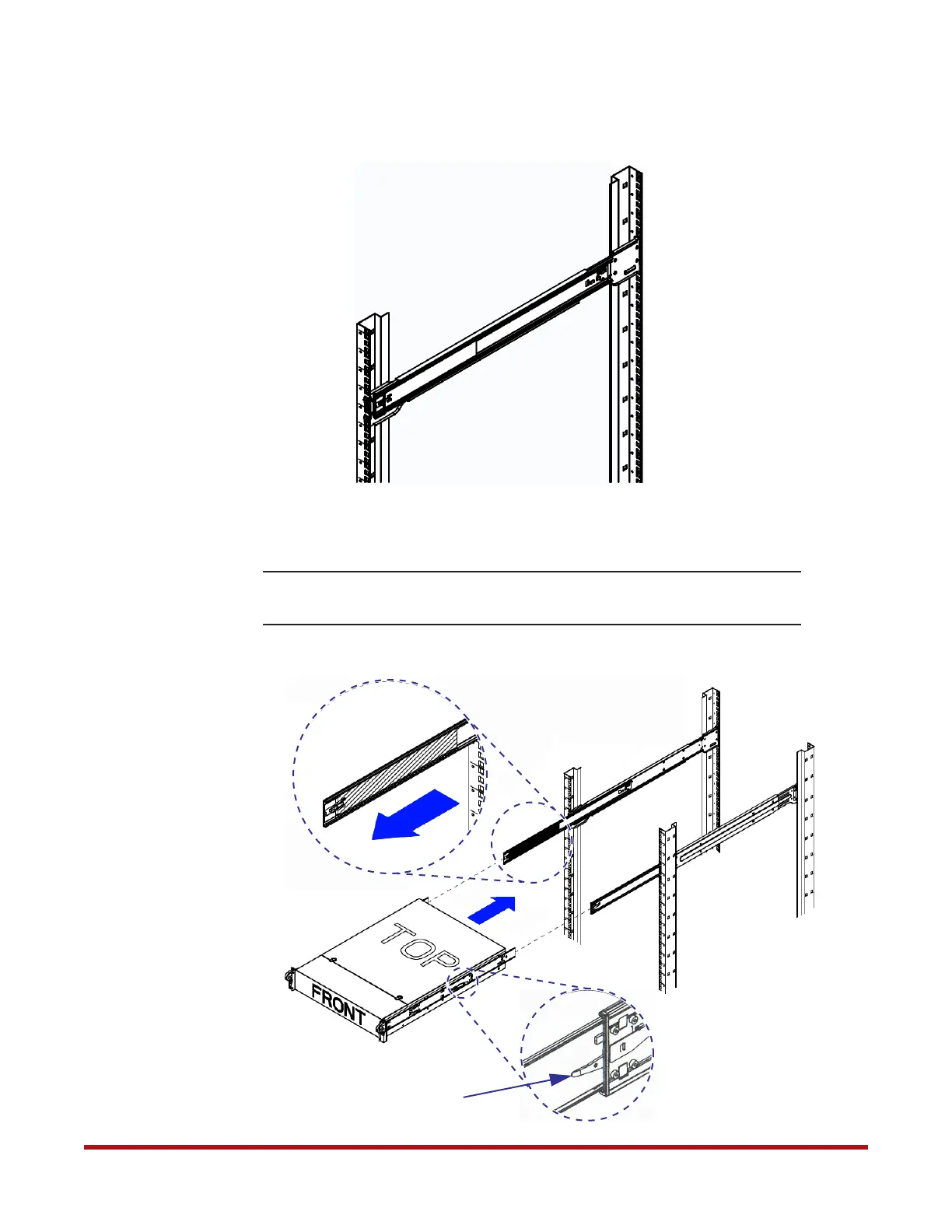
7. Extend the rail to fit the depth of the rack. Hang the other end of rail on the rack frame
(Figure 56). Optional: Secure with two screws. Similarly, attach the other rail to rack.
8. Pull the middle rail out of the front of the outer rail and make sure that the ball bearing
shuttle is locked at the front of the middle rail (Figure 57).
NOTE :
Keep the ball bearing shuttle locked at the front of the middle rail during
installation.
Figure 56. Rail Attached to Rack
Figure 57. Install Chassis in Rack
Ball Bearing
Shuttle
Locking Tab



 To Next Page