System Installation and Configuration
96-30051-001 Rev. D3 DDN SFA12K (SFA OS 2.3.1) Hardware Installation & Configuration Guide | 33
12. Starting the GUI Management Agent
1. Using a web browser, open a link to the IP address of the primary SFA12K controller.
The SFA Management System supports Mozilla FireFox (version 19 and 20) as well as
Microsoft Internet Explorer (version 9 and 10). Refer to the SFA OS Compatibility
Guide for a complete list of supported browsers.
2. At the login screen, enter the user name, user, with the password, user, to log into the
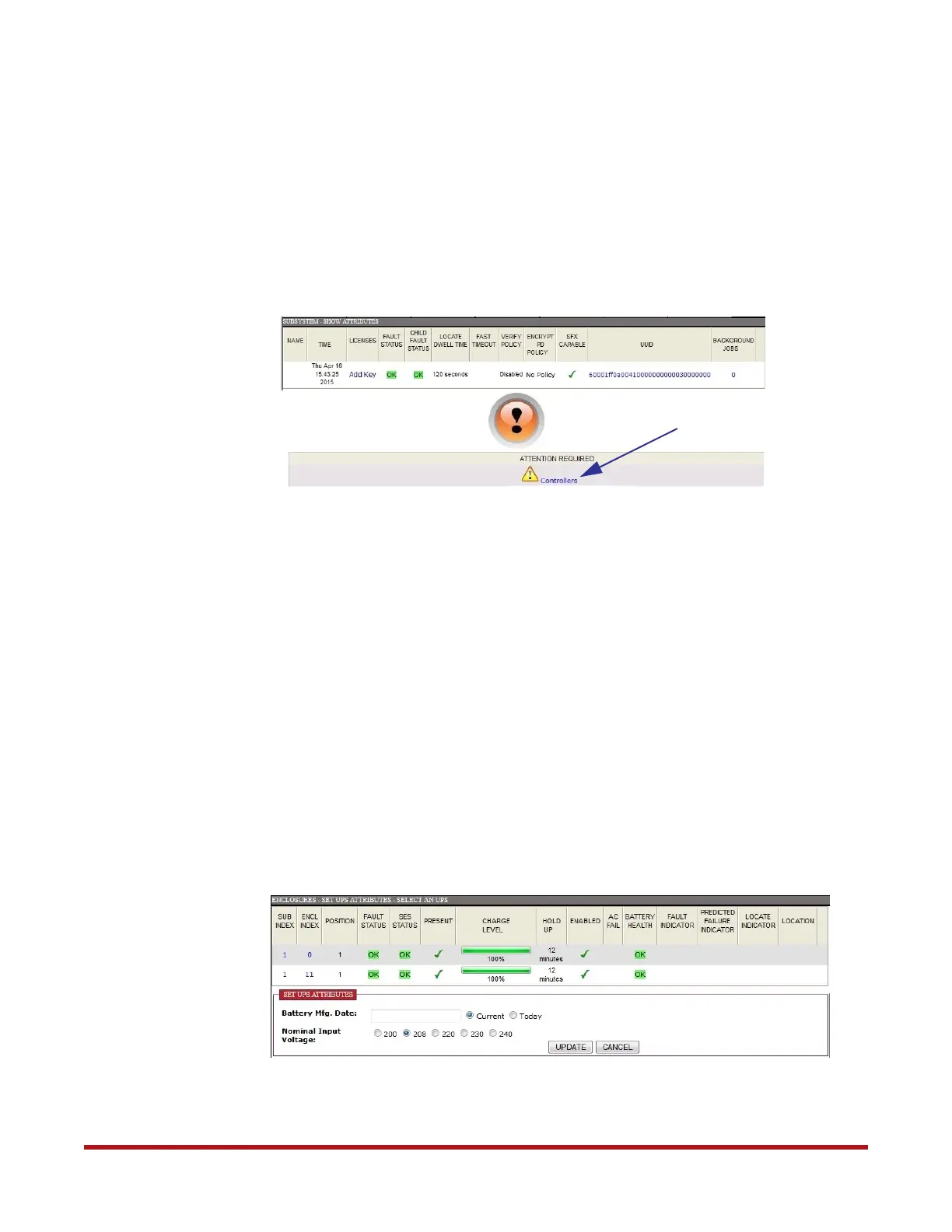
system. The home screen
(Figure 30) shows the Health Indicator.
Since this is a new unconfigured system, at this point, the Health Indicator should be
orange. You should see an alert message below the Health Indicator which shows that
manual intervention is required for both controllers. For E-platforms with storage pre-
configured, the Health indicator should be green.
3. Click on the alert message
(Figure 30).
4. At the Show Controller screen, select the underlined Manual Intervention Required.
Details of the MIR state displays, “STATUS=MIR: no quorum disks found”.
5. Click CLEAR MIR to clear the MIR state. Your subsystem is now ready to be configured
(Health Indicator is now green).
13. Verify BBU Input Voltage & Enter Battery
Manufacturing Date
1. From the Enclosures menu, select Set UPS Attributes. The Set UPS Attributes
screen displays (Figure 31).
2. Verify that the BBU batteries are healthy. Also take note of the charge level as the
battery may take several hours to fully charge. Note that on model 5P1550GR, the Hold-
Figure 30. GUI Home Screen
Click Here
Figure 31. Set UPS Attributes



 To Next Page