Rack Installation
96-30051-001 Rev. D3 DDN SFA12K (SFA OS 2.3.1) Hardware Installation & Configuration Guide | 52
A.2 Rackmounting the Battery Backup Unit
The BBU is designed to fit within an 1U rack space. DDN recommends that you install the
BBU directly below its respective controller.
This procedure applies to both models of BBU (5P1550GR and 1550), unless otherwise
noted.
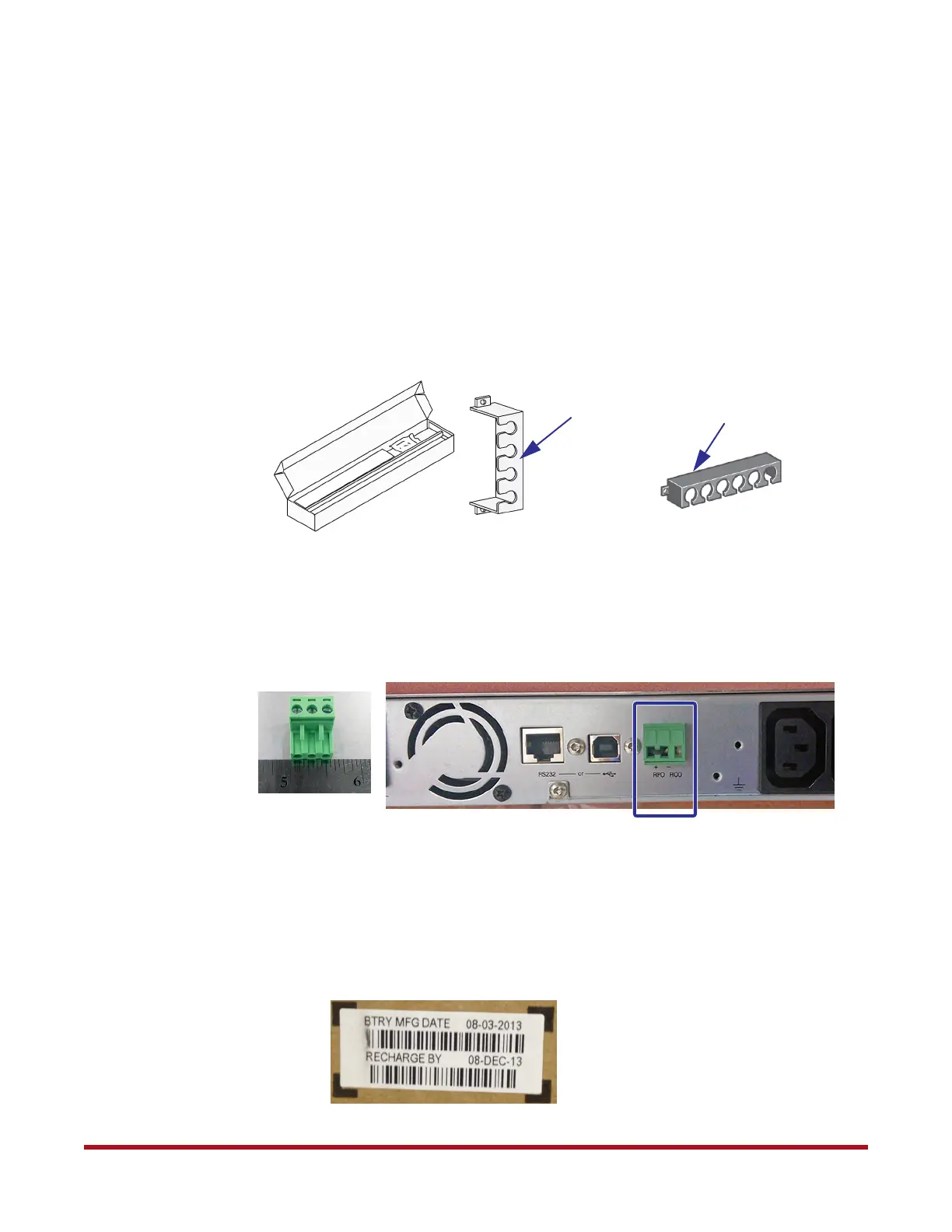
The rackmount kit for the BBU includes two mounting brackets (with 4 screws) and two
rack rails (with 8 screws and washers) (Figure 63). Note that the power cord retainers are not
used with the SFA12K.
Remote Power Connector
Ensure that the remote power connector is securely attached to the back panel of the BBU
as shown in Figure 64, otherwise the BBU will not function correctly.
A.2.1 Battery Manufacturing Date
Note down the BBU’s battery manufacturing date (Figure 65). You will need to enter this date
during initial system setup. The date is usually marked on the BBU packaging or the BBU
itself.
Figure 63. BBU Rackmount Kit
Power Cord Retainer
for Model 5P1500GR
Power Cord Retainer
for Model 1500
Figure 64. Remote Power Connector on Back Panel
Figure 65. Battery Manufacturing Date on Packaging



 To Next Page