Rack Installation
96-30051-001 Rev. D3 DDN SFA12K (SFA OS 2.3.1) Hardware Installation & Configuration Guide | 47
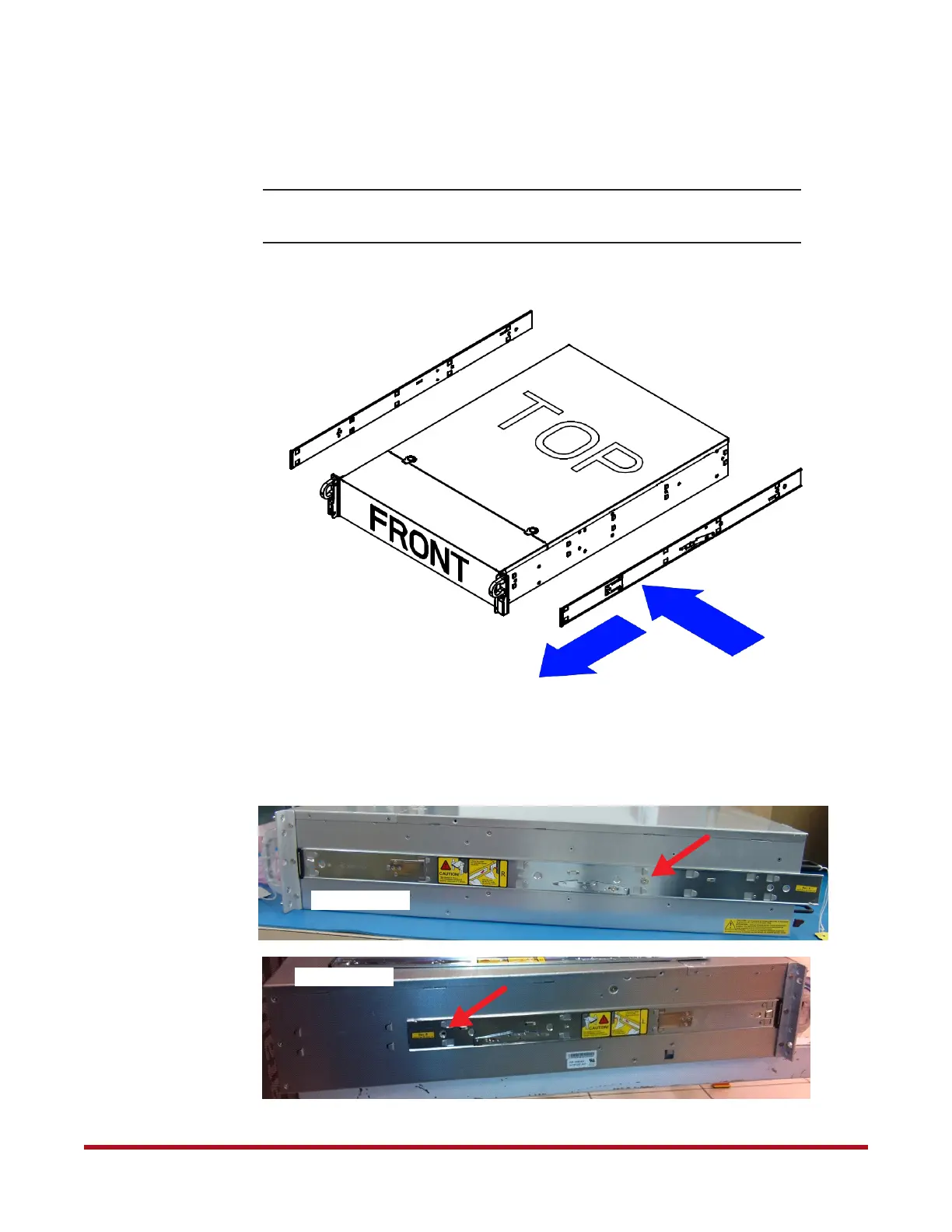
3. Place the inner rail firmly against the side of the chassis (Figure 52). Align the holes in
the inner rail with the hooks on the chassis. Slide the inner rail forward until it clicks
into the locked position.
NOTE :
The left and right rails differ from each other. Do not exchange the inner
rails.
4. Use a short flat head screw to secure the inner rail to chassis (Figure 53).
Figure 52. Attach Inner Rails to Chassis
RIGHT
LEFT
1
2
Figure 53. Attach Inner Rails to Chassis (Screw Location)
Standard Rail
Short Rail



 To Next Page