Rack Installation
96-30051-001 Rev. D3 DDN SFA12K (SFA OS 2.3.1) Hardware Installation & Configuration Guide | 50
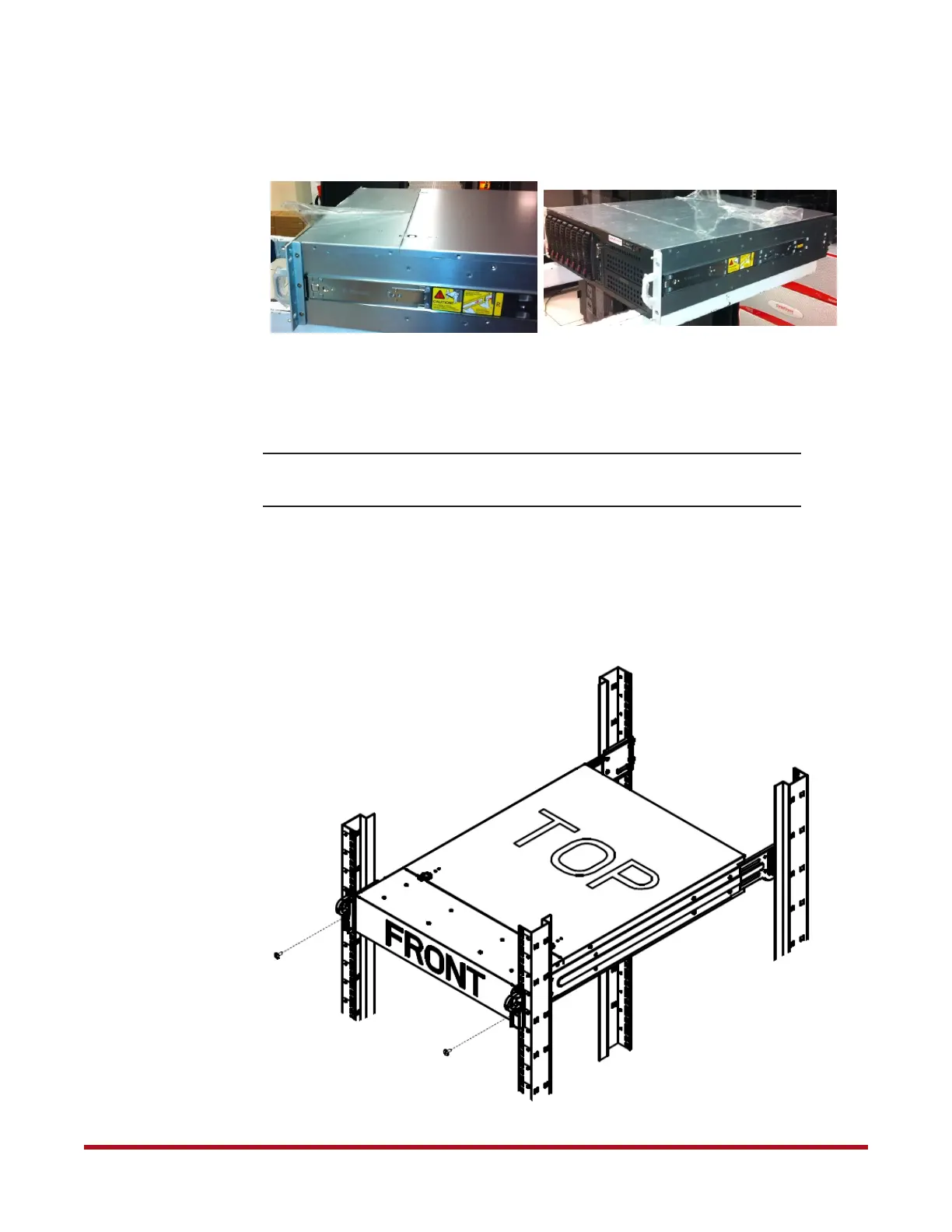
9. Peel off the protective plastic covers from the chassis as shown in Figure 58.
10. With the help of another person, hold the chassis so that the inner rails on chassis align
with the middle rails in rack. Then push evenly on both sides of the chassis until it
clicks into the fully extended position(Figure 57).
NOTE :
Due to the weight of the controller, a minimum of two people is required
for safe installation of the chassis.
11. Depress the locking tabs on the inner rails simultaneously and push the chassis all the
way into the rack (Figure 57).
12. Secure the chassis to the front of the rack using the two long screws (one on each side)
near the bottom of chassis (Figure 59).
Figure 58. Plastic Covers on Chassis
Figure 59. Secure Chassis to Rack
Screw
Screw



 To Next Page