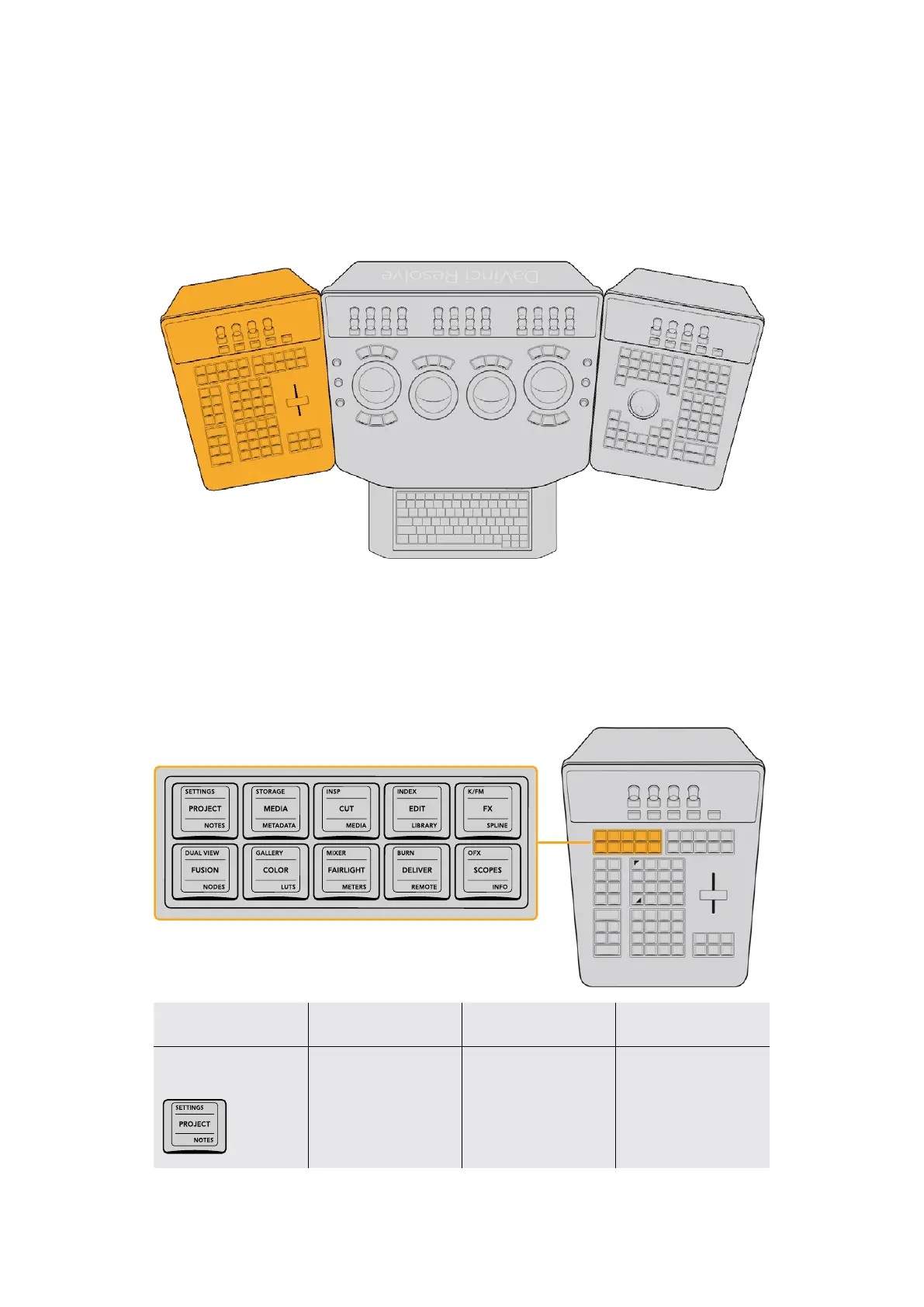
The T-bar Panel
The T‑bar panel, typically located on the left for a right‑handed colorist, has an LCD display
with four variable controls and nine soft keys. The lower section of the panel houses the T‑bar
control and six groups of hard keys. Each group and their keys are described below.
T‑bar Panel on the left
Pages and Layout Group
The Pages and Layout control group at left provides navigation to a number of the GUI pages
and a few commonly used methods of opening and closing different panels to customize the
Color page UI.
The Pages and Layout keys make it easy to open
different pages and panels of the graphical interface.
Key Shift Up Primary Function Shift Down
SETTINGS/PROJECT/
NOTES
(SETTINGS) Opens
and closes the
Project Settings
(PROJECT) Opens
and closes the
Project Manager
(NOTES) Opens and
closes the Project Notes
window
18The T-bar Panel



 To Next Page