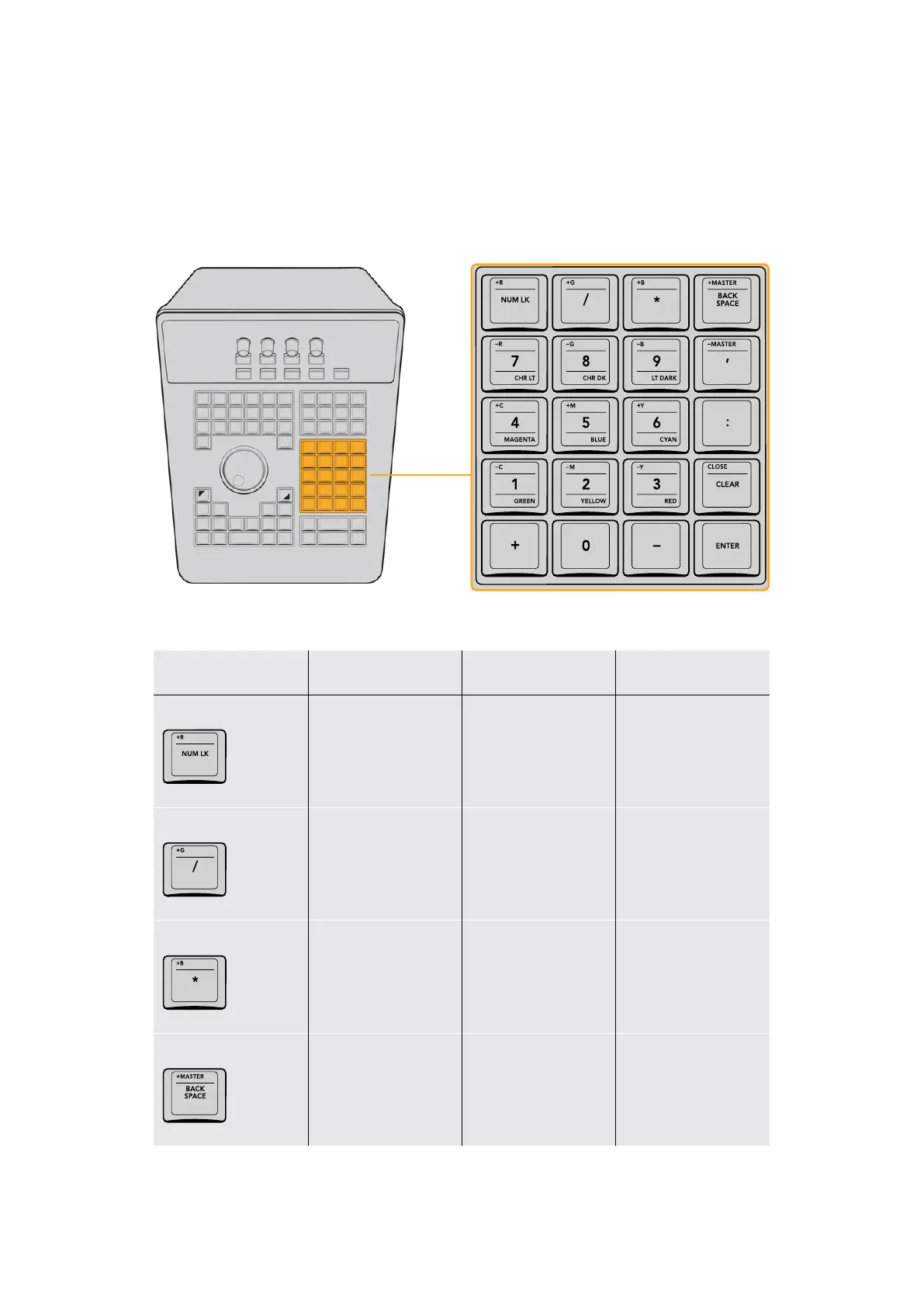
Numeric Entry Group
On the center right‑hand side of the Search Dial panel is the Numerical Entry key group. Here
you will find numbers 0 to 9 and associated keys for entering timecode and clip numbers.
You will notice the numbers you type are displayed in a scratchpad area at the bottom of the
Keyframe palette.
The number keys group provides access to multiple overlapping functions,
including Printer Points adjustment when the P/LITE mode is enabled.
Key Shift Up Primary Function Shift Down
+R/NUM LK
+R (Plus Red in
P/LITE mode)
(NUM LK) Locks
these keys to their
numeric functions, useful
for entering timecode
for navigation
–
+G/ /
+G (Plus Green in
P/LITE mode)
(/) The Forward
Slash key
–
+B/ *
+B (Plus Blue in
P/LITE mode)
(*) The Asterisk key –
+MASTER/BACKSPACE
+MASTER (Plus Master
RGB in P/LITE mode)
(BACKSPACE) Moves
the text or numeric
cursor one character
left so you can correct
numeric entries
–
45The Search Dial Panel



 To Next Page