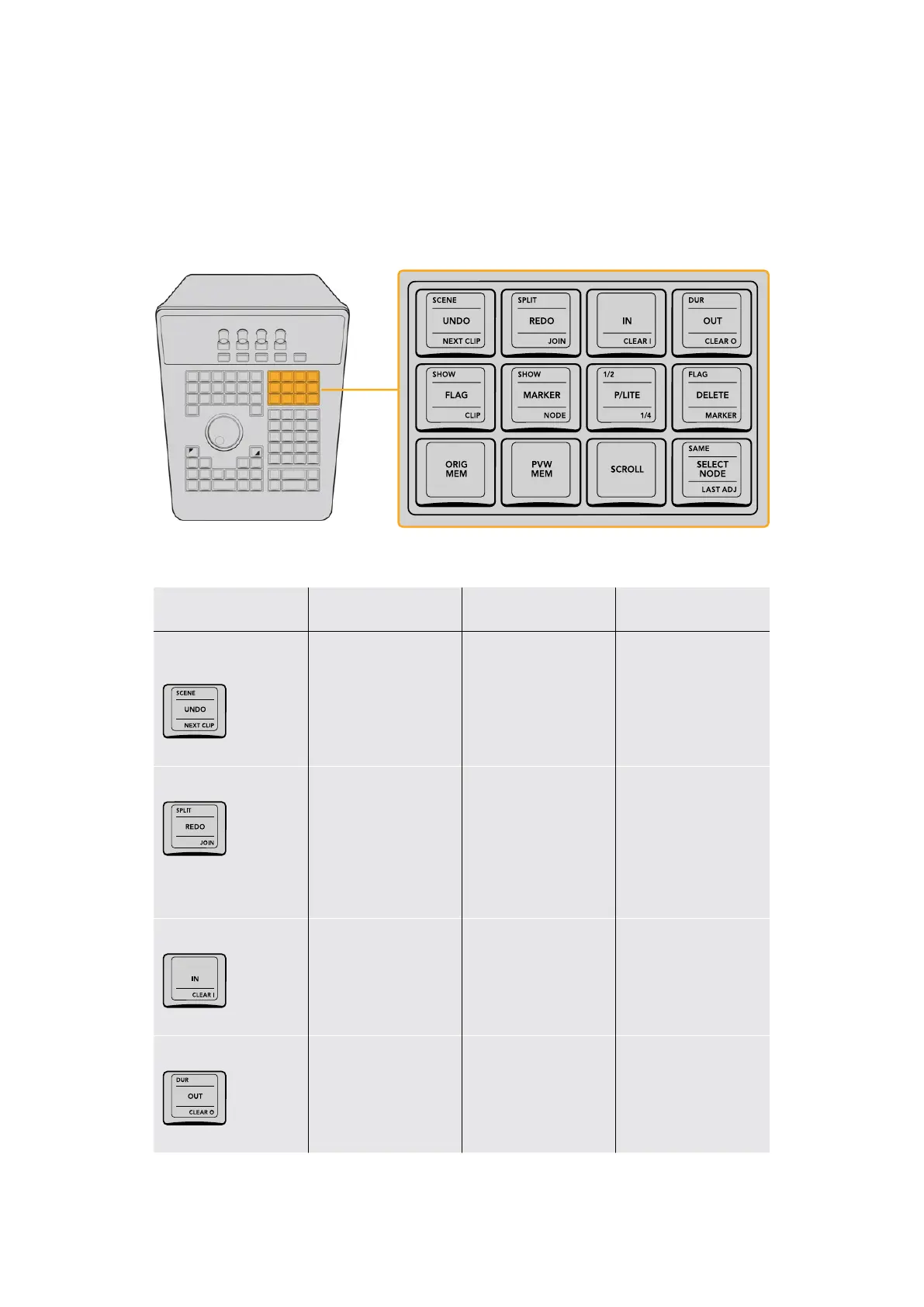
Management and Modes Group
This group of keys gives access to a wide variety of functions that, due to their diversity,
are difficult to generalize. They include everything from the all‑important Undo and
Redo commands, to splitting and rejoining clips, setting and clearing In and Out points to
control playback and looping, and commands for reverting to the Original Memory, using
Preview Memory, and using Scroll (which is described in more detail later in this chapter).
The Management and Modes keys provide Undo/Redo, range,
Flag and Marker, printer lights, and grade management functionality.
Key Shift Up Primary Function Shift Down
SCENE/UNDO/
NEXT CLIP
(SCENE) Opens the
Scene Detect Window
(UNDO) Triggers
one step of undo;
DaVinci Resolve
supports unlimited steps
of undo
(NEXT CLIP) Not yet
implemented at the time
of this writing
SPLIT/REDO/JOIN
(SPLIT) Splits one
clip into two at the frame
under the playhead, so
each split clip can be
graded independently
(REDO) Triggers
one step of redo;
DaVinci Resolve
supports unlimited steps
of undo
(JOIN) The reverse of
the Split key; move the
playhead to an edit
point with contiguous
timecode, and press
JOIN to merge the clips
into one.
IN/CLEAR I
– (IN) Sets a timeline
In point to use when
looping playback
(CLEAR I) Clears the
timeline In point
DUR/OUT/CLEAR O
(DUR) If you’ve set In
and Out points, this key
lets you create a marker
with duration.
(OUT) Sets a timeline
Out point to use when
looping playback
(CLEAR O) Clears the
timeline Out point
39The Search Dial Panel



 To Next Page