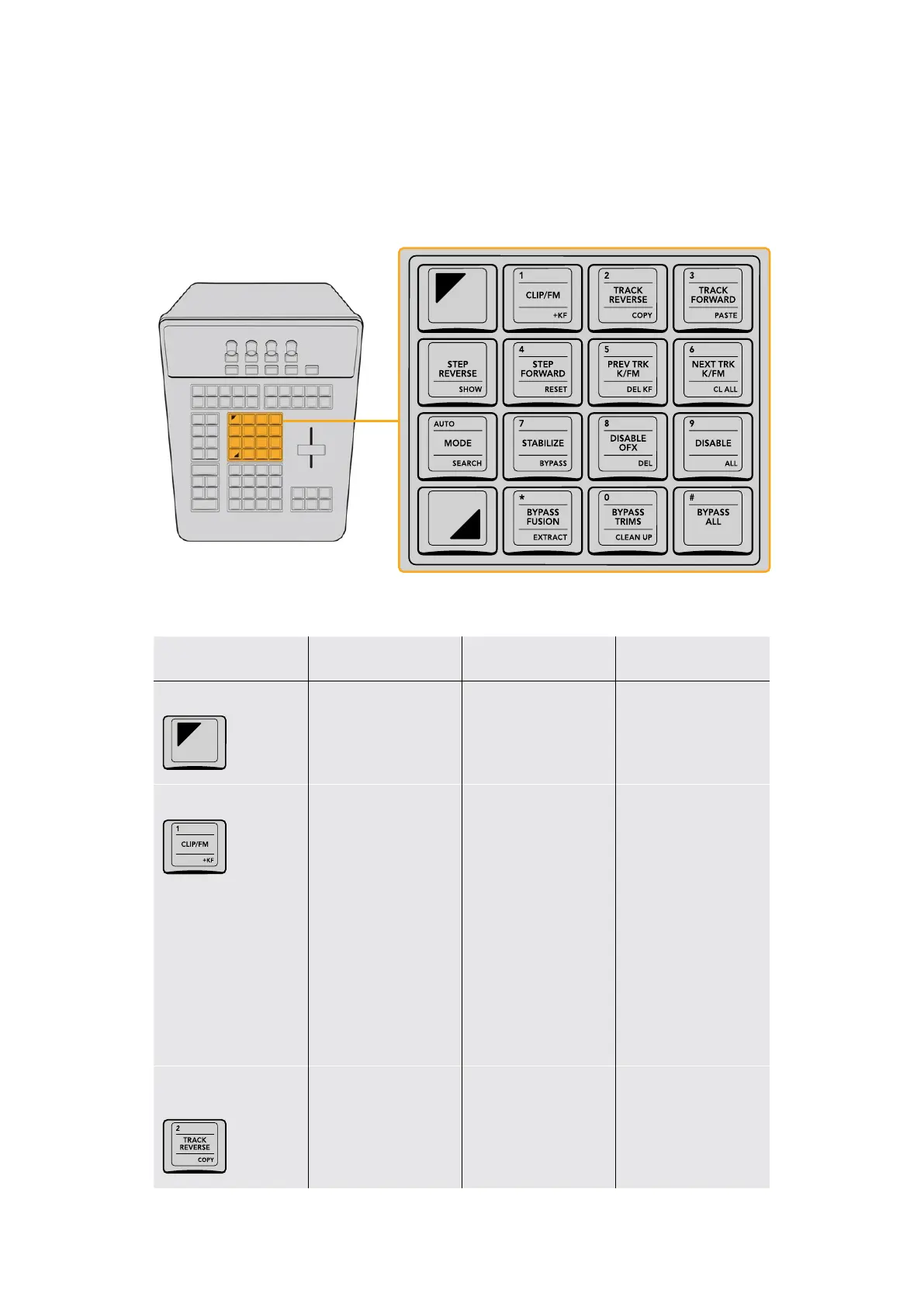
Utility Group
This group of keys, in the center of the T‑bar panel, includes commands for tracking and
stabilization, enabling/disabling grades and nodes and OFX, and bypassing Fusion effects and
Grades. These keys can also function as a numeric keypad for future features.
The Utility keys provide controls for tracking and stabilization,
as well as disabling and bypassing various grading controls.
Key Shift Up Primary Function Shift Down
SHIFT UP
– (SHIFT UP) Enables use
of any of the SHIFT UP
key functions at the top
of various keys
–
1/CLIP/FM/+KF
(1) The one key; can be
used in conjunction with
SELECT NODE to jump
to a particular node
(CLIP/FM) Switches the
mode of motion tracking
or keyframing of window
shape and position in the
tracking graph between
Clip mode (where
adjustments are made
globally to the entire
duration of a window)
and Frame mode (where
adjustments are made
at specific frames,
adding keyframes to
the Tracker graph to
animate a window)
(+KF) Adds a keyframe
to the tracking graph,
typically used while
in Frame mode where
keyframes are added
while rotoscoping
image movement with a
window
2/TRACK REVERSE/
COPY
(2) The two key; can be
used in conjunction with
SELECT NODE to jump
to a particular node
(TRACK REVERSE)
Initiates motion
tracking in reverse
for the currently
selected window
(COPY) Copies track
data from the currently
selected window
26The T-bar Panel



 To Next Page