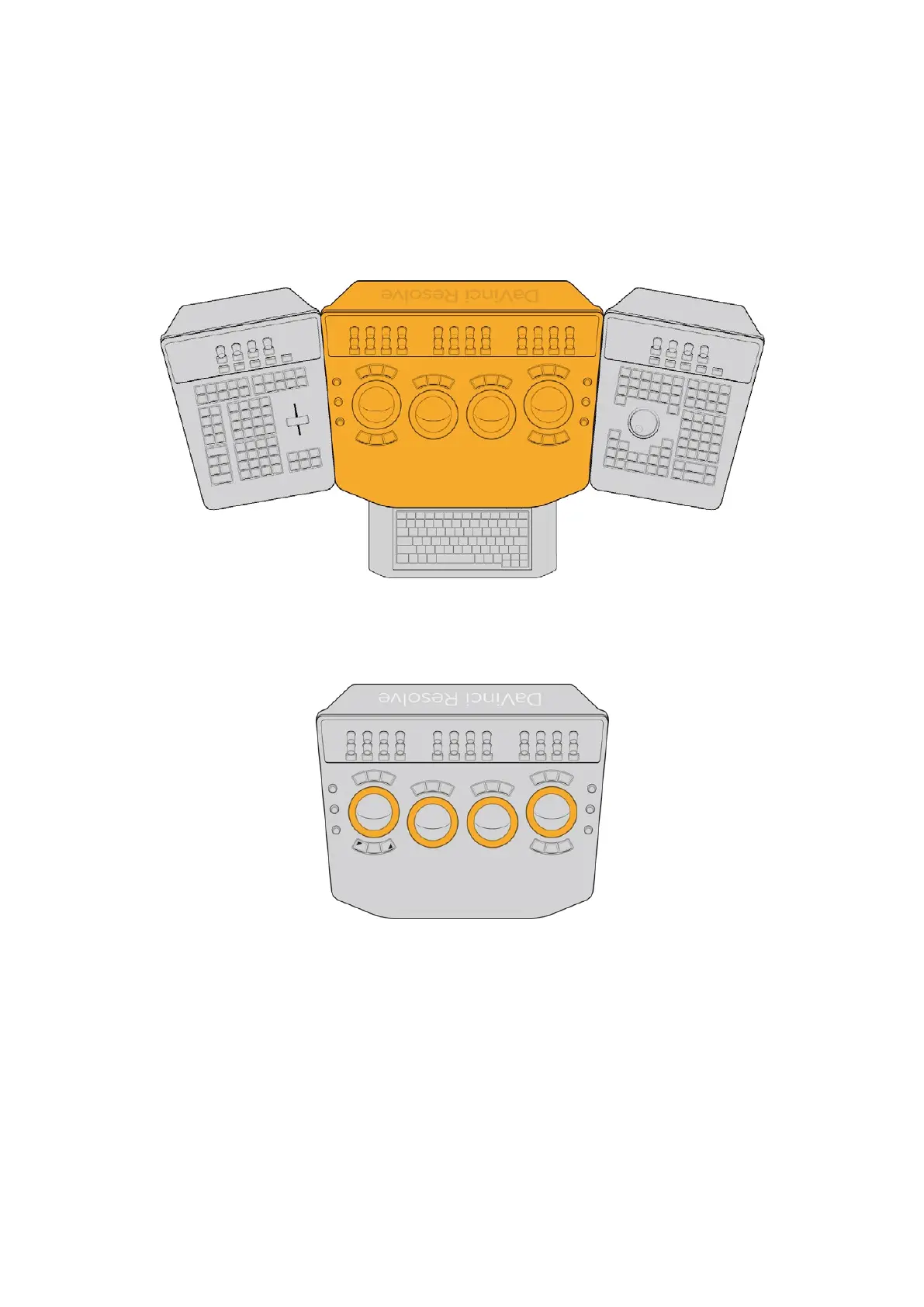
The Trackball Panel
The focus of the Center panel is four trackballs that work as color balance controls in various
palettes of the DaVinci Resolve Color page. Their functionality depends on which palette is
currently open. Each trackball has a surrounding control ring that has no end stop in either
direction, letting you do continuous rotary adjustment.
The Trackball Panel
The rings typically are for adjusting image lightness and contrast in different ways but
are sometimes used for other functions, depending on which Color page palette you
have selected.
The controls surrounding the trackball/ring
controls of the Center panel
Additional buttons above and below the trackballs, and fixed‑function rotary controls to the left
and right, complete the center control cluster that provide a predictable set of central controls
for making color and contrast adjustments.
Using Trackballs
The principal palettes you’ll use the trackballs with are the Color Wheels and Log Wheels
modes of the Primaries palette, and the Global and Zones controls of the HDR palette.
Whichever of these modes and palettes is selected will determine the functionality of the
trackballs and rings.
10The Trackball Panel



 To Next Page