EasyManua.ls Logo

DaVinci Resolve Advanced Panel - Page 21

Default Icon
62 pages
Print Icon
To Next Page IconTo Next Page
To Previous Page IconTo Previous Page
Loading...
Key Shift Up Primary Function Shift Down
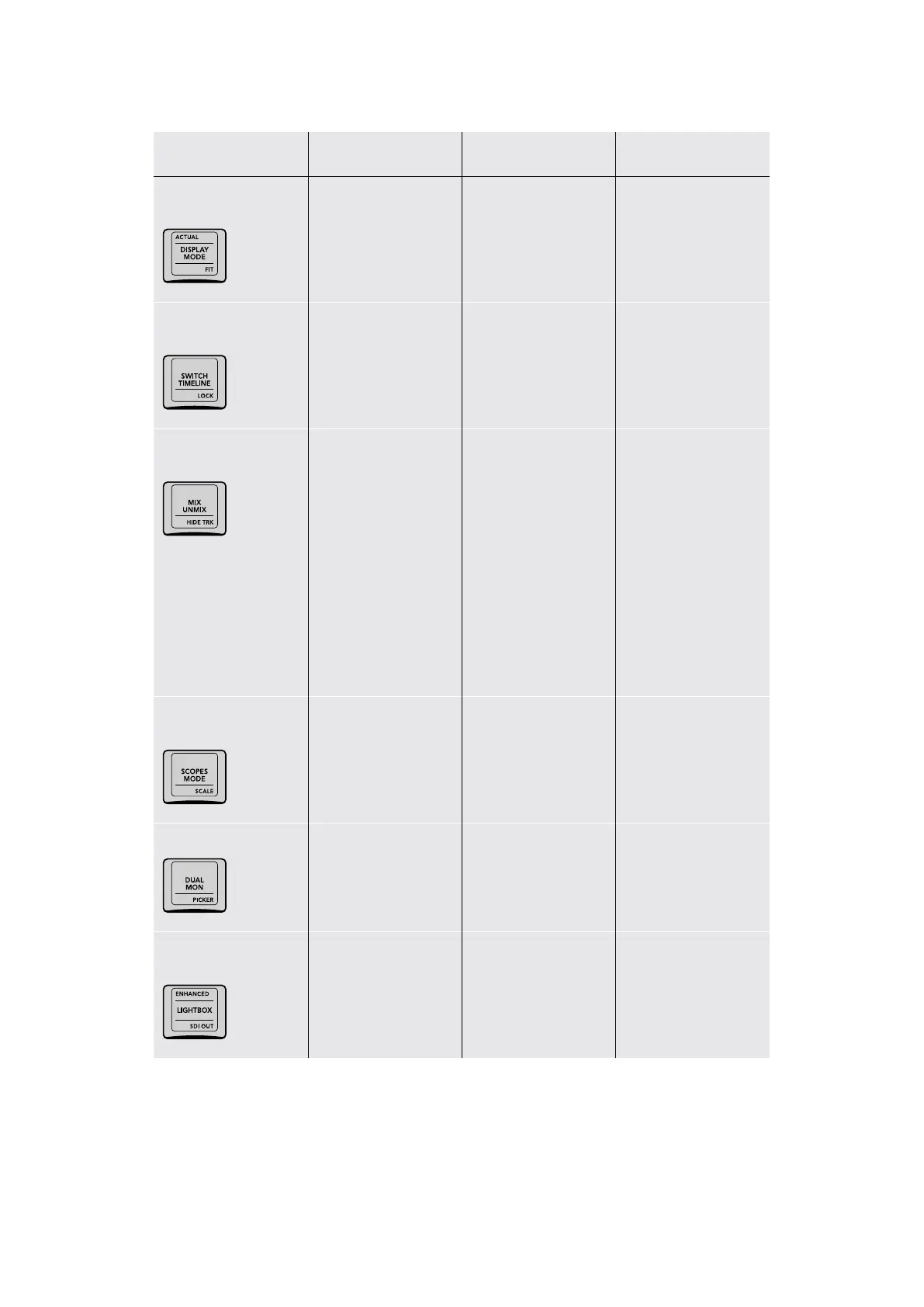
ACTUAL/DISPLAY
MODE/FIT
(ACTUAL) Sets the size
of the image in the
Viewer to 100% so you
can see the actual size
of the image
(DISPLAY MODE) Toggle
Display Mode switches
between hiding and
showing the Viewer to
make more room for the
Color page Node Editor
(FIT) Fits the entire
image into the current
size of the Viewer,
zooming down or up
as necessary
–/SWITCH TIMELINE/
LOCK
(SWITCH TIMELINE)
Cycles among all
available timelines in the
current project
(LOCK) Not yet
implemented at the time
of this writing
–/MIX UNMIX/HIDE
TRK
(MIX UNMIX) Toggles
Unmix on and off; when
Unmix is on, each clip in
the Color page is shown
without transitions or
compositing effects,
making it easier for you
to see your grade in
effects heavy programs
(HIDE TRK) Hides all
clips on whichever
timeline track is
currently displayed from
the Thumbnail Timeline,
so they’re ignored
by the playhead, but
continue to appear in
video out; to show clips
on that track again, you
must Option‑click the
number of the track in
the Mini Timeline to turn
it back on
–/SCOPES MODE/
SCALE
(SCOPES MODE) Cycles
among all the available
video scopes when the
scopes are docked in
the palette area
(SCALE) Toggles the
video scopes between
showing graphs with
Video or Data levels
–/DUAL MON/PICKER
(DUAL MON) Turns
the Workspace > Dual
Screen option on and off
(PICKER) Toggles
the RGB color picker
value option between
8‑ and 10bit
ENHANCED/
LIGHTBOX/SDIOUT
(ENHANCED) Turns on
Enhanced Viewer mode
in the Color page, with
the Viewer shown atop
the palette controls
(LIGHTBOX) Toggles
the Thumbnail Timeline
Lightbox mode
on and off
(SDI OUT) Toggles video
output of the thumbnail
Lightbox on and off
21The T-bar Panel

Table of Contents