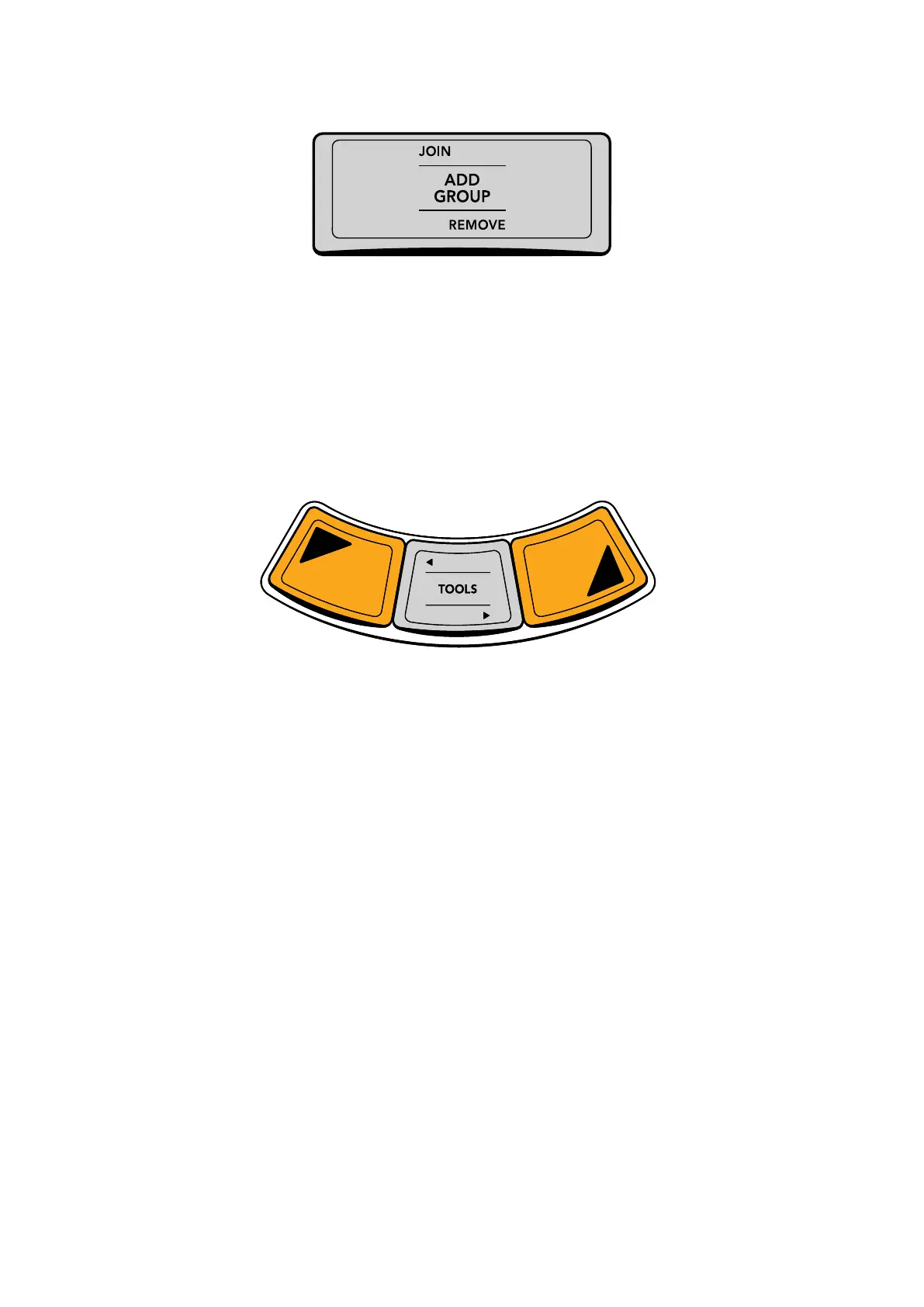
Each fixed key can list as many as three different functions; the main function
appears at the center, the SHIFT‑UP function appears at the top of the key,
and the SHIFT‑DOWN function appears at the bottom of the key.
The primary function of each fixed key, which is what happens when you simply press it, is
displayed at the center in slightly larger text. Every key has at minimum one primary function.
In the key shown above, ADD GROUP is the primary function that will be executed when you
press the key once, so selecting a number of clips in the Thumbnail Timeline and then pressing
this key would create a new group containing all selected clips.
For keys that have them, the alternate commands of fixed keys are accessed using SHIFT UP
and SHIFT DOWN keys, a pair of which are located on each of the three panels.
Shift keys shown under the left‑most trackball let you access secondary
functions; the T‑Bar and Jog/Shuttle panels each have shift keys.
Pressing SHIFT UP gives you access to whichever alternate fixed key commands are
displayed at the top. To help you see which keys have SHIFT UP functionality, pressing SHIFT
UP illuminates all keys having an alternate function with a different color. In the key shown
previously, pressing SHIFT UP will illuminate this key with another color to let you know it’s
ready to use, and then pressing this key executes the JOIN function, adding the currently
selected clip in the Thumbnail Timeline to the current group.
Pressing SHIFT DOWN works similarly, to illuminate and give access to alternate fixed key
commands displayed at the bottom of buttons that have them. In the key shown previously,
pressing SHIFT DOWN and then this key would execute the REMOVE function, removing the
currently selected clip in the Thumbnail timeline from whichever group it belonged to.
In many cases, including the previous examples, the multiple functions assigned to a particular
fixed key are related to one another to make them easier to remember. The primary function
of each key is usually the most common function you’d want to perform, while the alternate
functions are related to it.
In other cases, alternate functions aren’t directly related to the primary function, but they’re in
the same general category of activity. This is true of the “Pages and Layout” group of buttons
at the top‑left of the T‑bar panel, for which the primary function of each button gives access to
the main pages of DaVinci Resolve you might want to switch among (this is particularly useful if
you’re hiding the bottom button bar of the user interface in order to get more screen real estate
while working), while the SHIFT UP and SHIFT DOWN functions let you access specific GUI
panels or page customization options that are related to those pages.
6Using Fixed Keys and Shift Up/Shift Down Functions



 To Next Page