dCS Bartók DAC User Manual Software Issue 1.0x
February 2019
Bartok DAC Manual v1_0x Page 14 English version
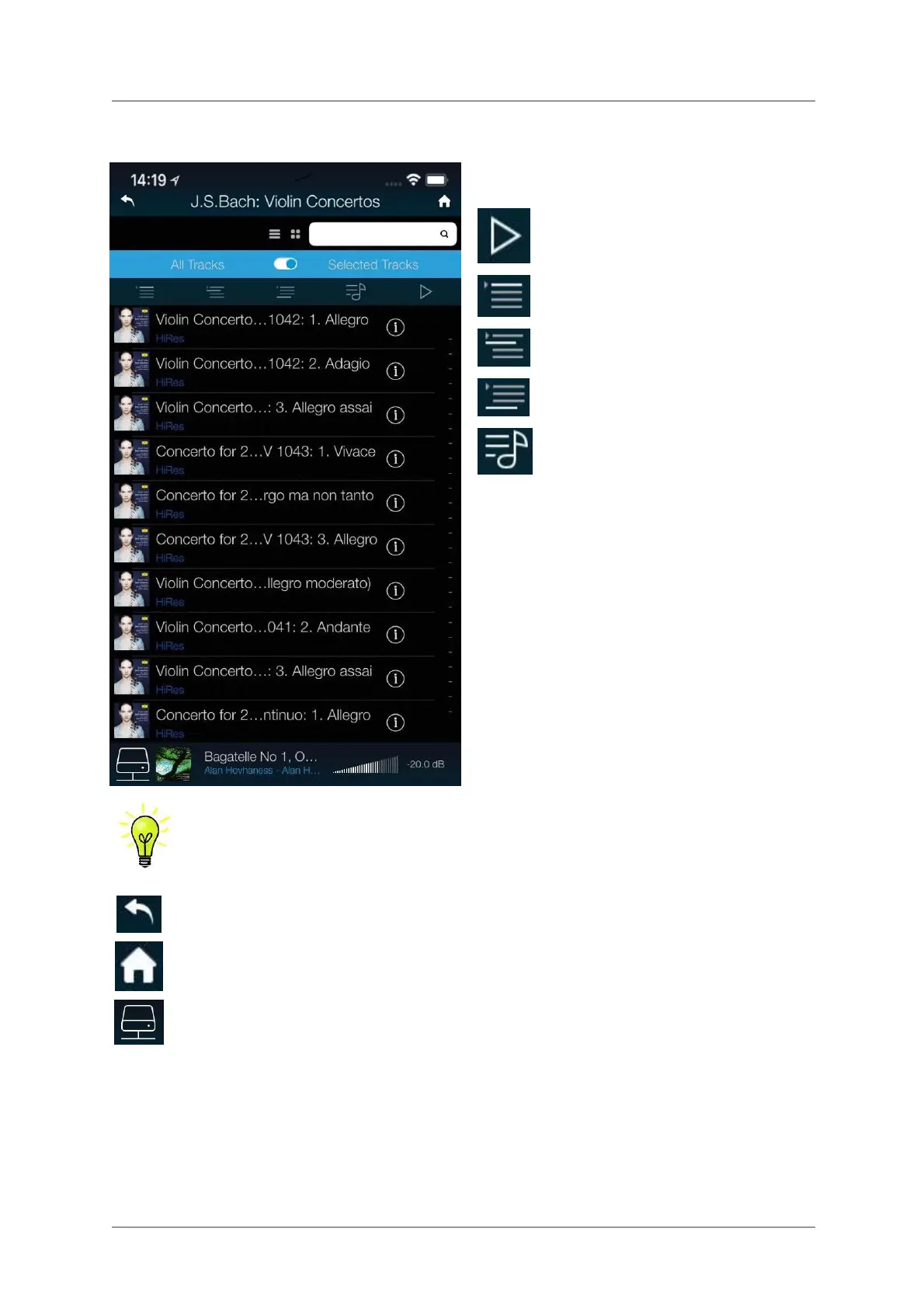
• Navigate down to the track list.
Choose either All Tracks to play the whole
album or Selected Tracks and then tap on
the tracks you want to play.
• Tap one of the action buttons:
Cancel the Queue and play now.
Add to the start of the Queue.
Add to the Queue after the current track.
Add to the end of the Queue.
Add to a Playlist.
The DAC’s Network input is automatically selected when the track starts playing.
Tap the back icon if you want to return to the previous page.
Tap the Home icon if you want to return to the Home page.
Tap the Network icon at the bottom of the screen to see the track that is currently playing.



 To Next Page