dCS Bartók DAC User Manual Software Issue 1.0x
February 2019
Bartok DAC Manual v1_0x Page 43 English version
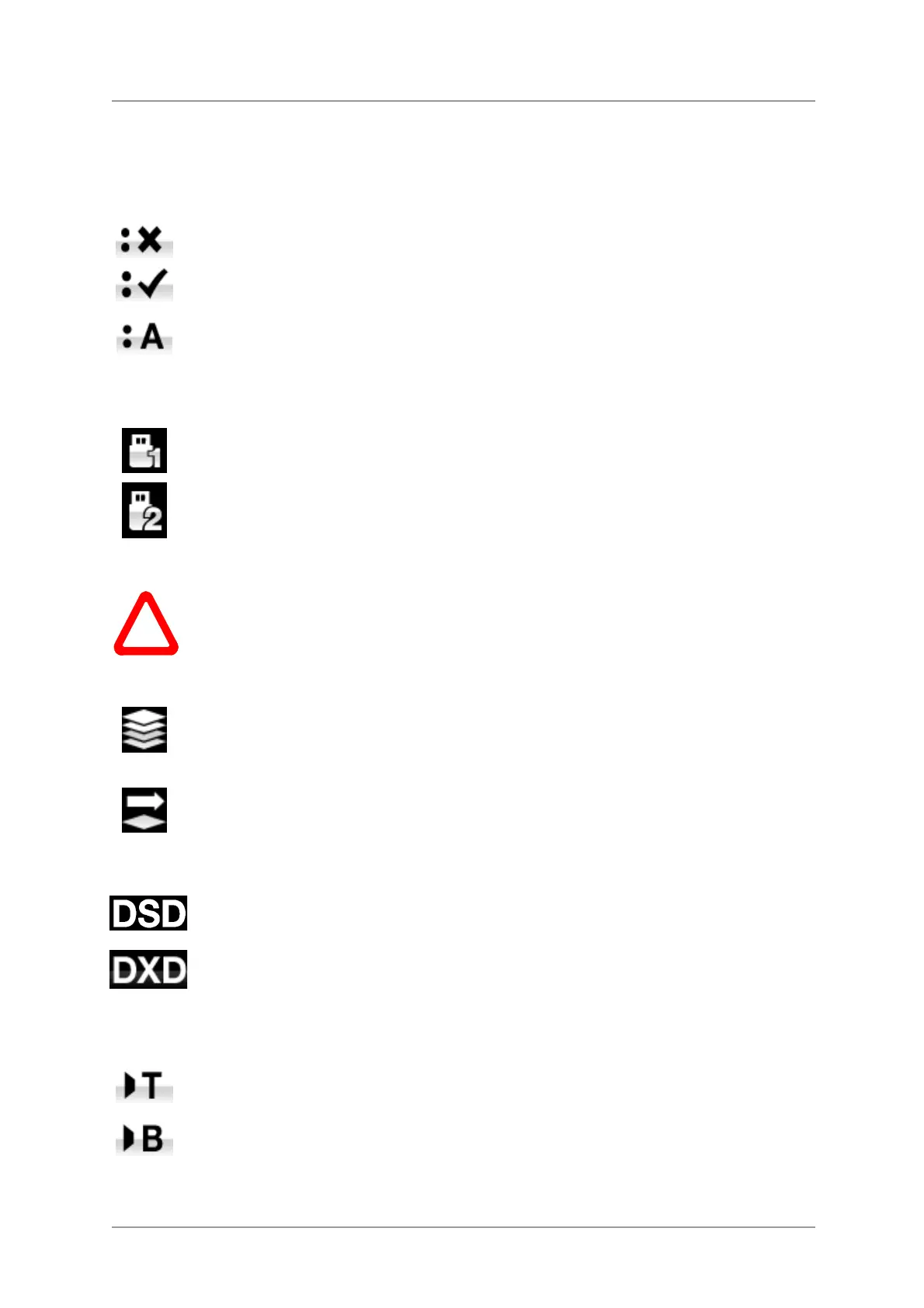
Dual AES
This setting allows the AES1 and AES2 inputs to be used together to accept PCM data
at high sample rates (88.2, 96, 176.4, 192, 352.8 or 384kS/s) or DSD/64 or DSD/128
from a Dual AES source. Note that a source with two AES outputs might not actually
produce Dual AES data! The settings are:
• Off – Dual AES mode is disabled. Both inputs accept single AES data.
• On – Single AES or Dual AES mode can be manually selected using the Input button
or by remote control.
• Auto – The unit detects the format flags in the digital data and automatically sets the
AES1 & 2 inputs to Single AES or Dual AES mode as required. This is the usual
setting. Note that if the format flag in the data is wrong, you will need to manually
select the correct setting.
USB Class
Set to Class 1, the USB1 interface will operate with Mac PCs running OSX 10.5 onwards
or Windows PCs at sample rates up to 96kS/s.
Set to Class 2, the USB1 interface will operate with Mac PCs running OSX 10.10
onwards at sample rates up to 384kS/s or DSD/128. Class 2 operation with Windows
PCs requires that the dCS USB Class 2 Driver is loaded.
After selecting a different USB Class, wait for 10 seconds while the USB software is re-
loaded.
!
Note that the USB1 interface will not be detected by a Windows computer if the unit is
set to Class 2 and a suitable driver is not available.
We recommend that you stop playback and close the streaming program before
changing the USB Class setting.
Buffer
Set to On, the digital data is delayed before being presented to the Ring DAC – this is
the usual setting. The delay is 0.72 seconds with 44.1kS/s data and 0.16 seconds with
192kS/s data. The delay gives the DAC time to detect changes in sample rate or clock
frequency and mute before the change causes audible clicks or other noises.
The extra delay is not a problem with music, but if the DAC is used with television or
video, it may cause the sound to be out of sync with the picture. To prevent this, set the
Buffer to Off.
Upsampling
Set to DSD, the DAC inserts a DSD upsampling stage towards the end of the PCM
oversampling sequence, before conversion to analogue.
Set to DXD, the DAC uses its standard PCM oversampling sequence for PCM data.
This feature does not apply to DSD data, which is processed differently.
RS232 Mode
This page sets the RS232 interface to either Text mode for use with 3rd-party control
systems or…
…dCS production Binary mode, which is intended for factory use only.



 To Next Page