dCS Bartók DAC User Manual Software Issue 1.0x
February 2019
Bartok DAC Manual v1_0x Page 27 English version
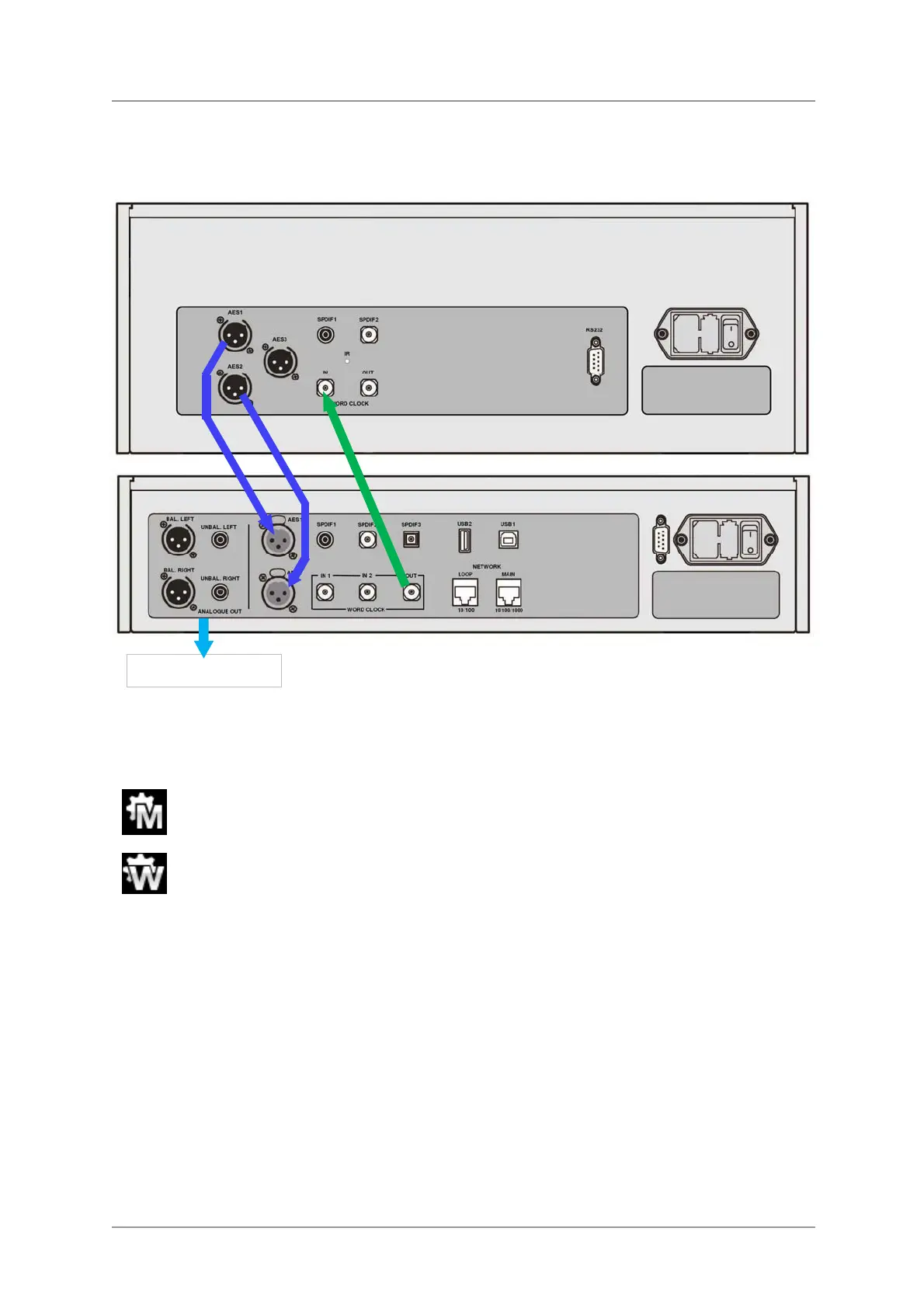
Using the Bartók DAC in Master Mode with a Transport
If your source equipment has a word clock input, you can reduce jitter by using the DAC in Master
Mode and slaving the source to it. This gives good results, but using a Master Clock is better still.
Figure 6 – Using the Bartók DAC in Master Mode with a Rossini Transport
• Connect the system as shown above.
• Use the DAC’s Input button to select the input you want to use (AES1+2 in the example).
Set the DAC’s Unit Settings > Sync Mode menu page to Master mode.
The Vivaldi Transport will lock to the DAC’s 44.1kHz word clock and display this icon.
• If you want to listen to CD playback in native 16/44.1 format, connect one of the Transport’s SPDIF
outputs to the DAC’s matching input. Select that input and set it to Master Mode also.
Analogue outputs



 To Next Page