dCS Bartók DAC User Manual Software Issue 1.0x
February 2019
Bartok DAC Manual v1_0x Page 23 English version
Basic setup with a PC
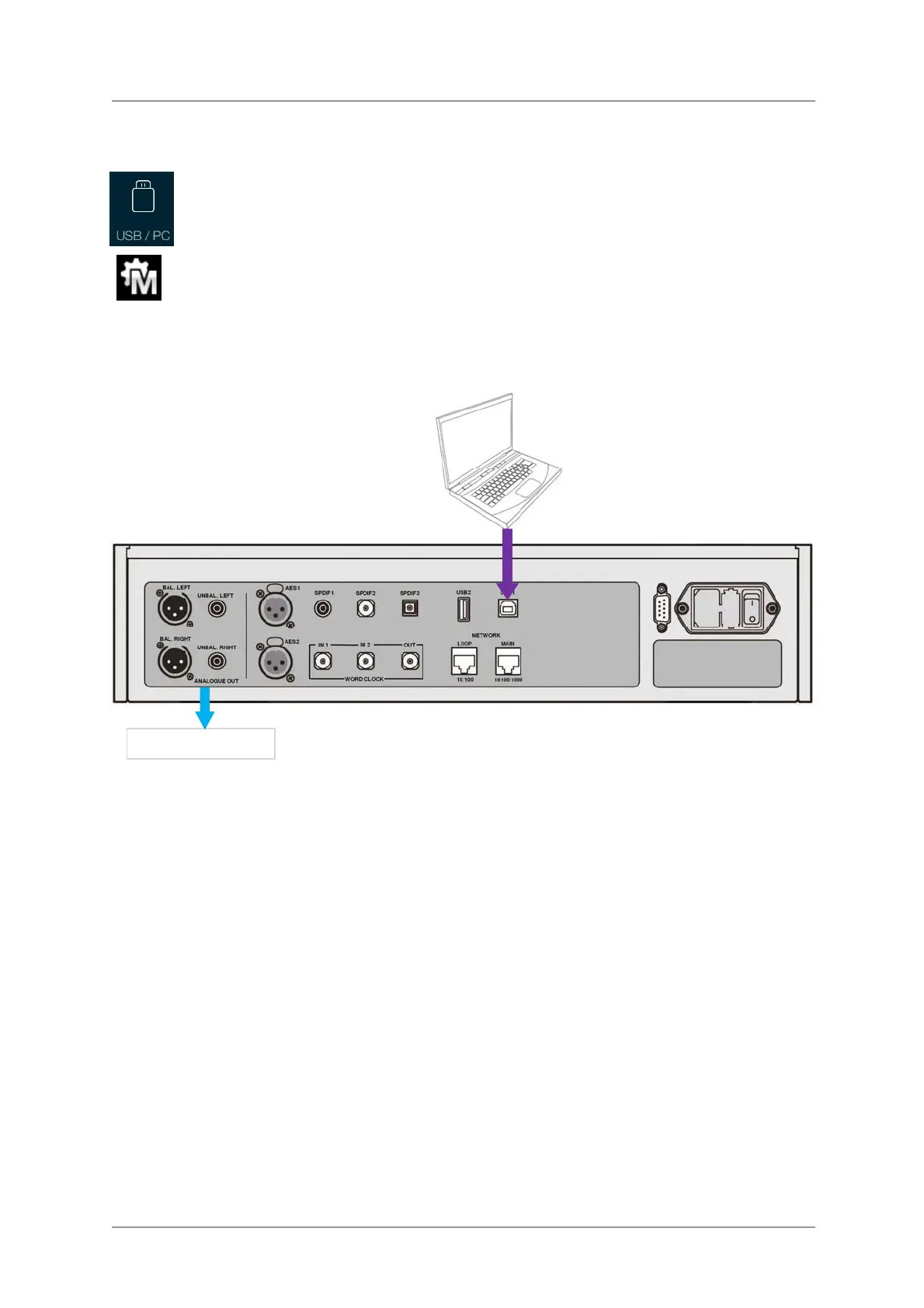
• Connect one of the computer’s USB ports to the USB1 port on the DAC’s rear panel.
To select the USB1 port, either tap this button on the app’s Home screen or press the
front panel Input button repeatedly until USB1 is displayed.
If this icon is not displayed, open the Menu and select Unit Settings > Sync Mode >
Master Mode.
This is the DAC’s default Sync Mode for the USB and Network interfaces. The DAC does not lock to
the source clock, but uses the DAC’s internal clock instead. A control signal is sent back to the source
to control the delivery of data bursts from the computer. This arrangement avoids the use of the
computer’s inaccurate and jittery clock.
Figure 4 – Using a Bartók DAC with a laptop
A word about Music Playing Software
There are countless programs that can play music on Windows
and Apple Mac PCs. Unfortunately,
not all of them present the data completely unprocessed to the USB ports. For example, Windows
Media Player re-samples all data to 24 bits at the original sample rate, while iTunes rate converts data
as necessary to the output sample rate set in the OSX Audio MIDI Set-up panel.
With such a proliferation of playing software, and with updates being issued daily, it is impossible for
dCS to be fully up-to-date with the behaviour and performance of all programs. If you have questions
or problems, we would urge you to take them up with your software vendor. What we will say is that
different programs operate very differently and it is well worth finding out exactly how your particular
program processes the audio.
We suggest that you use a premium music streaming program, such as JRiver Media Center
(Windows or Mac) or Audirvana (Mac), rather than relying on the software bundled with the operating
system.
Line outputs



 To Next Page