dCS Bartók DAC User Manual Software Issue 1.0x
February 2019
Bartok DAC Manual v1_0x Page 16 English version
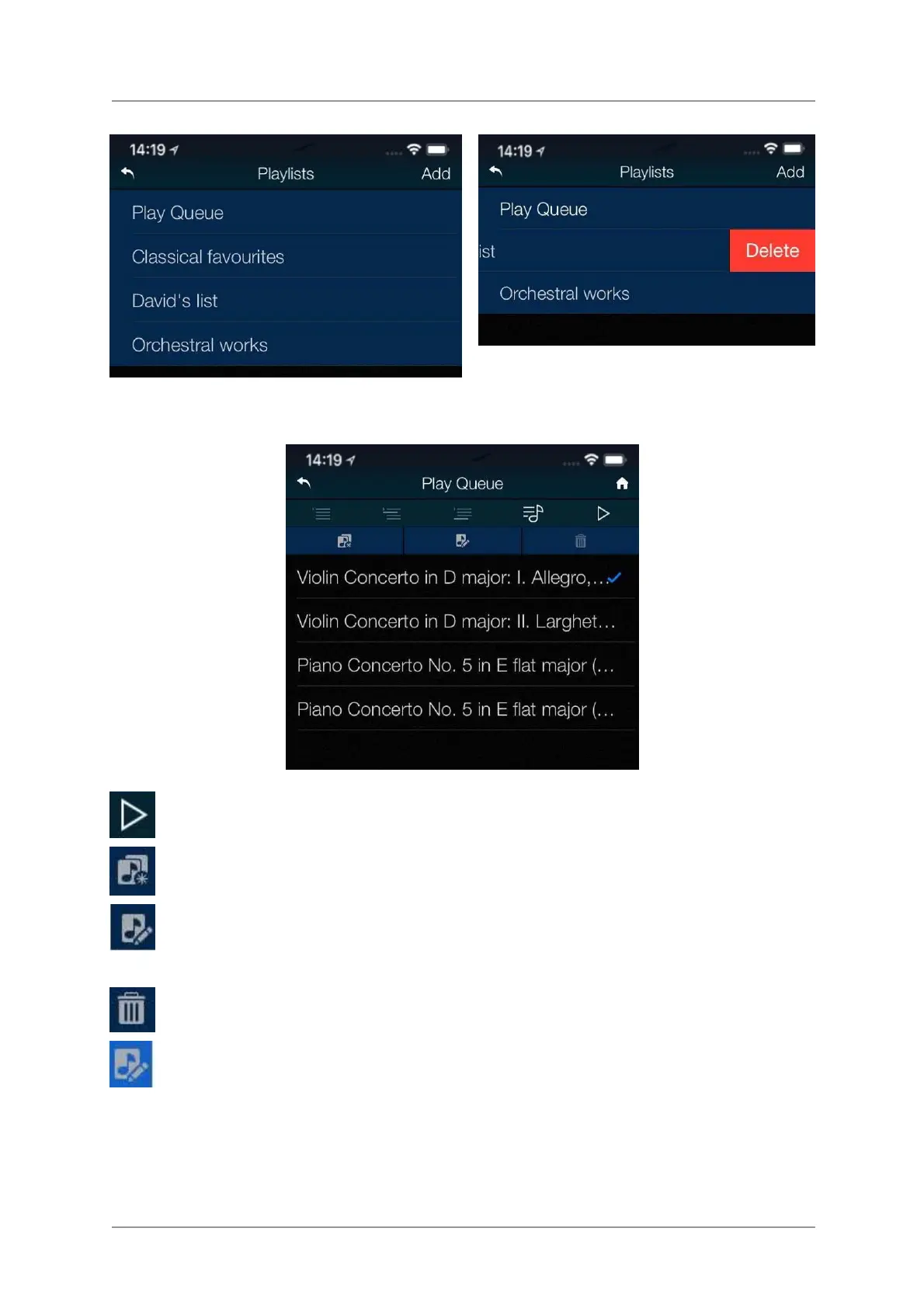
Tap on a list or the Play Queue to open it.
To delete a Playlist, swipe it to the left and tap
Delete.
Select a track and tap the Play icon to start playing it.
Tap here to save the Play Queue as a new Playlist, type a name and tap OK.
Tap this icon to start editing the open Play Queue or a Playlist.
To change the track order, drag tracks to the new position.
To delete tracks from a list, select them and then tap this icon.
When you have finished editing the list, tap the highlighted Edit icon again to de-select it.



 To Next Page