G3
™
User’s & Installation Manual
7/October/2020
44
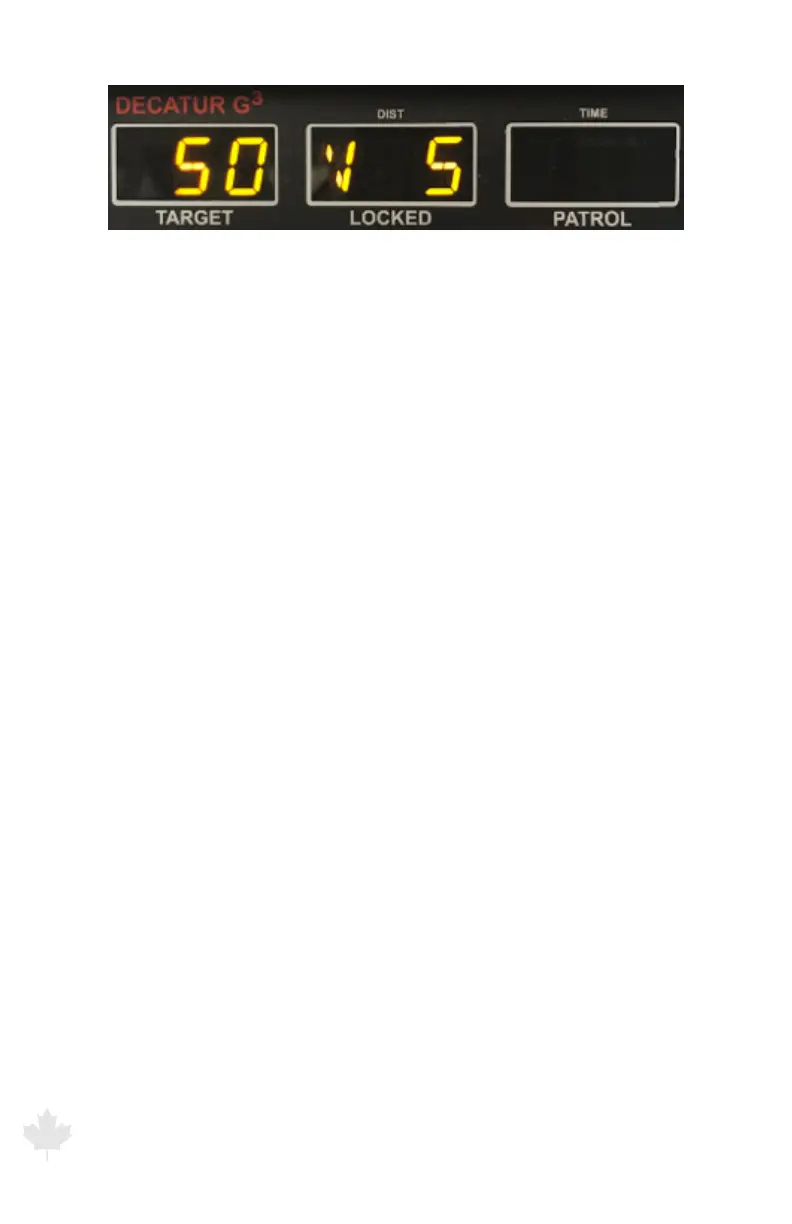
Figure 6.1a
The G3™ front display showing radar tracking a target at 50 km/h and showing a
volume level of 5 during a volume button press.
FAST (FAST): Controls the Faster/Fastest Mode feature when you are
evaluating multiple targets.
MODE: Switches between the three operating modes: Stationary
Mode, Moving Mode Opposite Direction, and Moving Mode Same
Direction.
LOCK: Transfers the target speed and direction indicators in the
TARGET window to the LOCKED window. After locking the speed, the
system continues to process and display target speeds in the TARGET
window, so you can continue to track the history of the target speed.
To clear a locked speed, press the lock button on a bank target speed
(while an antenna is active), change modes or deactivate and then
re-activate an antenna. If you have the Patrol Speed Lock, Recall, and
Blanking option, pressing the LOCK button locks both the target and
patrol speed.
ANTENNA FRONT and REAR: Activates and deactivates the front and
rear antenna. An antenna must be activated to track a target speed.
MENU: Activates the primary menu on the G3™. Used in conjunction
with the OPTION button to cycle through the available options
that are changeable. Pressing the MENU button again will exit the
primary menu.



 To Next Page