17
REGIS TRATION – CAMERA SET UP
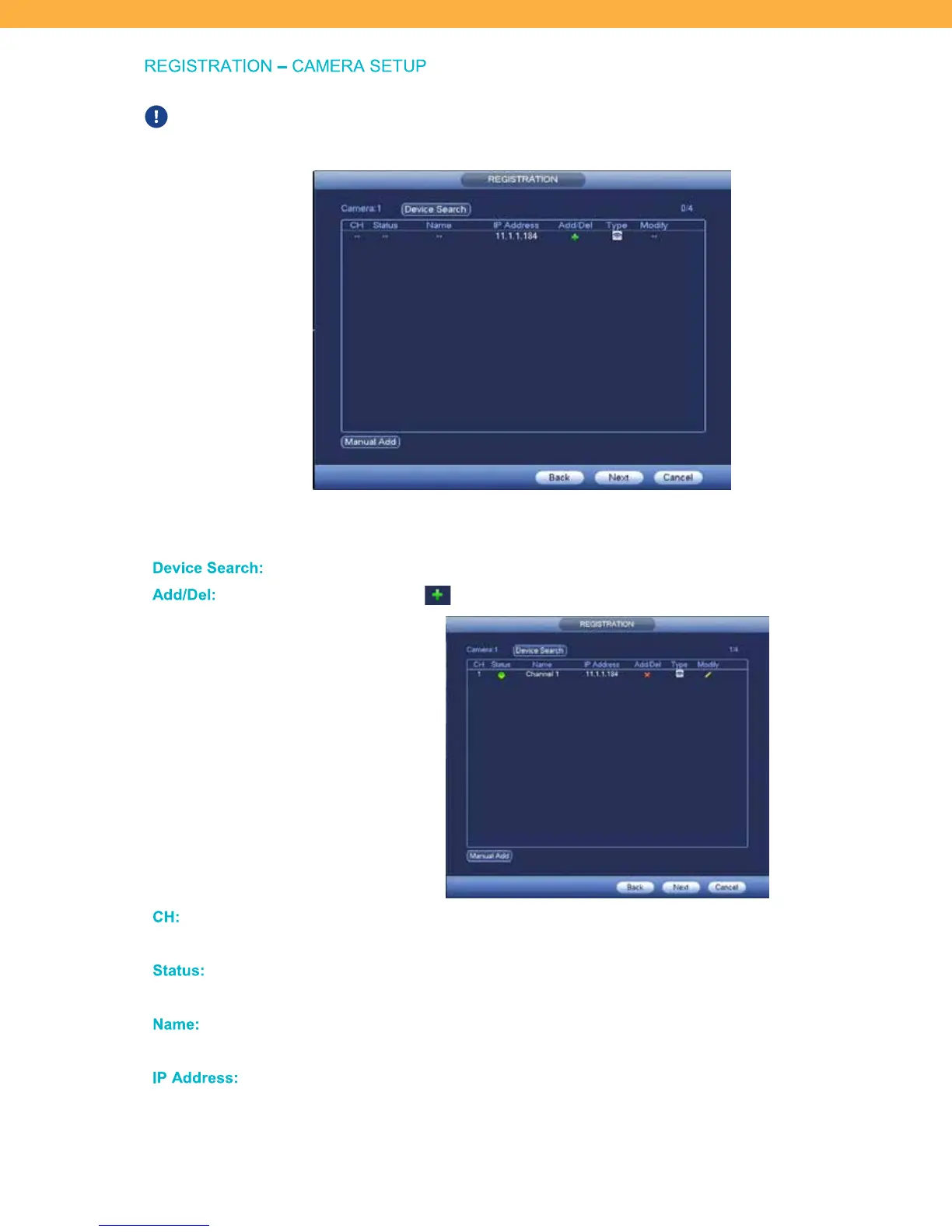
Plug all cameras into a power outlet before starting this step. Your cameras should pair
automatically with the system.
If you do not see the camera in the list after clicking Device Search or if the camera loses connection and
cannot be paired – see Section 11 Camera Reset for instructions.
De vice S earch:
Click to update the Device list with all available cameras.
Add/D el:
Click the Add icon to add the camera to your system.
CH:
This is the Channel number of the camera that corresponds to the Live View
channel windows.
Status :
The status icon is green when the camera is connected and ready to use. When
the status is red the camera is not connected and cannot be viewed or recorded.
Na me:
The default name is the Channel number. To change the name of the camera click
Modify.
IP Addr ess:
This is assigned by your network.



 To Next Page