45
Log E nable :
When selected the event will appear on the Log.
See Main Menu:
INFO > LOG
Bu zzer:
When selected the system buzzer will be enabled when motion is detected.
Video Loss Tab
Video Loss occurs if a Channel (Camera) loses connection with the system.
PTZ and Tour features require a PTZ camera – not included in Defender® kits.
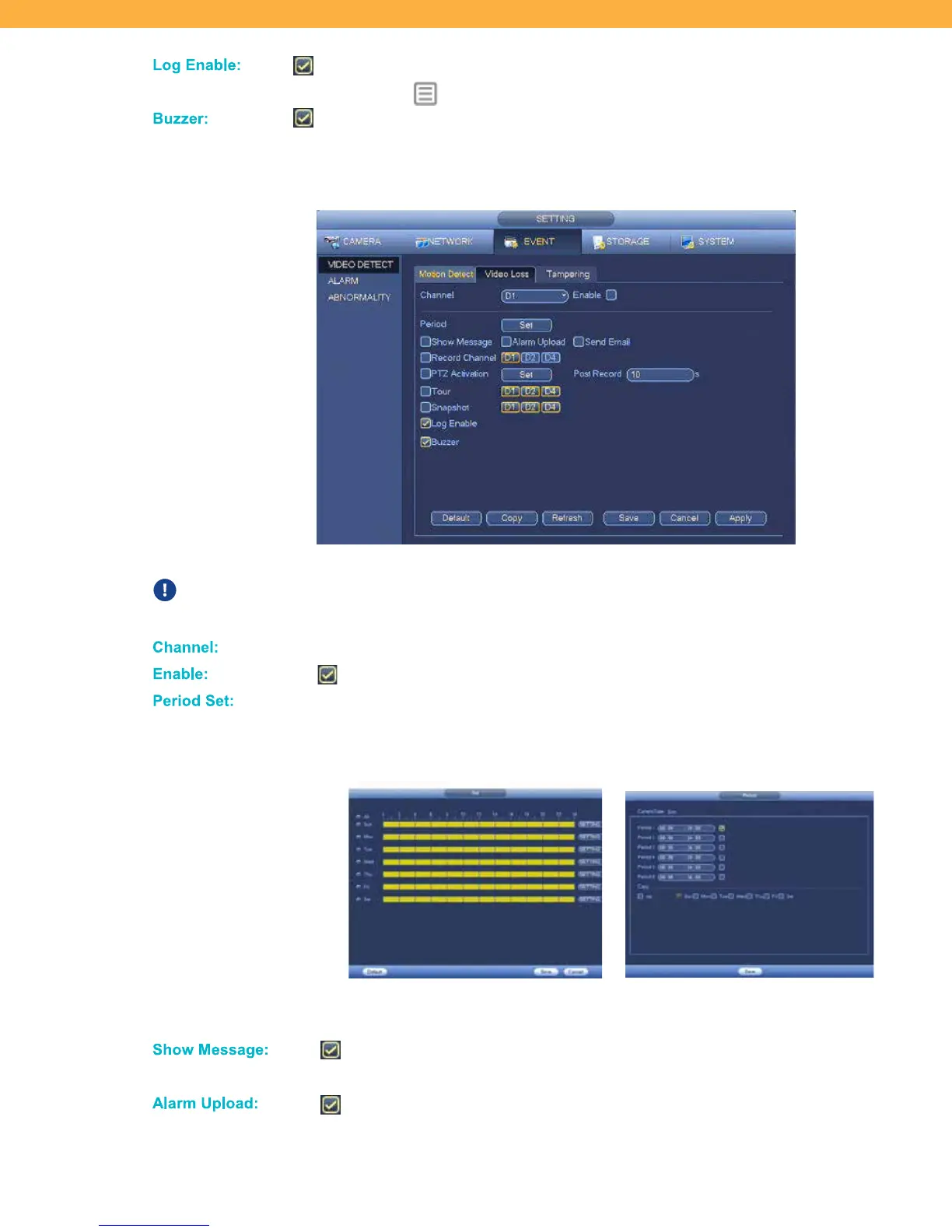
Ch anne l:
Click to select the Channel (Camera) for setup.
Enable :
When selected motion detection is enabled on the selected Channel (Camera).
Period S et:
Click to set a schedule for when motion detection will be enabled on the selected
Channel (Camera) (ex: you can disable motion during business hours and
enable when your location is closed).
Click the period for each day to set the period (yellow is enabled – blue is disabled)
or click Setting to select the Period and Days.
Show Messag e:
When selected a pop-up message will appear on-screen. The message shows
the Channel (Camera) and event type.
Alarm Up lo ad:
When selected this system will send any alarms detected to an additional alarm
monitoring system (ex: alarm monitoring company).



 To Next Page